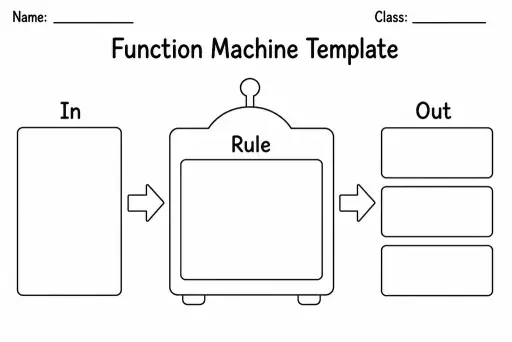
Function Machine Template
Math Templates
Ages 4–11
——
KiwiBee uses optional Google Analytics, Google Ads, and Meta Pixel cookies to understand adult visitors, measure completed sign-ups, and improve campaigns. Essential cookies always stay on. OpenAI’s ChatGPT Ads Pixel also measures page views and completed enquiries after advertising consent, and may use hashed contact details for matching. Privacy policy

The area-model multiplication template — also called the box method — is a blank rectangular grid divided into sections that match the place-value parts of each factor. Students write partial products inside each cell and add them together to find the total, making the distributive property of multiplication visible at every step. Grades 3–6 use the area model as a bridge between concrete manipulatives and the standard algorithm. A two-digit-by-two-digit multiplication (e.g. 34 × 27) splits into a 2×2 box; three-digit problems use a 3×2 layout. Because the cells are blank, one template fits single-digit, double-digit, and triple-digit problems depending on how students label the rows and columns — making it a versatile all-year resource for multiplication and early algebra.
Yes. The sheet includes a 3×2 grid for three-digit by two-digit problems. Students label three column sections (hundreds, tens, ones) and two row sections (tens, ones) for up to 999 × 99.
The standard algorithm layers carrying and regrouping in a compact vertical format. The box method spreads every partial product into its own visible cell, so students see exactly what is being multiplied at each step — reducing errors and deepening understanding.
Once students can predict the partial products mentally and consistently get correct totals, transitioning to the standard algorithm is appropriate — usually late grade 4 or early grade 5. The area model remains useful as a checking strategy even then.
Yes, using the 'partial quotients' or 'reverse area model' approach. Write the dividend as the total area and one factor as a row label, then work backwards to find the missing column labels. This is a powerful division strategy for grades 4–6.
See what other teachers think and share a helpful note.
Generate a fresh worksheet for any grade, topic and language. Free.
 Home
Home All solutions
 Pricing
 About us
 KiwiBee for Non-profits
 Events & webinars
 For big organisations
 For schools
 For centers
 For team leaders
 For teachers
 AI and resources
 Resources
 Printable worksheets
 Lesson Packs
 Interactive simulations
 Teacher tools
 AI studio
 Ideas and research