For heads of department
 For heads of department
Lead the department with the right team and school context.
Heads of department work across their assigned schools and teams with a department summary, member management, team creation, Gradebook context, lesson-plan configuration, and delegated tasks supported by role-scoped AI.



In plain language
What is school department management software?
It is a leadership workspace for the department a head actually owns: assigned teams and members, delegated authority, Gradebook visibility, planning standards, shared templates, and follow-up tasks.
How the work flows
A practical department oversight loop
See the assigned team, review the right evidence, then support the next action.
- 1
Open the department view
Start with the department summary, assigned teams, and the school context available to your role.
- 2
Confirm people and authority
Manage team membership, leaders, and member authority inside the department scope.
- 3
Review teaching evidence
Use Gradebook visibility, lesson-plan oversight, standards, and templates to identify support needs.
- 4
Delegate and follow up
Assign work, use role-scoped AI assistance where available, and keep completion visible.
The friction
When department leadership depends on chasing updates
Standards and support become difficult to apply consistently.
- Team membership and authority are unclear.
- Planning evidence and Gradebook context are reviewed in isolation.
- Templates, delegated work, and follow-up scatter across channels.
The outcome
With the department in one leadership context
Oversight can lead to specific, timely teacher support.
- Assigned teams and member authority are visible.
- Planning standards and Gradebook context inform the same review.
- Templates, tasks, and follow-up stay attached to the department.
Verified KiwiBee workflows
A department workspace built around real authority
The page includes only the live department workflows verified in the KiwiBee app.
Department summary
See assigned schools, teams, and department context from one role-scoped dashboard.
Assigned teams and team creation
Review assigned teams and create new teams only inside schools the department is authorised to manage.


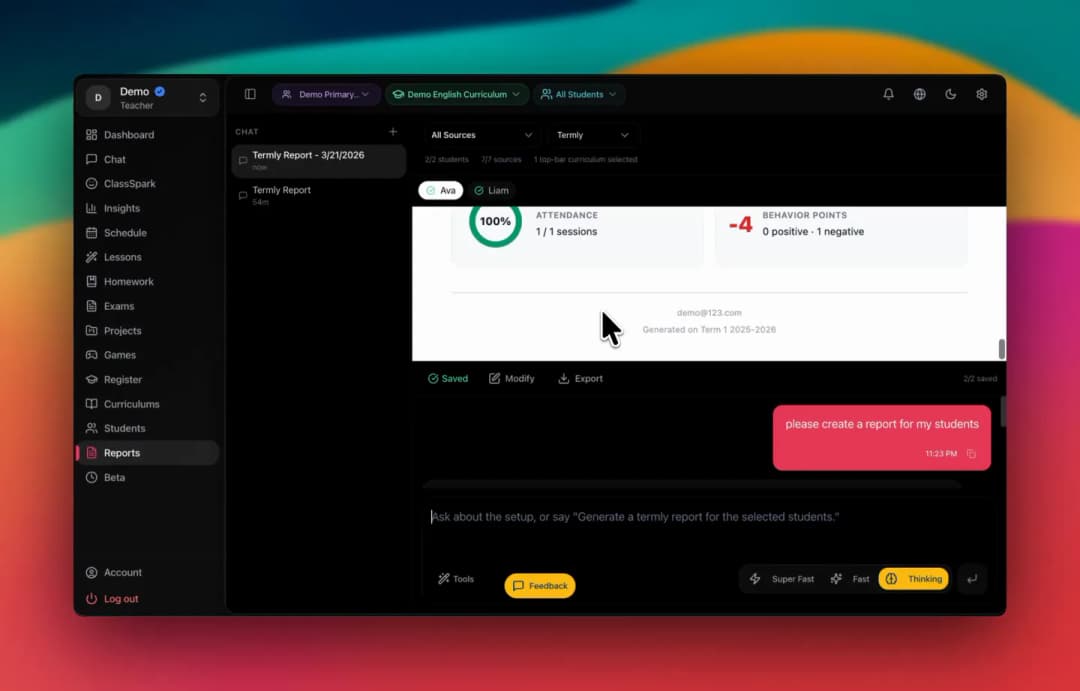
Real KiwiBee product proof
Role-focused work, not a generic dashboard
A real KiwiBee product view showing how navigation and daily context follow the signed-in role.
Questions from this workplace
Department leadership questions
Answers for academic leaders evaluating the department workspace.
What can a head of department see in KiwiBee?
Visibility follows the assigned department scope and can include department summaries, teams, members, Gradebook context, planning oversight, templates, tasks, and relevant school context.
Can a department head manage team membership?
Yes. Verified workflows include managing teams, team leaders, membership, and member authority inside the department scope.
Can department leaders review lesson planning?
Yes. The department workspace includes lesson-plan oversight, planning standards, and reusable templates connected to the relevant teams.
Does department access reveal the whole school?
No. Access remains role-scoped; the user sees only the department and school context assigned to that authority.
How can AI support a department head?
Where available, role-scoped assistants can help with contextual questions and drafts while keeping review and deliberate action with the user.
Keep exploring
Move to the next scope without leaving the platform.
These adjacent workplace pages explain how KiwiBee changes as responsibility moves across the learning community.

Teacher team management for school leaders
Guide teachers, classes, planning, assessment, evidence, and schedules.
Explore this workplace
AI school management for K–12 schools
Manage people, classes, timetables, policies, tasks, and progress.
Explore this workplace
All-in-one teacher workspace for the school day
Teach, plan, manage classes, assess learning, and keep families connected.
Explore this workplaceA workspace that fits your scope
See KiwiBee around the work your team already does.
Tell us how your learning community is structured and we will show you the role-scoped workflow that fits.
 Home
Home All solutions
 Pricing
 About us
 KiwiBee for Non-profits
 Events & webinars
 For big organisations
 AI and resources
 Resources
 Printable worksheets
 Interactive simulations
 Teacher tools
 AI studio
 Ideas and research