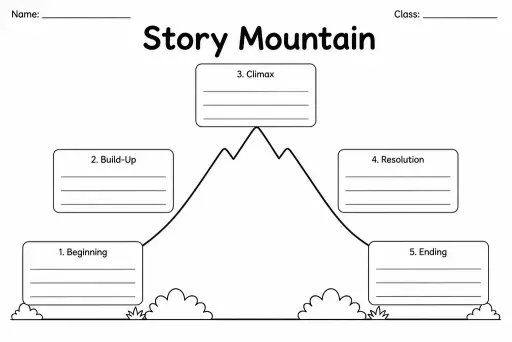
Story Mountain
Graphic Organizers
Ages 4–11
——
KiwiBee uses optional Google Analytics, Google Ads, and Meta Pixel cookies to understand adult visitors, measure completed sign-ups, and improve campaigns. Essential cookies always stay on. OpenAI’s ChatGPT Ads Pixel also measures page views and completed enquiries after advertising consent, and may use hashed contact details for matching. Privacy policy

The Two-Column Notes Template splits a single page cleanly down the middle, giving students two equal ruled columns to fill with whatever pairing suits the task. Unlike the Cornell format, both columns are the same width and carry no pre-printed labels — the student or teacher writes custom headers, making it infinitely flexible. A fourth grader might label the columns Question and Answer; a sixth grader might use Cause and Effect or Vocabulary and Definition; a teacher might distribute it for Compare and Contrast before a class discussion. The blank structure encourages students to think about how two ideas or sources relate before writing, developing analytical thinking alongside note-taking. It works equally well on a clipboard during field work or at a desk during independent reading.
No — both columns are blank with a header line at the top so students or teachers can label them for any purpose.
Cornell Notes uses an intentionally narrow cue column and a mandatory summary box with a specific study method; the Two-Column template has equal columns and no built-in method, making it more open-ended.
Yes. The equal columns and open headers are straightforward enough for grade 4 when used with teacher-provided headings, and students can choose their own headings by grade 5 or 6.
Absolutely — the side-by-side layout is ideal for word-translation pairs or bilingual sentence comparisons.
See what other teachers think and share a helpful note.
Generate a fresh worksheet for any grade, topic and language. Free.
 Home
Home All solutions
 Pricing
 About us
 KiwiBee for Non-profits
 Events & webinars
 For big organisations
 For schools
 For centers
 For team leaders
 For teachers
 AI and resources
 Resources
 Printable worksheets
 Lesson Packs
 Interactive simulations
 Teacher tools
 AI studio
 Ideas and research