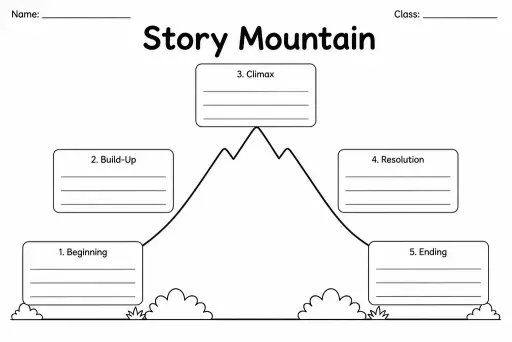
Story Mountain
Graphic Organizers
Ages 4–11
——
KiwiBee uses optional Google Analytics, Google Ads, and Meta Pixel cookies to understand adult visitors, measure completed sign-ups, and improve campaigns. Essential cookies always stay on. OpenAI’s ChatGPT Ads Pixel also measures page views and completed enquiries after advertising consent, and may use hashed contact details for matching. Privacy policy

The student to-do / checklist page is a blank, ruled list template with pre-printed empty checkboxes down the left margin and optional priority or due-date columns on the right. Students in grades 2–8 use it to plan homework assignments, project steps, reading goals, or daily classroom tasks. Writing out tasks by hand — rather than using a digital app — has been shown to improve recall and commitment, making this analogue tool unexpectedly powerful for building executive-function habits. Teachers distribute it at the start of a project, a week, or a lesson block; students number or name each task, estimate how long it will take, and tick the box on completion. Parents find it equally useful for managing household chores and extracurricular schedules alongside schoolwork.
A homework diary is date-organised and records what was assigned. This checklist is task-organised and focuses on breaking work into steps and tracking completion — it complements rather than replaces a diary.
Yes, with brief teacher modelling. Write two or three tasks together as a class before expecting independent use. Limit the list to three to five items for younger students so it does not feel overwhelming.
Yes — that is good practice. At the end of each day or session, students scan for unchecked boxes and write those tasks at the top of a fresh sheet, learning that incomplete work does not disappear.
Most versions include one or two optional columns to the right of the task line (e.g. Due Date, Done). The columns are blank, so students or teachers can label them for any system they prefer.
See what other teachers think and share a helpful note.
Generate a fresh worksheet for any grade, topic and language. Free.
 Home
Home All solutions
 Pricing
 About us
 KiwiBee for Non-profits
 Events & webinars
 For big organisations
 For schools
 For centers
 For team leaders
 For teachers
 AI and resources
 Resources
 Printable worksheets
 Lesson Packs
 Interactive simulations
 Teacher tools
 AI studio
 Ideas and research