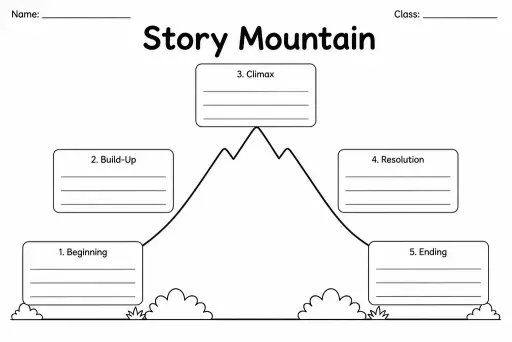
Story Mountain
Graphic Organizers
Ages 4–11
——
KiwiBee uses optional Google Analytics, Google Ads, and Meta Pixel cookies to understand adult visitors, measure completed sign-ups, and improve campaigns. Essential cookies always stay on. OpenAI’s ChatGPT Ads Pixel also measures page views and completed enquiries after advertising consent, and may use hashed contact details for matching. Privacy policy

The Storyboard Template provides a row of rectangular frames — each proportioned at a 16:9 widescreen ratio to mimic a film or video frame — with ruled lines beneath every box for shot descriptions, camera directions, and dialogue notes. Grades 3 through 8 use it whenever a project moves from page to screen: film studies units, student-made documentaries, stop-motion animation, explainer videos, digital storytelling, and multimedia presentations. The framed format teaches students to think like directors — deciding on camera angles, scene transitions, and pacing before a single second of footage is captured. Unlike a simple comic strip, the caption lines are wider and labelled for action, dialogue, and notes, nudging students toward the professional vocabulary of filmmaking and animation production.
Storyboard frames are widescreen (16:9) to match video and screen proportions, and the caption areas are structured for production notes — shot type, action, and audio — rather than dialogue bubbles or narrative captions.
No. Storyboard sketches are meant to be quick visual cues, not finished art. Stick figures, arrows showing movement, and simple shapes communicate camera direction perfectly well.
Absolutely. It works for stop-motion, Scratch animations, whiteboard explainers, or any sequential visual medium. The frame proportions and note fields are equally useful for any screen-based storytelling.
It depends on the project. A 30-second video might need 6–10 frames; a 2-minute short might use 20 or more. The template can be printed multiple times and stapled together for longer projects.
See what other teachers think and share a helpful note.
Generate a fresh worksheet for any grade, topic and language. Free.
 Home
Home All solutions
 Pricing
 About us
 KiwiBee for Non-profits
 Events & webinars
 For big organisations
 For schools
 For centers
 For team leaders
 For teachers
 AI and resources
 Resources
 Printable worksheets
 Lesson Packs
 Interactive simulations
 Teacher tools
 AI studio
 Ideas and research