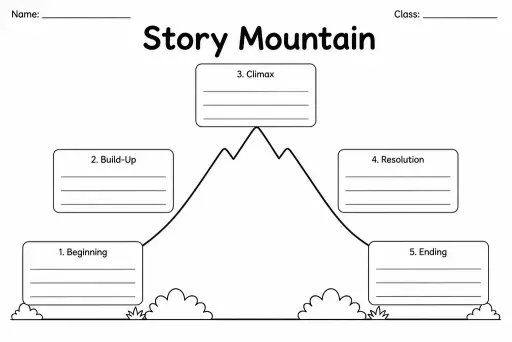
Story Mountain
Graphic Organizers
Ages 4–11
——
KiwiBee uses optional Google Analytics, Google Ads, and Meta Pixel cookies to understand adult visitors, measure completed sign-ups, and improve campaigns. Essential cookies always stay on. OpenAI’s ChatGPT Ads Pixel also measures page views and completed enquiries after advertising consent, and may use hashed contact details for matching. Privacy policy

The Story Innovation Planner is a two-column blank template that places the original model story on the left and leaves a parallel right column for the student's new, innovated version. By keeping both stories side by side, the planner makes the creative decision-making process concrete: students can see exactly where they are changing characters, settings, problems, and resolutions while preserving the underlying story shape. Designed for grades 2–6, this template is the natural companion to any Talk-for-Writing unit or guided reading sequence that uses a model text. Teachers use it to move students from imitation to innovation systematically. Students note key plot points from the original in the left column, then swap elements — character names, locations, obstacles — in the right column to produce a fresh but structurally sound story plan of their own.
Story innovation means keeping the structure and shape of a published model text but replacing the characters, settings, or plot details with the student's own ideas. The student writes something new that follows a proven story pattern.
No. The model can be a picture book, a short story, a myth, a traditional tale, or even a non-fiction recount. The planner works with any text that has a clear, repeatable structure.
The Boxing-Up Planner analyses just one text. The Story Innovation Planner is a side-by-side tool specifically designed to help students plan their own version alongside the original — it is the natural next step after boxing up.
Yes. For grade 5–6 students, the rows can represent chapters or longer sequences. The two-column format scales to any story length and also works well for myth and legend innovation units.
See what other teachers think and share a helpful note.
Generate a fresh worksheet for any grade, topic and language. Free.
 Home
Home All solutions
 Pricing
 About us
 KiwiBee for Non-profits
 Events & webinars
 For big organisations
 For schools
 For centers
 For team leaders
 For teachers
 AI and resources
 Resources
 Printable worksheets
 Lesson Packs
 Interactive simulations
 Teacher tools
 AI studio
 Ideas and research