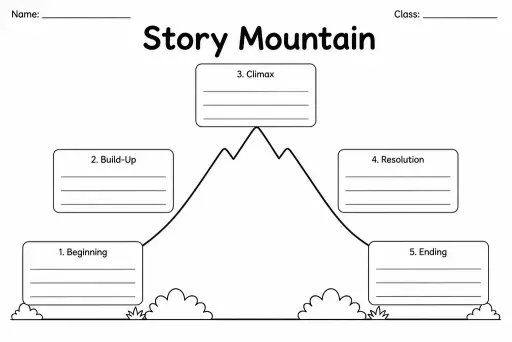
Story Mountain
Graphic Organizers
Ages 4–11
——
KiwiBee uses optional Google Analytics, Google Ads, and Meta Pixel cookies to understand adult visitors, measure completed sign-ups, and improve campaigns. Essential cookies always stay on. OpenAI’s ChatGPT Ads Pixel also measures page views and completed enquiries after advertising consent, and may use hashed contact details for matching. Privacy policy

The Reading Comprehension Frame organises the reading experience into three distinct phases — before, during, and after — each with blank prompt boxes that teachers customise for any text or lesson focus. The before-reading section activates prior knowledge and sets a purpose; the during-reading section captures key ideas, questions, or vocabulary as students progress through the text; the after-reading section prompts summary, inference, and personal response. Designed for grades 2 through 8, this frame works equally well for fiction, non-fiction, or informational texts. Because every box ships blank, teachers control the depth and focus of each reading encounter without reprinting a different template. Students who complete the frame develop the active-reading habits — predicting, monitoring, synthesising — that separate strong comprehenders from passive readers. It is also a practical assessment snapshot: a completed frame shows a teacher exactly where a student's thinking was rich or shallow.
Yes. Because the prompt boxes are blank, teachers simply write genre-appropriate questions. For fiction, 'after' might ask for a character inference; for non-fiction, it might ask for a main-idea summary.
That depends on the lesson focus. Dot-point notes, circled vocabulary, or short questions all work. The goal is evidence that the student was engaging with the text rather than reading on autopilot.
Yes, with scaffolding. For grades 2–3, use simple prompts ('What do you think this book will be about?'), allow drawings, and keep the 'during' section to just one box.
The Reading Response Page is a single open-ended response after reading. The Reading Comprehension Frame captures thinking across all three phases — before, during, and after — making the full reading process visible.
See what other teachers think and share a helpful note.
Generate a fresh worksheet for any grade, topic and language. Free.
 Home
Home All solutions
 Pricing
 About us
 KiwiBee for Non-profits
 Events & webinars
 For big organisations
 For schools
 For centers
 For team leaders
 For teachers
 AI and resources
 Resources
 Printable worksheets
 Lesson Packs
 Interactive simulations
 Teacher tools
 AI studio
 Ideas and research