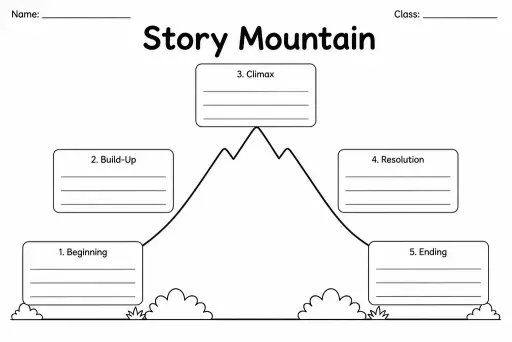
Story Mountain
Graphic Organizers
Ages 4–11
——
KiwiBee uses optional Google Analytics, Google Ads, and Meta Pixel cookies to understand adult visitors, measure completed sign-ups, and improve campaigns. Essential cookies always stay on. OpenAI’s ChatGPT Ads Pixel also measures page views and completed enquiries after advertising consent, and may use hashed contact details for matching. Privacy policy

The Non-Chronological Report Planner is a blank graphic-organizer template made up of labelled sub-heading boxes, each one a dedicated space for a different section of a factual report. Unlike recount or story planners, the sections here have no time order — students can fill any box first, giving them the freedom to research and note facts topic by topic before assembling a coherent report. Ideal for grades 2–6, this template is used across science, geography, history, and PSHE whenever students are writing an information text about an animal, a country, a historical figure, or any topic that calls for organised facts under clear headings. Teachers use it to model the difference between chronological and non-chronological writing. Students use it to sort research notes, avoid repetition across sections, and produce a well-structured report without losing track of their facts.
A non-chronological report presents information by theme or category rather than by time order. You can read the sections in any sequence and still understand the topic — unlike a recount or a set of instructions.
Yes, and that is one of the key learning points. The blank boxes invite students to decide which sub-headings suit their specific topic, developing their understanding that the same report structure adapts to any subject.
Four to six boxes suits most primary report topics. Younger writers in grade 2 might use three broad sections, while grade 5–6 students writing a detailed science or geography report may need seven or eight.
Yes. A biography has some chronological elements but is still a form of non-chronological report (Early Life, Career, Achievements, Legacy). The sub-heading box layout organises biographical notes effectively before drafting.
See what other teachers think and share a helpful note.
Generate a fresh worksheet for any grade, topic and language. Free.
 Home
Home All solutions
 Pricing
 About us
 KiwiBee for Non-profits
 Events & webinars
 For big organisations
 For schools
 For centers
 For team leaders
 For teachers
 AI and resources
 Resources
 Printable worksheets
 Lesson Packs
 Interactive simulations
 Teacher tools
 AI studio
 Ideas and research