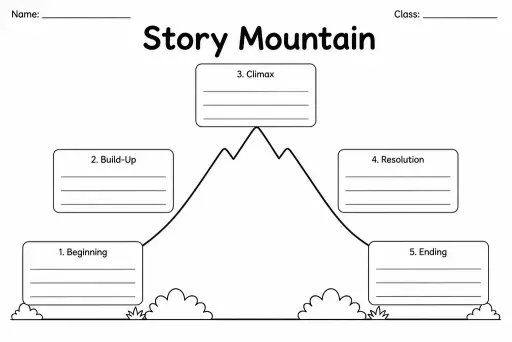
Story Mountain
Graphic Organizers
Ages 4–11
——
KiwiBee uses optional Google Analytics, Google Ads, and Meta Pixel cookies to understand adult visitors, measure completed sign-ups, and improve campaigns. Essential cookies always stay on. OpenAI’s ChatGPT Ads Pixel also measures page views and completed enquiries after advertising consent, and may use hashed contact details for matching. Privacy policy

The Hexagon Learning Template is a page of blank interlocking hexagons that students cut out, write on, and physically connect — or simply fill in directly on the sheet — to map how ideas, concepts, vocabulary words, or events relate to one another. Unlike a traditional spider diagram, the hexagon format lets any cell border any other cell, showing multi-directional links rather than a single hub-and-spoke hierarchy. This makes it particularly powerful for Grades 4–8 when students need to demonstrate complex, non-linear connections across a topic. Teachers use it for vocabulary mapping, cause-and-effect chains, thematic analysis in literature, and concept consolidation after a unit. The geometric tessellation means students can keep adding hexagons beyond the printed page, making the template infinitely extendable for ambitious projects.
The standard layout contains 24 hexagons arranged in a tessellating grid — enough for a rich concept map on a single A4 or US Letter page.
Both approaches work. Filling in directly on the sheet is faster for individual written work. Cutting and rearranging is better for group tasks or when students need to explore multiple configurations before committing.
A mind map radiates outward from one central node in a strict hierarchy. Hexagon learning allows every cell to connect to up to six neighbours equally, making it better for showing complex webs of relationships rather than a tree structure.
Yes, especially with teacher scaffolding. Pre-filling some hexagons or limiting the task to 8–10 cells keeps it manageable. The physical cut-and-arrange version is often more engaging for concrete learners at this age.
See what other teachers think and share a helpful note.
Generate a fresh worksheet for any grade, topic and language. Free.
 Home
Home All solutions
 Pricing
 About us
 KiwiBee for Non-profits
 Events & webinars
 For big organisations
 For schools
 For centers
 For team leaders
 For teachers
 AI and resources
 Resources
 Printable worksheets
 Lesson Packs
 Interactive simulations
 Teacher tools
 AI studio
 Ideas and research