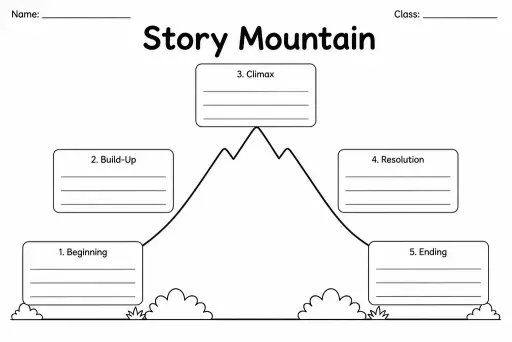
Story Mountain
Graphic Organizers
Ages 4–11
——
KiwiBee uses optional Google Analytics, Google Ads, and Meta Pixel cookies to understand adult visitors, measure completed sign-ups, and improve campaigns. Essential cookies always stay on. OpenAI’s ChatGPT Ads Pixel also measures page views and completed enquiries after advertising consent, and may use hashed contact details for matching. Privacy policy

The Editing and Proofreading Checklist is a blank, fillable framework that guides students through the final polish stage of the writing process. It presents empty check rows organised around the core surface-level revision categories — capitalisation, punctuation, spelling, grammar, and sentence variety — which students (or teachers) can label themselves to match any assignment or rubric. Because the checklist ships blank, it adapts instantly: a grade-2 teacher might label just three rows, while a grade-8 teacher can assign a full editing protocol with ten criteria. Students work through each item before submitting a draft, building the metacognitive habit of reading for one specific issue at a time rather than scanning loosely. Useful as a self-check, a peer-editing guide, or a teacher feedback tool during writing conferences.
A blank framework lets teachers customise criteria to match their specific assignment, grade level, or curriculum standard rather than working around a fixed list.
The printable includes enough blank rows to accommodate between 6 and 12 editing criteria, covering typical lesson needs from grades 2 through 8.
Absolutely. Give the editor a filled-in copy of the criteria and ask them to work through the draft row by row, noting examples or corrections for each item.
Yes. Print the checklist and place it beside the screen, or load the PDF into an annotation app so students can tick digitally while reading their document.
See what other teachers think and share a helpful note.
Generate a fresh worksheet for any grade, topic and language. Free.
 Home
Home All solutions
 Pricing
 About us
 KiwiBee for Non-profits
 Events & webinars
 For big organisations
 For schools
 For centers
 For team leaders
 For teachers
 AI and resources
 Resources
 Printable worksheets
 Lesson Packs
 Interactive simulations
 Teacher tools
 AI studio
 Ideas and research