Printable template
Pixel Grid with Coordinates 16x16
Labelled A-P / 1-16 grid for coordinate art.

This 16x16 pixel art grid comes pre-labelled with column letters A–P along the top and row numbers 1–16 down the side, turning every cell into a named coordinate. Students can describe, recreate, and communicate any cell's position using standard (letter, number) notation — bridging free pixel art and formal coordinate literacy in a single printable sheet. Grades 2–8 students reach for this template in art lessons, maths classes, and coding-integration activities. Teachers use it to reinforce ordered-pair notation, plan symmetry activities, and give students a reference frame for describing their pixel designs to peers. It also makes a natural stepping stone before students work with x–y coordinate planes in algebra, grounding abstract grid concepts in a creative, visual context.
Learning objectives
- Locate and name any cell using letter-number coordinate notation
- Practise ordered-pair thinking in a creative, visual context
- Describe a pixel design to a peer using coordinate references
- Recreate a design from written coordinate instructions
- Explore symmetry and reflection by comparing coordinates across axes
- Build familiarity with grid-based spatial language before formal algebra
How to use this template
- Download and print the free PDF — the A–P column labels and 1–16 row labels are pre-printed on every copy.
- Use the coordinates to plan your design: decide which cells to colour and note them as coordinate pairs (e.g., C5, H12) before picking up a coloured pencil.
- Colour cells according to your plan, using the axis labels to navigate quickly without counting from scratch.
- Share your coordinate list with a partner so they can recreate your design on their own blank copy without seeing yours.
- Compare finished sheets to check accuracy and discuss any differences.
Classroom & home ideas
- Run a 'coordinate dictation' activity: one student reads aloud a sequence of coordinates and colour instructions while a partner fills in their grid — then reveal the original to check accuracy.
- Use in a maths lesson on symmetry: have students create a design in the left half (columns A–H) and then identify the mirror coordinates in columns I–P to complete the reflection.
- Integrate with a mapping unit — the labelled grid reinforces how maps use letter-number grid references (like B3 on a street map) before students advance to latitude and longitude.
- Pair with a Scratch or block-coding lesson: students first plan a sprite on the coordinate grid, then translate cell positions to on-screen x/y coordinates in the coding environment.
- Use for a mystery-image activity: the teacher writes a secret coordinate list; students colour those cells and discover the hidden pixel image.
Skills practised
Frequently asked questions
Why does the grid use letters for columns and numbers for rows?
This mirrors real-world coordinate conventions used in spreadsheets (A1 notation), map grids, and early geography references, making it a practical introduction to multiple real-world systems before students encounter x/y algebraic coordinates.
How is this different from the blank 16x16 pixel art grid?
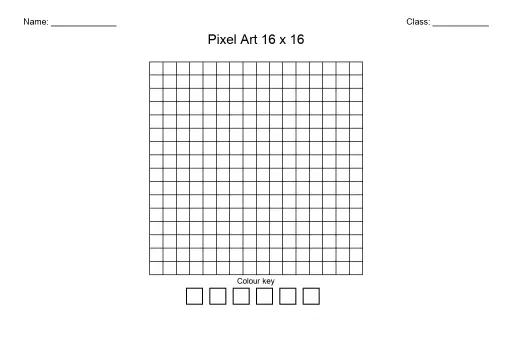
The blank version has no axis labels — it is purely for freehand pixel art. This coordinate version adds A–P column labels and 1–16 row labels, enabling precise cell addressing for maths, coding, and collaborative recreation tasks.
Can this be used for maths activities beyond art?
Absolutely. The labelled grid is ideal for symmetry and reflection tasks, introducing ordered-pair notation, graphing simple patterns, and practicing spatial reasoning — the pixel art aspect is optional.
What grade level is coordinate notation first introduced?
Most curricula introduce basic grid coordinates in grades 2–3. This template is designed to support that introduction at the lower end and deepen the concept through to grade 8, where it bridges to formal x/y coordinate graphing.
Likes & comments
See what other teachers think and share a helpful note.
Create more worksheets in our Worksheet Studio
Generate fresh worksheets for any grade, topic, and language — free.
Open the Worksheet StudioRelated worksheets
School Event Coloring Pages Pack 2
Song-Writing Template
Pixel Art Grid 64x64 (Blank)
Pixel Art Grid 32x32 (Blank)
Sketchbook Page Template
Pixel Art Grid 16x16 (Blank)
Mandala Template (Blank)
 For big organisations
 For schools
 For centers
 For team leaders
 For teachers
 AI and resources
 Printable worksheets
 Interactive simulations
 Teacher tools
 AI studio
 Ideas and research