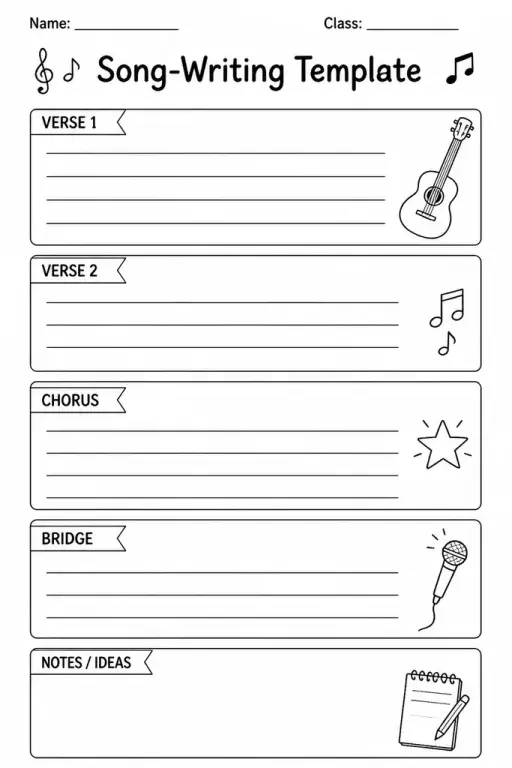
Song-Writing Template
Music Templates
Ages 4–11
——
KiwiBee uses optional Google Analytics, Google Ads, and Meta Pixel cookies to understand adult visitors, measure completed sign-ups, and improve campaigns. Essential cookies always stay on. OpenAI’s ChatGPT Ads Pixel also measures page views and completed enquiries after advertising consent, and may use hashed contact details for matching. Privacy policy

The Piano Keyboard Diagram (Blank) template shows one or more octave spans of white and black keys printed in clear outline form, ready for students to label, colour, or annotate in any way their lesson requires. Grades 2 through 8 use it across a wide range of activities: a second-grader circles middle C and marks a five-finger position, a fifth-grader labels all twelve chromatic pitches in a full octave, and an eighth-grader colour-codes the notes of a chord or marks the pattern of a whole-tone scale. Teachers value the template for visual learners who grasp pitch relationships more easily when they can see the key layout in front of them, separate from the physical instrument.
The standard layout shows one or two full octaves (13 or 25 keys), which is sufficient for most theory exercises. Some versions include a full four-octave span suitable for range mapping.
Absolutely. The keyboard diagram is widely used in general music education because the visual layout of half steps and whole steps is clearer on piano keys than on any other instrument.
Yes. A teacher can introduce the diagram by pointing out the repeating pattern of two and three black keys, which allows even very young students to find any white-key note independently.
This is one of the best uses. Students label the same black key with both its sharp and flat name, then discuss why the same pitch has two different written forms depending on context.

See what other teachers think and share a helpful note.
Generate a fresh worksheet for any grade, topic and language. Free.
 Home
Home All solutions
 Pricing
 About us
 KiwiBee for Non-profits
 Events & webinars
 For big organisations
 For schools
 For centers
 For team leaders
 For teachers
 AI and resources
 Resources
 Printable worksheets
 Lesson Packs
 Interactive simulations
 Teacher tools
 AI studio
 Ideas and research