Printable template
Isometric Pixel Grid
Blank diamond grid for 3D-look pixel art.

The Isometric Pixel Grid is a printable template covered in a repeating diamond (rhombus) pattern rather than square cells, enabling students in grades 4–8 to draw pixel art with a convincing three-dimensional appearance. Each diamond represents a face of a cube, so artists can shade three visible faces — top, left, right — with distinct tones to make stacked blocks, buildings, and terrain look like they exist in space. Teachers use it in art class to introduce perspective and shading concepts without requiring ruler construction, and in STEM contexts to explore 3D visualization on a flat surface. Students who love building games like Minecraft find this grid immediately intuitive, which makes it a strong engagement hook for reluctant artists. The isometric format challenges spatial reasoning in a way standard square grids do not, making it a natural extension activity for students ready to level up their pixel-art skills.
Learning objectives
- Understand how isometric projection creates the illusion of three dimensions on a flat page
- Apply consistent light-source shading across the three visible faces of pixel cubes
- Build spatial-reasoning skills by visualizing 3D structures from a 2D plan
- Design architectural, landscape, or character art using a non-standard grid
- Develop patience and precision when working with a diagonal, diamond-cell format
- Connect art-making to geometry, perspective, and STEM visualization concepts
How to use this template
- Download and print the isometric pixel grid PDF on standard paper; thicker paper (32 lb) reduces bleed-through from markers.
- Choose a simple starting subject — a single cube, a staircase, or a small building — and lightly mark which diamonds will be the top, left, and right faces.
- Select three shades of the same color (light, medium, dark) to represent the top and two side faces consistently across your design.
- Color the top face with the lightest shade, the left face with the medium shade, and the right face with the darkest to simulate light coming from the upper left.
- Add detail, texture, or windows to individual faces once the base shading is complete, then outline with a fine black pen to sharpen the 3D effect.
Classroom & home ideas
- Architecture challenge: students design their dream house or school building in isometric view, labeling rooms and features, combining art with descriptive writing.
- Minecraft-to-paper translation: students recreate a screenshot of a Minecraft or Roblox build on the isometric grid, making decisions about which blocks to include and how to simplify.
- Shading science: use the three-tone cube exercise as a STEM lesson on how light direction determines shadow placement, connecting visual art to physics concepts.
- Impossible geometry art: advanced students explore optical illusions like the Penrose triangle or infinite staircase by exploiting isometric projection's lack of vanishing points.
- City-planning project: groups collaboratively design an isometric city district, each student responsible for one building type, then combine pages into a class city map.
Skills practised
Frequently asked questions
How is an isometric grid different from a regular square pixel grid?
A regular grid uses square cells on horizontal and vertical axes. An isometric grid uses diamond-shaped cells on 60-degree axes, which allows three visible faces of a cube to appear on the flat page, creating a 3D illusion without true perspective distortion.
Is this grid suitable for grade 4 students who haven't drawn in 3D before?
Yes, with scaffolding. Start by having grade 4 students shade a single cube using three provided colors — this builds the core concept. Once they understand the three-face rule, they can stack cubes into more complex structures.
What is the best coloring tool for the diamond cells on this grid?
Fine-tip colored pencils give the most control because diamond cells have diagonal edges. Brush-tip markers can create a bold, game-art look but require careful application to stay within the cell lines.
Can students use this grid to plan a 3D digital design before building it in software?
Absolutely. Many students use the isometric grid as a paper prototype for Minecraft, Roblox, or 3D modeling apps. Sketching the plan on paper first helps them visualize the structure and avoid costly in-game rebuilds.
Likes & comments
See what other teachers think and share a helpful note.
Create more worksheets in our Worksheet Studio
Generate fresh worksheets for any grade, topic, and language — free.
Open the Worksheet StudioRelated worksheets

School Event Coloring Pages Pack 2
Song-Writing Template
Sketchbook Page Template
Pixel Art Grid 64x64 (Blank)
Pixel Art Grid 32x32 (Blank)
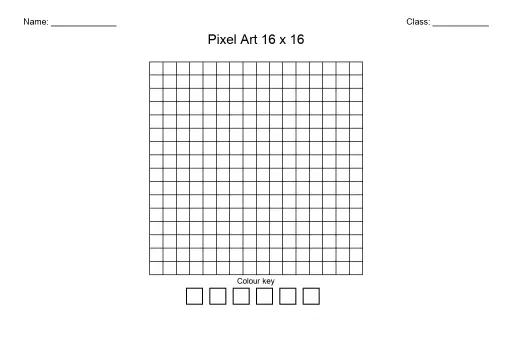
Pixel Art Grid 16x16 (Blank)
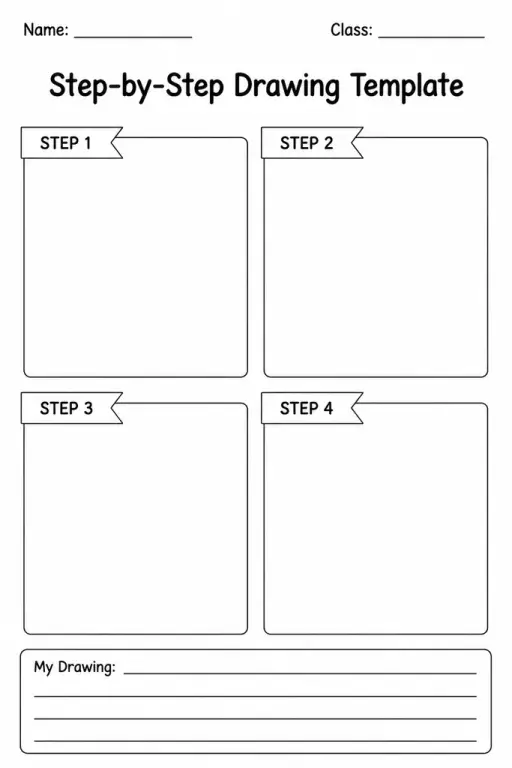
Step-by-Step Drawing Template
 For big organisations
 For schools
 For centers
 For team leaders
 For teachers
 AI and resources
 Printable worksheets
 Interactive simulations
 Teacher tools
 AI studio
 Ideas and research