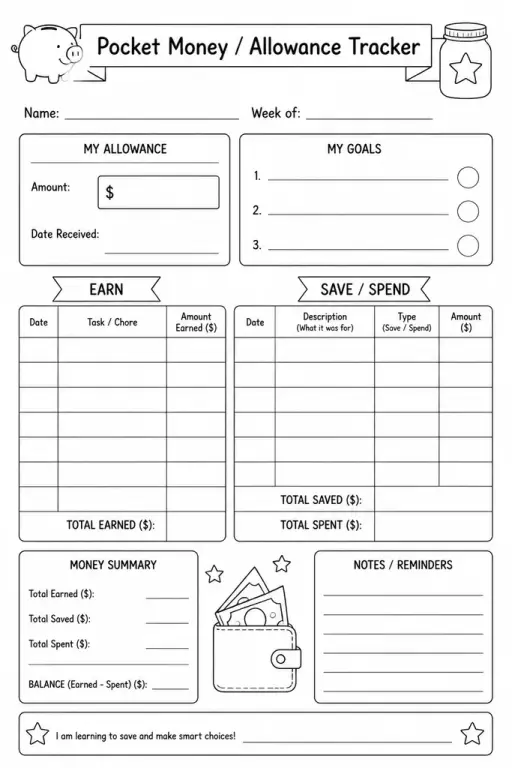
Pocket Money / Allowance Tracker
Parent & Home Printables
Ages 4–11
——
KiwiBee uses optional Google Analytics, Google Ads, and Meta Pixel cookies to understand adult visitors, measure completed sign-ups, and improve campaigns. Essential cookies always stay on. OpenAI’s ChatGPT Ads Pixel also measures page views and completed enquiries after advertising consent, and may use hashed contact details for matching. Privacy policy

A permission slip template is a clean, blank trip-consent form that teachers customize before any off-campus activity. It gives parents and guardians all the essential details—event name, date, destination, supervision arrangements, and any cost—while capturing a signature line that confirms consent. Because the layout is already structured, teachers spend minutes filling in specifics rather than drafting from scratch. The form suits every grade level and event type, from a museum visit to a school sports carnival. It also works for virtual field trips or after-school programs that require written parental authorization. A completed, signed copy stays on file as a legal and administrative record, giving both the school and families confidence that expectations are aligned before the day arrives.
Yes. The blank layout is fully customizable—simply overwrite the placeholder fields each time you plan a new activity, whether it's a local park walk, a sporting event, or an overnight trip.
Absolutely. The form works from kindergarten through high school; you only need to adjust the language complexity and the specific activity details to suit your class.
The blank template provides space you can label as needed. Many teachers add a short section for known allergies, medications, or medical conditions relevant to the trip.
Yes. You can adapt the PDF or Word version for digital submission via email or a form tool, or simply accept a printed copy with an original signature based on your school's policy.
See what other teachers think and share a helpful note.
Generate a fresh worksheet for any grade, topic and language. Free.
 Home
Home All solutions
 Pricing
 About us
 KiwiBee for Non-profits
 Events & webinars
 For big organisations
 For schools
 For centers
 For team leaders
 For teachers
 AI and resources
 Resources
 Printable worksheets
 Lesson Packs
 Interactive simulations
 Teacher tools
 AI studio
 Ideas and research