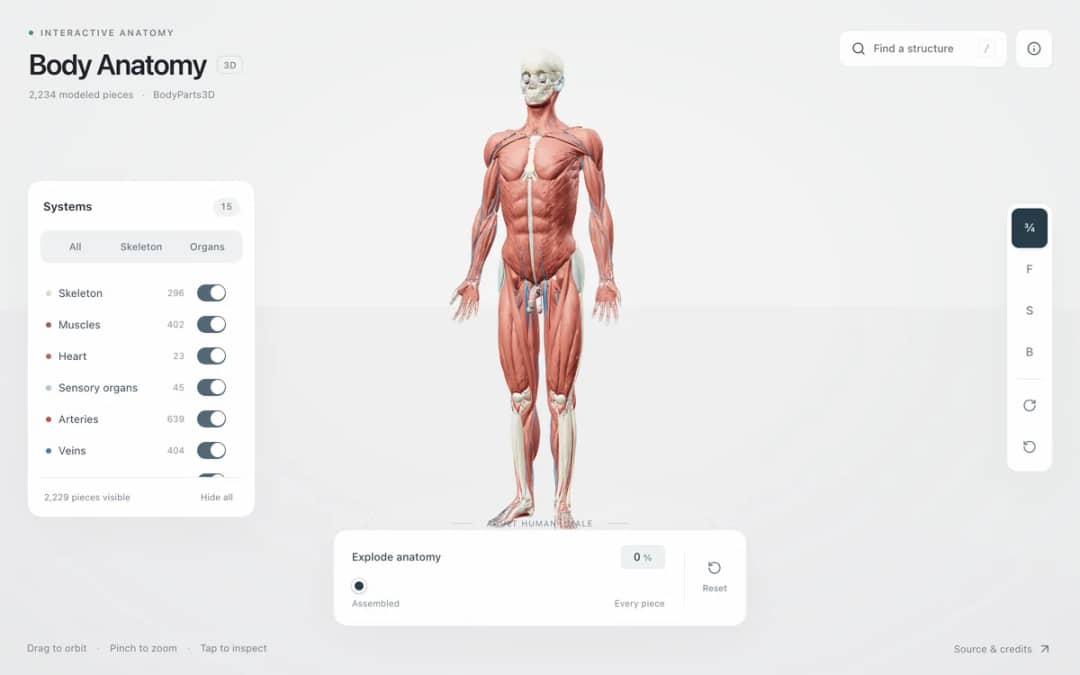
Explore an adult male reference body in 3D. Reveal 14 anatomical systems, search thousands of named structures, isolate organs, and pull 2,209 modeled pieces apart to see how the body is organized.
—
KiwiBee uses optional Google Analytics, Google Ads, and Meta Pixel cookies to understand adult visitors, measure completed sign-ups, and improve campaigns. Essential cookies always stay on. OpenAI’s ChatGPT Ads Pixel also measures page views and completed enquiries after advertising consent, and may use hashed contact details for matching. Privacy policy
Torque & Wrench Lab is an interactive 3D rotational-mechanics simulation that visualizes both the scalar magnitude tau = r F sin theta and the 3D right-hand-rule vector cross product tau = r x F. A steel wrench grips a hexagonal bolt on a workbench while students drag the force grip along the shaft (r from 0.15 m to 0.65 m) and vary the pull angle theta (15 to 165 degrees). Color-coded 3D arrows show the lever arm vector r along the wrench, the applied force vector F, the yellow perpendicular moment arm r_perp = r sin theta, and the vertical green torque vector rising along the bolt axis. Once tau exceeds the breakaway friction threshold, the bolt breaks free and rotates.
Torque equals lever arm times perpendicular force (tau = r F sin theta). Doubling the distance r from the bolt to your hand doubles the turning torque produced by the exact same pull force F.
Only the force component perpendicular to the wrench handle (F sin theta) contributes to turning the bolt; the parallel component (F cos theta) merely pulls or pushes radially against the bolt shaft without creating any turning moment.
In 3D physics, torque is defined as the vector cross product tau = r x F, which points along the axis of rotation according to the right-hand rule: curl the fingers of your right hand from r toward F (counterclockwise) and your thumb points straight up (+Y).
The moment arm r_perp = r sin theta is the shortest perpendicular distance from the pivot axis (the bolt center) to the extended line of action of the force F.
Drop it into your LMS, blog, or class site — free.
<iframe src="https://kiwibee.io/en/simulations/torque-lug-wrench-equilibrium-3d-simulation/embed" title="Torque & Wrench Lab | KiwiBee" loading="lazy" allowfullscreen style="width:100%;height:min(70vh,620px);min-height:420px;border:0;border-radius:16px"></iframe>Continue exploring
Explore an adult male reference body in 3D. Reveal 14 anatomical systems, search thousands of named structures, isolate organs, and pull 2,209 modeled pieces apart to see how the body is organized.
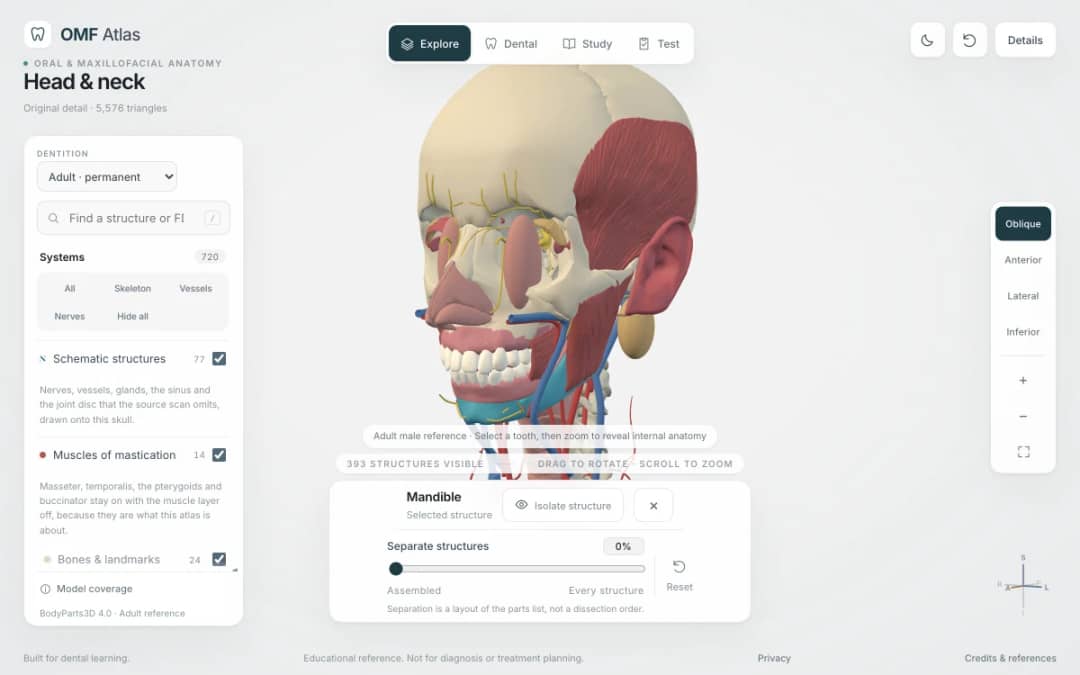
Explore the head and neck in 3D: 643 source meshes across 14 layers, 47 facial and masticatory muscles, and 77 drawn nerves, vessels and glands the source scan omits. Open any tooth onto its own pulp canal, and follow the seven stages of tooth development.

Free interactive photosynthesis simulation. Explore photosynthesis hands-on online — great for whole-class or independent practice.

Free interactive states of matter simulation. Explore states of matter hands-on online — great for whole-class or independent practice.

Free interactive shadows simulation. Explore shadows hands-on online — great for whole-class or independent practice.
KiwiBee's free teacher workspace brings lesson planning, worksheets, classroom tools, and gradebook together in one place.
Start free and create your first class Home
Home All solutions
 Pricing
 About us
 KiwiBee for Non-profits
 Events & webinars
 For big organisations
 For schools
 For centers
 For team leaders
 For teachers
 AI and resources
 Resources
 Printable worksheets
 Lesson Packs
 Interactive simulations
 Teacher tools
 AI studio
 Ideas and research