
About this simulation
Colors can be mixed in two different ways. Light adds: a screen makes every color by shining red, green and blue together, so red and green light make yellow and all three make white. Paint and printer ink take away: each color soaks up some of the light that lands on it, so red and yellow paint make orange, yellow and blue make green, and mixing all three gets darker and muddier. The same circles give a different answer depending on what is being mixed, which is why a school color wheel and a computer screen seem to disagree. Students can change red light and green light and compare what happens. Use it for physics inquiry with Grades 1–5 and Middle School on a projector or student device.
What students can explore
- Mix red and yellow paint, then yellow and blue, then red and blue, and name the three new colors
- Switch to light and mix red and green — find out why it makes yellow, not brown
- Turn all three lights up to full and see white, then do the same with paint and see the opposite
- Slide one color up while the other stays low and watch the mix shift gradually
- Switch to printer ink and find which pairs make red, green and blue
Learning objectives
- 1Predict how changing red light will affect the red value, then test the prediction.
- 2Use evidence from the interactive visual to explain the result.
Questions teachers ask
Is the Color Mixing simulation free?
Yes. Open the Color Mixing simulation in a modern browser with no download or sign-up required.
Is it suitable for Grades 1–5 and Middle School?
The simulation includes learning-level presets spanning Grades 1–5 and Middle School. Choose the level that matches your class, then use it on a projector or student devices.
Embed this simulation
Drop it into your LMS, blog, or class site — free.
<iframe src="https://kiwibee.io/en/simulations/color-mixing-simulation/embed" title="Color Mixing Simulation | KiwiBee" loading="lazy" allowfullscreen style="width:100%;height:min(70vh,620px);min-height:420px;border:0;border-radius:16px"></iframe>Continue exploring
More interactive science models
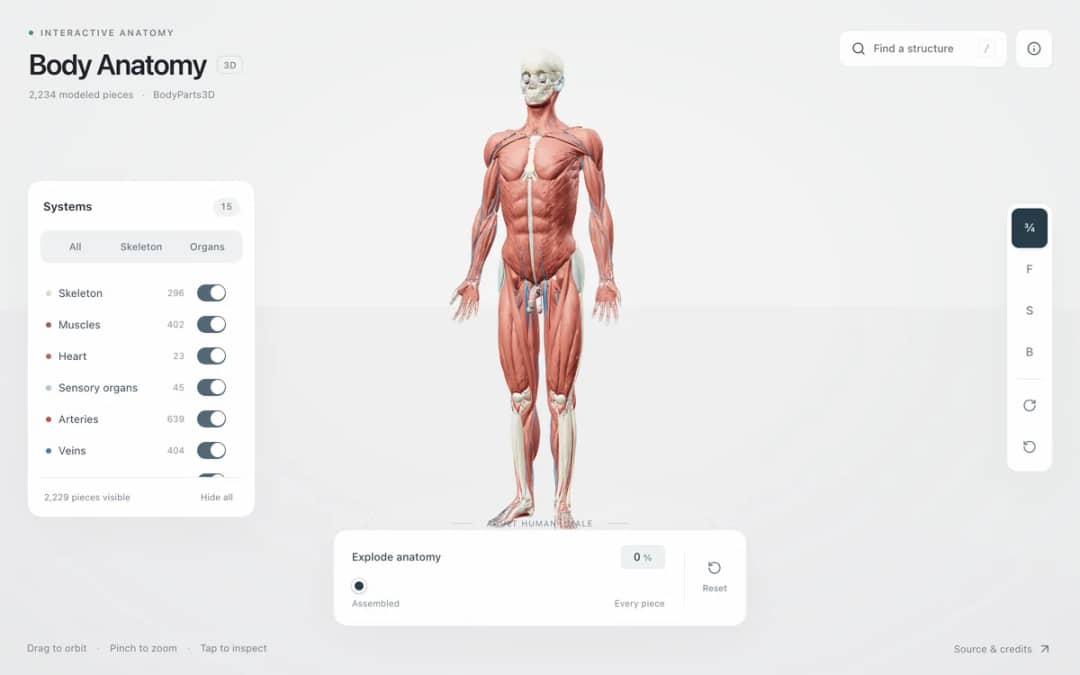
Explore an adult male reference body in 3D. Reveal 14 anatomical systems, search thousands of named structures, isolate organs, and pull 2,209 modeled pieces apart to see how the body is organized.
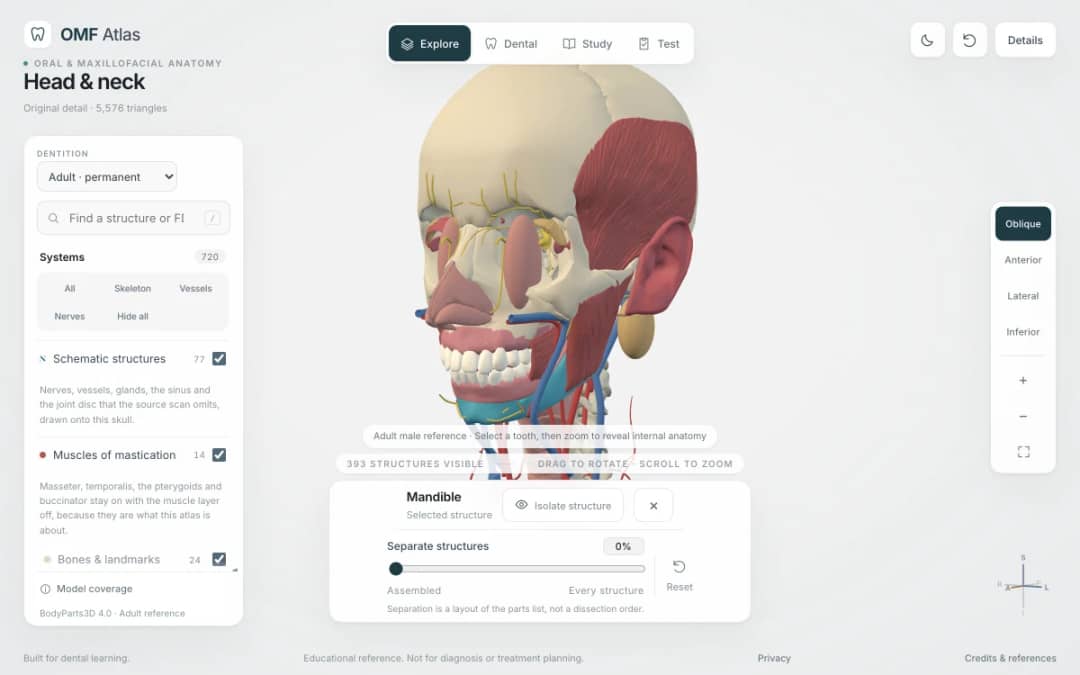
Explore the head and neck in 3D: 643 source meshes across 14 layers, 47 facial and masticatory muscles, and 77 drawn nerves, vessels and glands the source scan omits. Open any tooth onto its own pulp canal, and follow the seven stages of tooth development.

Free interactive photosynthesis simulation. Explore photosynthesis hands-on online — great for whole-class or independent practice.

Free interactive states of matter simulation. Explore states of matter hands-on online — great for whole-class or independent practice.

Free interactive shadows simulation. Explore shadows hands-on online — great for whole-class or independent practice.
Bring interactive science into your classroom
KiwiBee's free teacher workspace brings lesson planning, worksheets, classroom tools, and gradebook together in one place.
Start free and create your first class For big organisations
 For schools
 For centers
 For team leaders
 For teachers
 AI and resources
 Printable worksheets
 Lesson Packs
 Interactive simulations
 Teacher tools
 AI studio
 Ideas and research