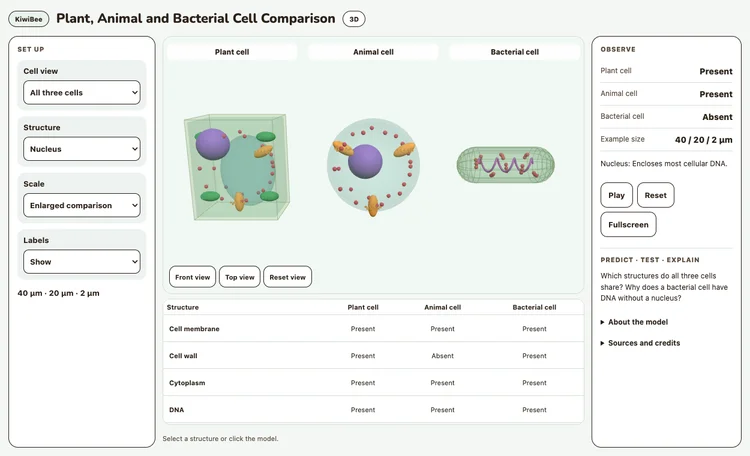
Compare three cell diagrams. Select structures, inspect their functions and compare illustrative sizes.
—
KiwiBee uses optional Google Analytics, Google Ads, and Meta Pixel cookies to understand adult visitors, measure completed sign-ups, and improve campaigns. Essential cookies always stay on. OpenAI’s ChatGPT Ads Pixel also measures page views and completed enquiries after advertising consent, and may use hashed contact details for matching. Privacy policy
This interactive model shows a eukaryotic animal cell cut open so every organelle is visible. A menu lets students highlight the nucleus, nucleolus, mitochondria, endoplasmic reticulum, Golgi apparatus, ribosomes, lysosomes, centrioles or the cell membrane, while readouts give the typical size and a one-line job. The Cell activity slider speeds up vesicles carrying proteins from the ER to the Golgi and out to the membrane. It suits introductions to cell structure, organelle function reviews and quick whole-class quizzes.
Yes, it is free and works in any modern browser on laptops, tablets and classroom whiteboards. No account or sign-up is needed, so you can open it straight away in a lesson.
Mitochondria make most of the cell's ATP, the molecule cells use as energy currency. Cells that use a lot of energy, such as muscle cells, can contain hundreds to thousands of them.
Open the Organelle menu and choose a name. That structure is highlighted and the readouts show its typical size and job. Choose Show all to return to the full cell.
No. Organelle sizes and numbers are simplified for clarity. In a real cell the nucleus takes up far more of the space, and a cell holds many more mitochondria and ribosomes than shown.
Drop it into your LMS, blog, or class site — free.
<iframe src="https://kiwibee.io/en/simulations/animal-cell-3d-simulation/embed" title="Animal Cell | KiwiBee" loading="lazy" allowfullscreen style="width:100%;height:min(70vh,620px);min-height:420px;border:0;border-radius:16px"></iframe>Continue exploring
Compare three cell diagrams. Select structures, inspect their functions and compare illustrative sizes.
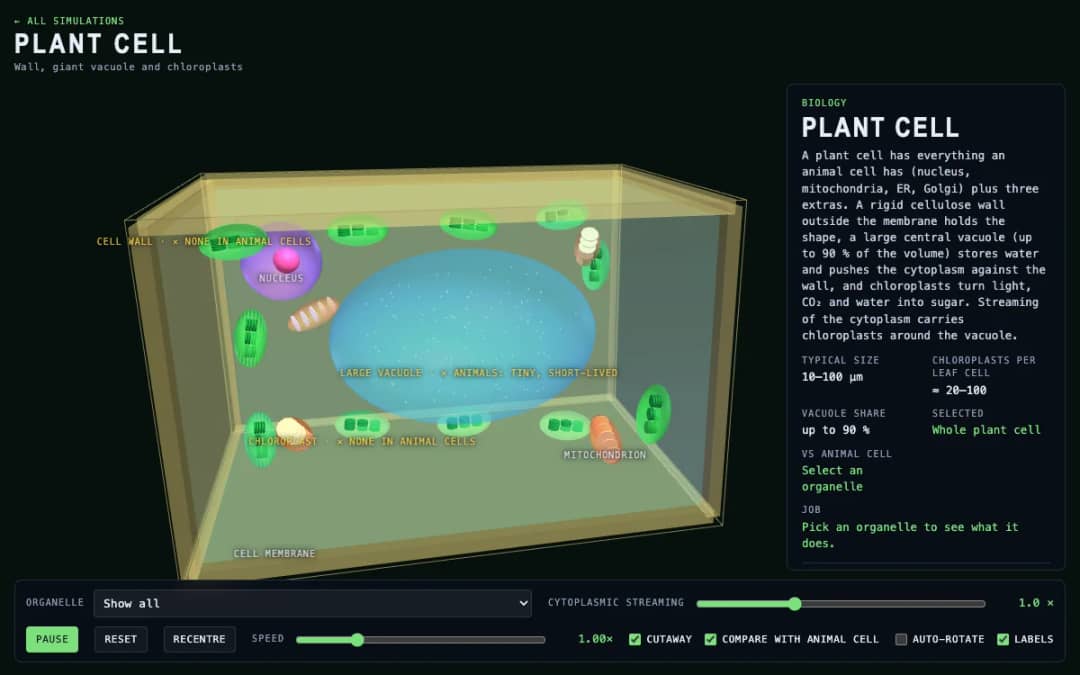
A 3D cutaway plant cell with a cell wall, large central vacuole and chloroplasts. Students highlight each organelle, turn on the animal cell comparison and adjust cytoplasmic streaming.
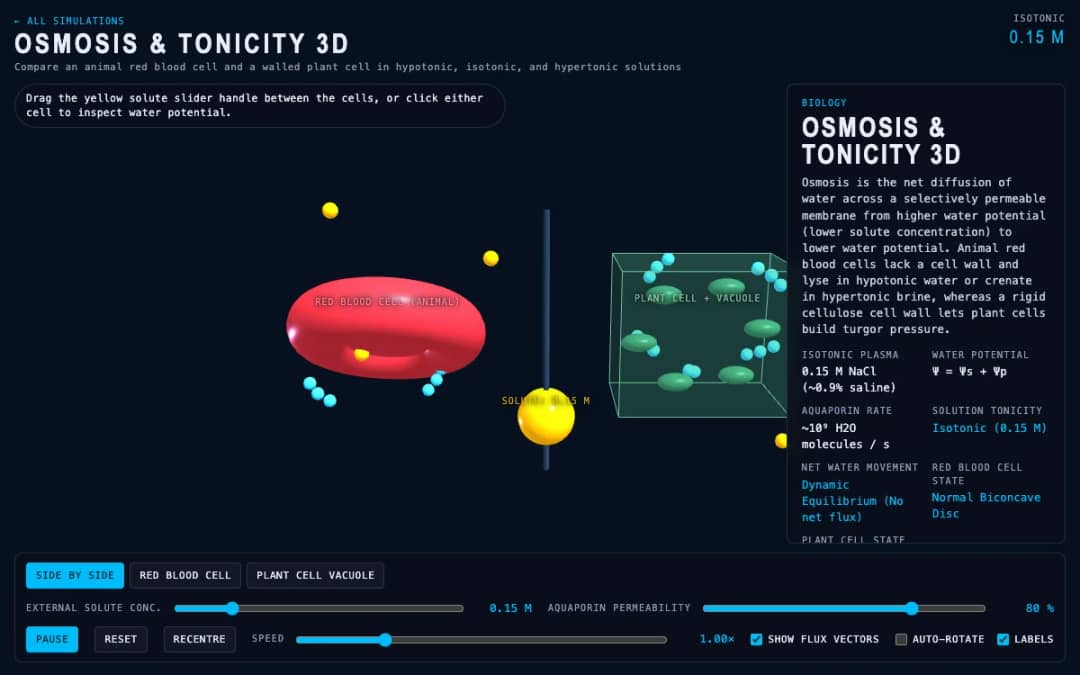
Place a 3D biconcave red blood cell and a walled plant cell side by side in solution. Adjust extracellular solute molarity to watch water cross aquaporin channels and compare haemolysis, crenation, turgor pressure, and plasmolysis.
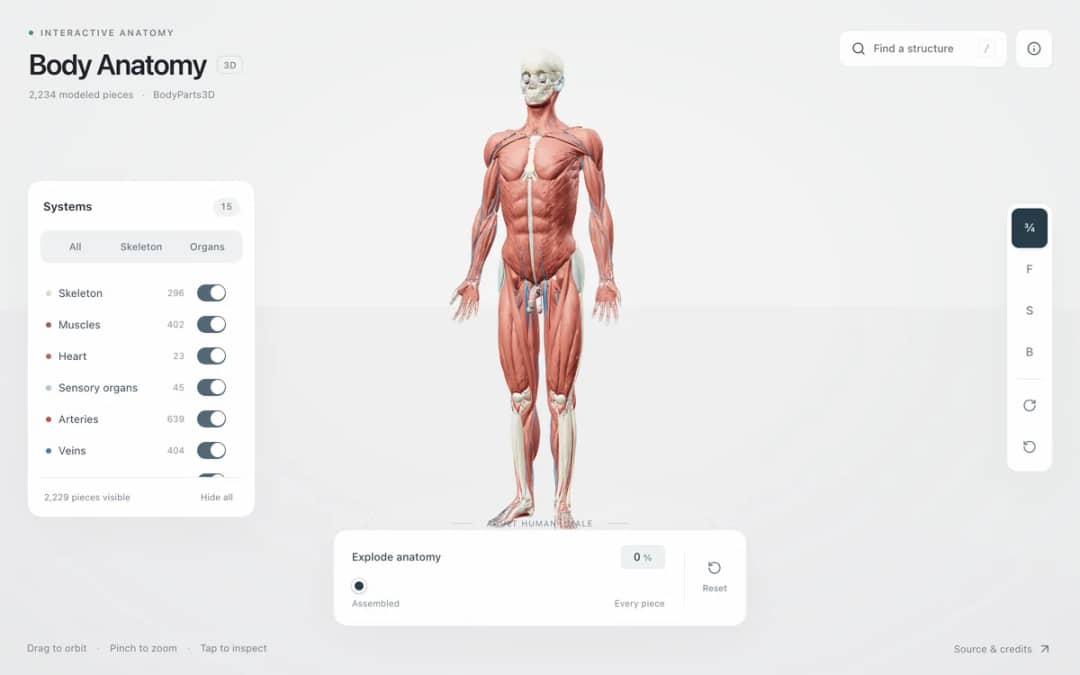
Explore an adult male reference body in 3D. Reveal 14 anatomical systems, search thousands of named structures, isolate organs, and pull 2,209 modeled pieces apart to see how the body is organized.
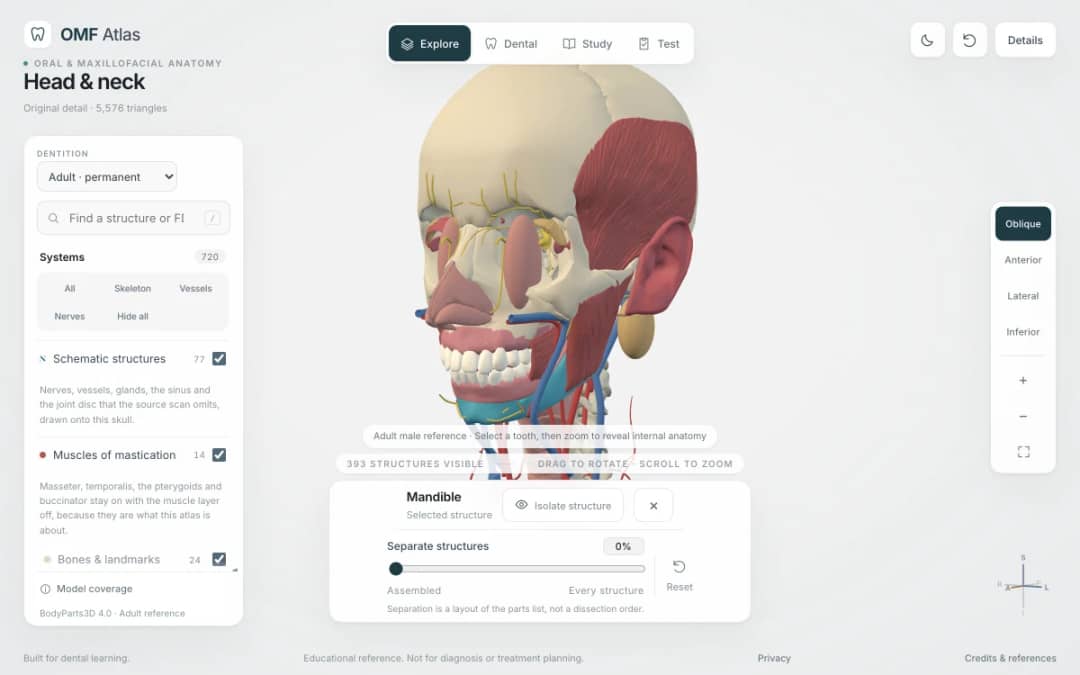
Explore the head and neck in 3D: 643 source meshes across 14 layers, 47 facial and masticatory muscles, and 77 drawn nerves, vessels and glands the source scan omits. Open any tooth onto its own pulp canal, and follow the seven stages of tooth development.
From model to evidence
Use a worksheet to capture predictions, observations, and explanations after students explore.
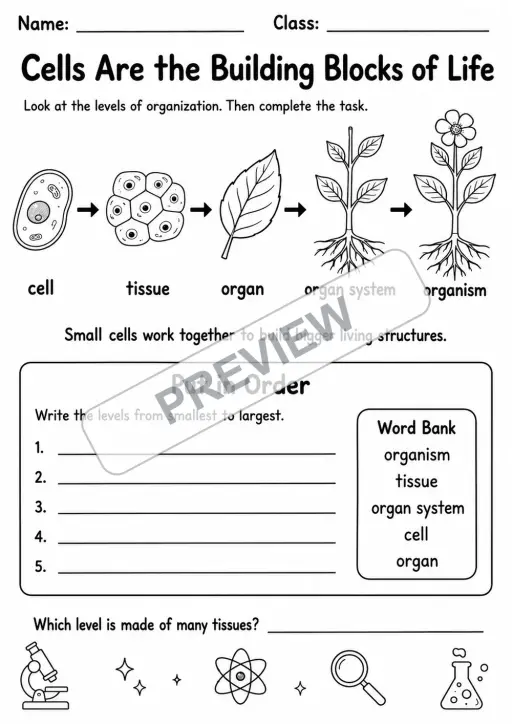
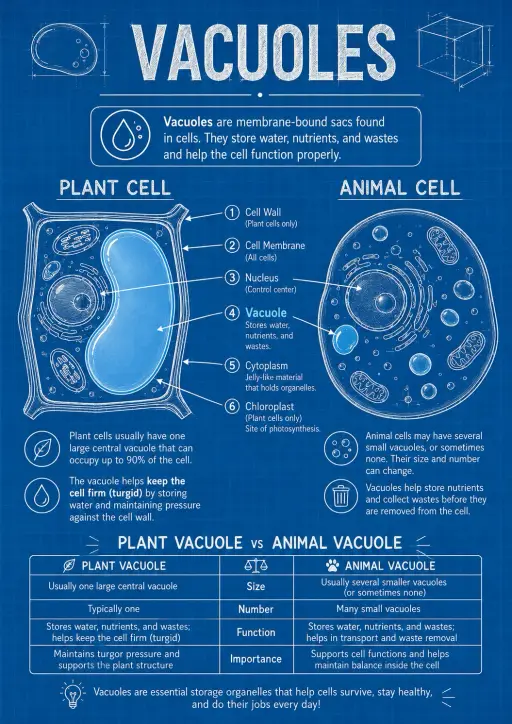
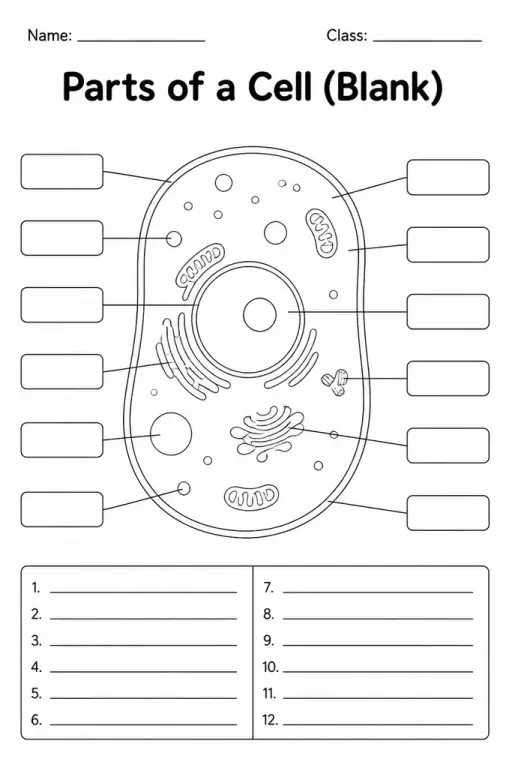
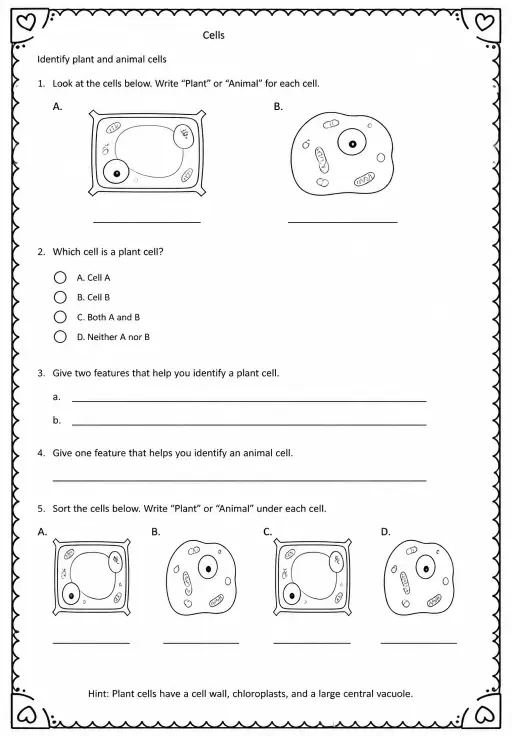
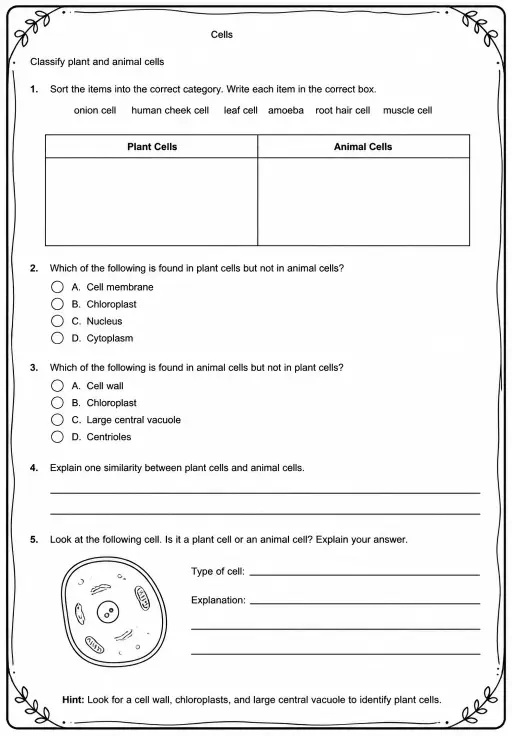
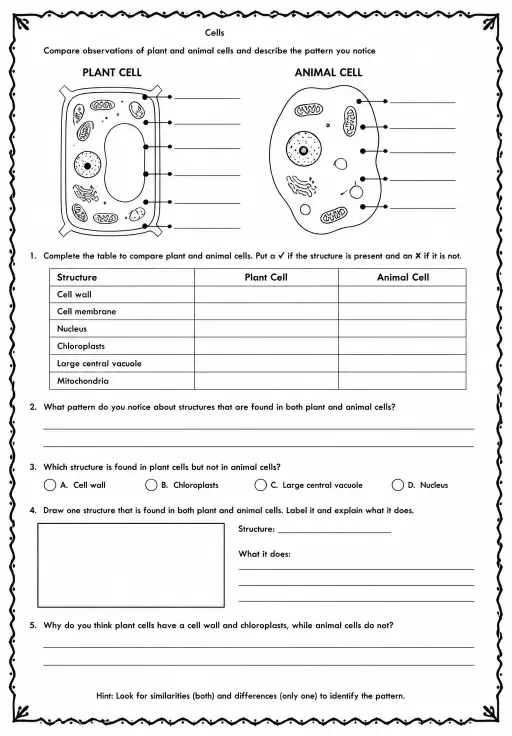
KiwiBee's free teacher workspace brings lesson planning, worksheets, classroom tools, and gradebook together in one place.
Start free and create your first class Home
Home All solutions
 Pricing
 About us
 KiwiBee for Non-profits
 Events & webinars
 For big organisations
 For schools
 For centers
 For team leaders
 For teachers
 AI and resources
 Resources
 Printable worksheets
 Lesson Packs
 Interactive simulations
 Teacher tools
 AI studio
 Ideas and research