
Printable worksheet
Computer memory and storage Quiz for Grade 8
QuizICTGrade 8English

Practise more with these
Picked by meaning from games, worksheets, simulations, teacher tools and videos.
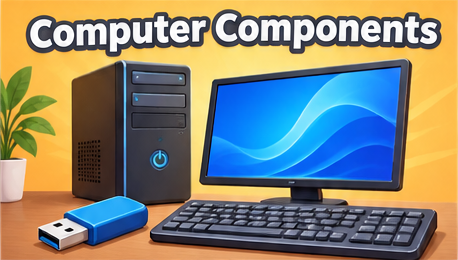 GameComputer components and storage Quiz for Grade 6
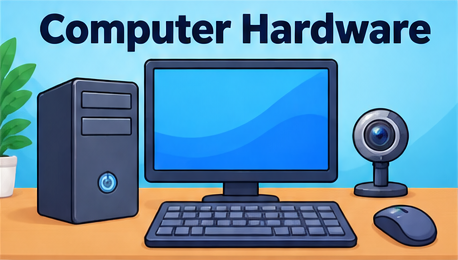 GameComputer hardware and peripherals Quiz for Grade 7
 GameComputer hardware and software Quiz for Grade 5
 GameNetwork devices and connections Quiz for Grade 8
 WorksheetPractice Tests Memory Infographic
 WorksheetHardware Computer Basics Infographic
 WorksheetFiles and folders Computer Basics Infographic
On this sheet
The words and questions from the game
- 1Which pictured component is commonly used as temporary working memory?
- 2Which pictured item is a portable storage device?
- 3What commonly happens to data held only in this component when power is removed?It turns into paper · It is automatically copied to every device · It is lost · It is permanently written to the monitor
- 4Why can this device retain saved files when power is off?It depends on continuous display power · It is only a temporary calculation register · It contains no data · Its storage is nonvolatile
- 5What is the main role of the pictured processor?Execute instructions and perform computations · Display pages on paper · Replace all persistent storage · Capture sound directly without any input device
- 6Why might additional RAM help when many applications are open?It increases monitor size · More working data can be held in fast memory · It guarantees a faster internet connection · It makes backups unnecessary
- 7Why keep a separate backup of important files?Backups prevent all unauthorized access automatically · RAM retains files when power fails · A device can be lost, damaged or corrupted · Every storage device lasts forever
- 8RAM and persistent storage serve different roles.True · False
- 9A USB flash drive is normally volatile like ordinary RAM.True · False
- 10What abbreviation names the volatile working memory commonly used by a computer?
- 11Storage that retains data without power is called ___.
- 12Order these steps for editing a saved document.
- 13A drive has 32 GB of usable space and 8 GB is used. How many GB remain free?16 · 20 · 24 · 40
- 14Three files each occupy 4 MB. How many MB do they occupy together?7 · 8 · 12 · 16
- 15Using 1 GiB = 1,024 MiB, how many MiB are in 2 GiB?1,024 · 2,048 · 3,072 · 4,096
- 16A computer has 8 GB of RAM and 3 GB is in use. How many GB are not in use?3 · 5 · 8 · 11
About this worksheet
A printable worksheet made from the KiwiBee game “Computer memory and storage Quiz for Grade 8”. Open it in the free Worksheet Studio to choose the design and the sheet type, then print it or save a PDF.
Explore computer memory and storage through visual questions and practical examples in this Grade 8 learning quiz with helpful explanations.
- computer memory and storage
- technology quiz
- grade 8
- visual learning
- educational questions
- classroom practice
 Home
 All solutions
 Pricing
 About us
 KiwiBee for Non-profits
 Events & webinars
 For big organisations
 For schools
 For centers
 For team leaders
 For teachers
 Resources
 Printable worksheets
 Interactive simulations
 Teacher tools
 Ideas and research


Comments