Quick Classroom Management Board Ideas
Four visual behavior boards plus a digital upgrade that keeps parents in the loop.
 By KiwiBee· KiwiBee
Last updated July 11, 2026
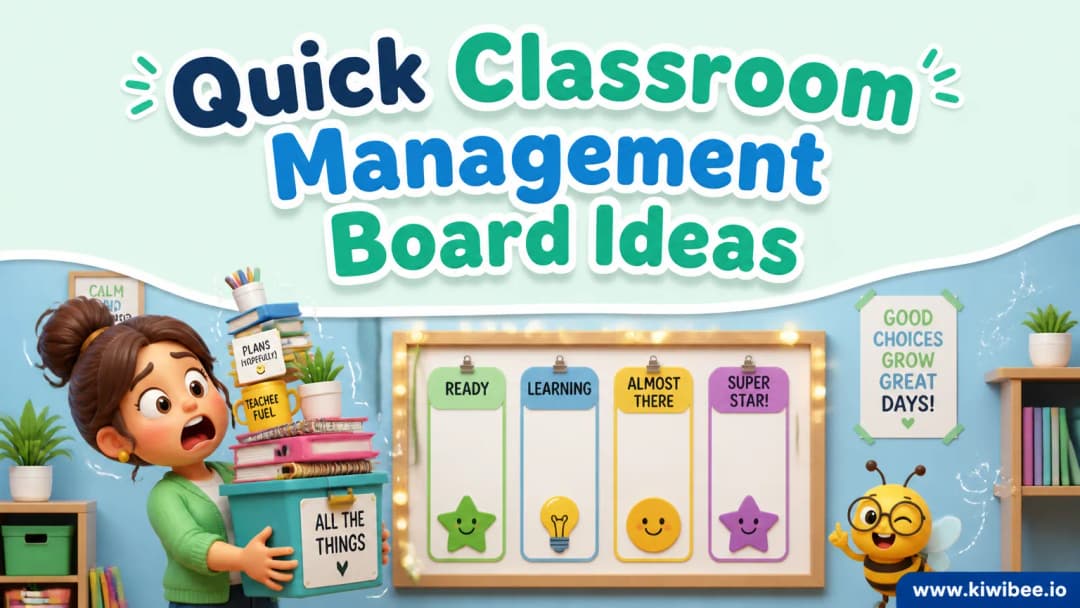
Four classroom management boards I have used for years (and the one I retired)
Classroom management boards are the cheap technology that primary teaching keeps coming back to because it works. A visible board, a clear signal, immediate feedback. I have rotated through every system over the years. These four survived. I will say upfront which one I retired and why — that is the most useful part of this post for new teachers.
1. Happy Face / Sad Face
A laminated happy face and sad face displayed prominently. When the class is meeting expectations, I point to the happy face. When behaviour slips, I point to the sad face. No words, no lecture, no escalation. The visual reminder does the work.
Why this works: it is simple enough for the youngest students to understand, non-confrontational (I am not singling out a student, I am gesturing at the room), and it focuses primarily on positive reinforcement — the happy face is the default state. The verbal cue I pair with it: 'I'm looking for more happy faces.' Said in a calm voice, not a sharp one.
Where it falls down: by itself, the happy/sad system is too binary for older primary or upper key stage. They need more granularity than 'good' and 'bad'.
2. Behaviour slide
A vertical slide drawn on the whiteboard with multiple levels. Every student starts at the top. As disruptive behaviour happens, a student's name (or number) moves down a level. The bottom of the slide carries a consequence — loss of a privilege, a time-out, a conversation. The slide resets at the end of the day.
Why this works: visible accountability without me having to say a name out loud. The kid who slid down a level usually self-corrects to climb back up. Younger students respond especially well to the visual metaphor — the slide is a story they understand.
Privacy caveat: I use student numbers, not names, when the board is visible to the room. That single change protects dignity while preserving the signal.
3. Star chart
Every student has a row on a wall chart. Positive behaviours earn stars. Set thresholds earn rewards. Simple, motivating, and one of the few systems that runs on the pure positive-reinforcement principle without any negative consequences built in.
Why I keep using it: it is the system that the kids genuinely look at on their own. They count their stars in spare moments. They notice when a classmate is one star away from a reward and they cheer for them. The community effect of a public star chart is bigger than the individual motivation effect.
The trick to keeping it fair: award stars frequently and broadly. If only the obvious behaviours earn stars, the same kids dominate the chart and the rest disengage.
The one I retired: tally charts
Tally charts track negative behaviour. Each tally mark records a specific misbehaviour. Set thresholds trigger consequences. I used this system for two years and quietly retired it.
Why I stopped: tally charts focus my attention and the kids' attention on negative behaviour, all the time, every day. The kid who scored four tallies in a morning was a kid I and his classmates were now hyper-aware was 'a bad kid' before lunch. The system was efficient at producing the data, but the data itself was poison for the classroom climate.
Why all four became easier when they moved off the wall
The four boards above all work on paper or whiteboard. They also all require my attention to maintain — moving names, drawing stars, calling out tallies. The bookkeeping eats my attention during teaching.
Explore the platform
Continue with KiwiBee
Choose the KiwiBee workspace or resource library that fits what you need next.
Get one practical teaching resource in your inbox each week.
Related posts
Classroom management strategies that actually work in 2026
Forget the Pinterest boards. These classroom management strategies come from real teachers who tested, failed, iterated, and finally found what works in modern classrooms.
Classroom management strategies that actually work in elementary
Five easy classroom management strategies: visual behaviour boards, a behaviour pyramid, digital points, class monitors, and clear rewards and consequences.
 Home
Home All solutions
 Pricing
 About us
 KiwiBee for Non-profits
 Events & webinars
 For big organisations
 For schools
 For centers
 For team leaders
 For teachers
 AI and resources
 Resources
 Printable worksheets
 Lesson Packs
 Interactive simulations
 Teacher tools
 AI studio
 Ideas and research