When a Classroom Display Tool Is Worth Using—and When the Free Version Is Enough
A practical way to decide whether a standalone classroom screen tool fits your teaching routine
 By KiwiBee· KiwiBee
Last updated July 11, 2026
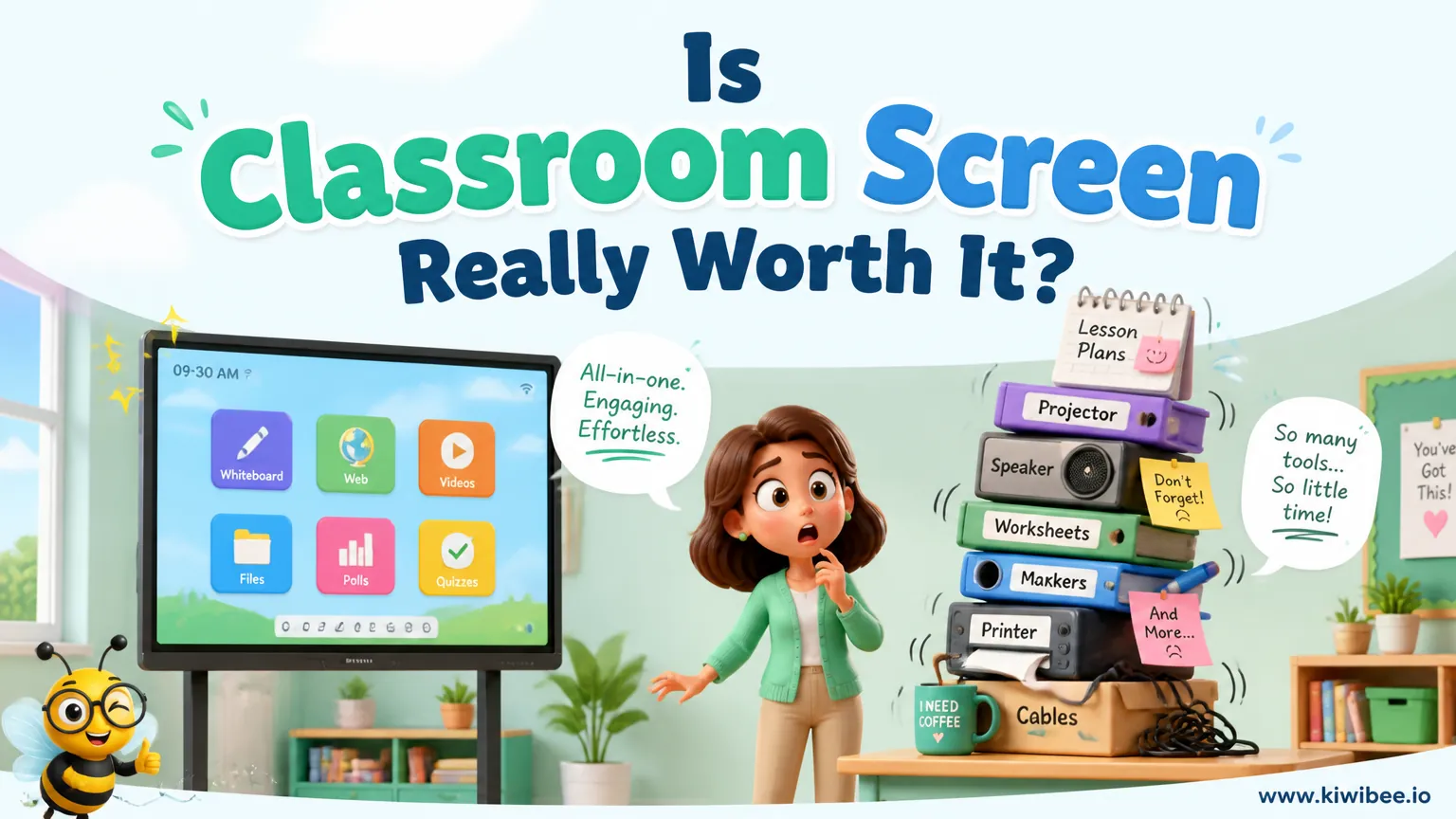
Many teachers use a projected classroom display to keep directions visible during a lesson. A timer, noise-level cue, activity symbol, or random name picker can reduce repeated questions and make routines more predictable.
These tools are often appealing because they gather several small management features on one screen. That convenience is real, but it does not automatically mean a paid upgrade is necessary.
The more useful question is not whether a classroom screen tool is good in general. It is whether a standalone display tool matches the way your classroom already works.
What this kind of tool does well
A classroom display tool is most helpful when students can get routine information without interrupting the lesson. If the countdown is visible, fewer students need to ask how much time remains. If a traffic-light or symbol shows whether talk is allowed, expectations are clearer without repeated reminders.
The practical strength is not novelty. It is consistency. A single projected space for timing, noise expectations, random selection, and visual cues can lighten the teacher’s management load during transitions and independent work.
Typical features may include a timer, noise-level indicator, random name picker, work symbols, digital drawing tools, dice, QR code creation, and other widgets designed for whole-class display. Exact features can change, so schools should verify what is currently available before building routines around any specific option.
- Use the timer for tasks where pacing matters, such as independent writing, retrieval practice, or tidy-up transitions.
- Display a work-mode symbol before students begin so expectations are clear at the start rather than corrected midway through.
- Treat the random name picker as a participation structure, not a gimmick; explain how it will be used before relying on it.
- Place only the widgets you need on screen during a lesson so the display supports attention instead of competing with it.
Why the free version may already be enough
For many teachers, the basic version of a classroom display tool covers the most important daily needs. A visible timer, a simple noise cue, and a way to signal activity type may do almost all the work that the tool needs to do.
That matters because the step from useful to essential is often smaller than it first appears. If you only open the tool for occasional timed tasks or short transition moments, paying for extra convenience features may not change teaching very much.
A free version is often sufficient when your classroom routines are stable, your student lists are manageable, and you do not mind setting up the screen fresh when needed.
- Stay with the free version if you mainly need timing and visual reminders rather than stored class-specific setups.
- Review your actual weekly use before upgrading; occasional use rarely justifies paying for convenience alone.
- Test whether students respond consistently to the visual cues first, because a paid plan will not solve weak routines.
- Keep a simple backup routine for days when the projector, internet, or audio features do not work as expected.
What paid upgrades usually add
Paid tiers often focus on convenience rather than entirely new teaching possibilities. Common additions can include saved layouts, persistent class lists, extra widgets, polling options, or more ways to customise the display.
These features can be worthwhile if setup time is a daily irritation. For example, saved lesson layouts may help if you repeatedly rebuild the same timer, symbol, and name-picker arrangement across several classes.
The key editorial point is simple: convenience has value, but only if it removes a repeated friction point in your own workflow.
- Upgrade for saved layouts only if rebuilding the same screen happens often enough to become a real time drain.
- Check whether persistent class lists would remove repeated manual typing, especially if you use random selection frequently.
- Treat custom backgrounds and branding as optional extras; they rarely matter as much as speed and clarity.
- Verify current plan details before budgeting, because paid features can change over time.
The hidden limitation of standalone tools
A standalone classroom screen can be efficient and still feel separate from the rest of teaching. That is its main trade-off. The timer may be visible and clear, but it usually does not know which class you are teaching, which students are present, or which task the class is completing.
In practice, that means some information must still be entered manually. A name picker may require you to type or maintain class lists yourself. A points or participation element may not connect to your existing tracking system. A timer may support the lesson, but it remains independent from your planning and record-keeping.
This does not make the tool poor. It simply means schools should be realistic about what 'all in one' means. Many tools are all in one on the screen, not all in one across the teacher’s wider workflow.
- Map where student names, participation records, and lesson plans already live before adding another separate tool.
- Avoid duplicating systems if you already have a platform that handles timers, grouping, or participation tracking.
- Expect manual setup to remain part of the routine when the tool does not connect to attendance or lesson context.
- Decide whether the tool is meant to solve classroom signalling or wider workflow problems; these are not the same need.
How to decide whether to upgrade or consolidate
A sensible decision starts with frequency. If the display tool is open in most lessons and the same setup tasks recur every day, an upgrade may be reasonable. If use is occasional, the free version is usually the better choice.
The second question is overlap. Many schools already use digital systems for lesson delivery, behaviour tracking, or interactive teaching. If those systems already include timers, random selection, or on-screen cues, paying separately for another layer may create duplication rather than efficiency.
The third question is staff effort. A separate tool can be excellent for one confident teacher but frustrating across a whole team if everyone must recreate lists, layouts, and routines from scratch.
- Choose the free version if your need is mainly visible classroom cues and you can tolerate simple manual setup.
- Consider the paid version if repeated setup clearly interrupts teaching time across many lessons.
- Consolidate into an existing school system if that system already covers the same functions with less duplication.
- Pilot the workflow with one class or one department before making a school-wide decision about upgrades.
A hypothetical way to test fit before spending
Imagine a teacher who uses a projected timer, a talk-level signal, and random cold-calling in nearly every lesson. In a standalone tool, that teacher may find the basic version helpful immediately. Students learn to read the display, and transitions become smoother because expectations stay visible.
Now imagine that the same teacher must rebuild the layout each day, re-enter names, and track participation somewhere else. At that point, the issue is no longer whether the tool works. It does. The issue is whether convenience features or a more integrated workflow would remove enough repeated setup to matter.
By contrast, another teacher might use the screen only during occasional quizzes, group tasks, or end-of-lesson tidy-ups. For that teacher, the free version could remain entirely adequate because the setup cost is small and infrequent.
- Run a two-week trial using only the features you expect to use regularly, not every available widget.
- Note each manual step that repeats, such as rebuilding layouts or entering names, and judge whether it is minor or disruptive.
- Ask whether students respond faster to routines because the screen is visible; if not, refine the routine before changing the tool.
- Separate teaching gains from convenience gains so you can judge the upgrade on the right basis.
Implementation cautions for teachers and leaders
A classroom display can support routines, but it cannot replace them. If students do not already understand what a colour signal, timer, or work symbol means, the screen will not create clarity on its own. The visual must be taught, modelled, and used consistently.
There is also a risk of overloading the screen. When too many widgets compete for attention, the display becomes another source of noise. Younger pupils and some students with attention or processing needs may benefit from especially simple layouts.
School leaders should also think about consistency without over-standardising. Shared visual routines can help across a year group or department, but teachers still need room to adapt the display to their subject and age range.
- Teach the meaning of each visual cue explicitly before expecting students to act on it independently.
- Limit the on-screen elements during direct instruction so the display supports focus rather than splits it.
- Use common symbols or colour meanings across classrooms where possible, especially for younger pupils.
- Check microphone-based noise tools carefully in real classroom conditions because room acoustics can affect how useful they feel.
A balanced verdict
A classroom display tool can be genuinely useful. Its strongest features are simple ones: visible timing, clear activity cues, and quick whole-class signals that reduce repeated questions.
The free version is often enough for teachers who want straightforward classroom management support without much setup. A paid upgrade makes more sense when convenience features remove repeated daily friction, especially saved layouts or persistent class lists matter to your routine, and you have confirmed that the tool is not duplicating features you already have elsewhere in school systems or teaching platforms.
Explore the platform
Continue with KiwiBee
Choose the KiwiBee workspace or resource library that fits what you need next.
Related posts
Best classroom timer apps in 2026 — honest comparison
A no-BS comparison of every classroom timer app worth using in 2026 — features, pricing, and what teachers actually think.
Best Classroom Engagement Tools for Teachers (2026)
Best Classroom Engagement Tools for Teachers (2026). An honest review of the leading classroom tools with strengths, weaknesses, and how to pick the right one for your context.
Best Interactive Lesson Tools for Teachers in 2026
Best Interactive Lesson Tools for Teachers in 2026. An honest review of the leading classroom tools with strengths, weaknesses, and how to pick the right one for your context.
 For big organisations
 For schools
 For centers
 For team leaders
 For teachers
 AI and resources
 Printable worksheets
 Teacher tools
 AI studio
 Ideas and research