
Free interactive weather simulation. Explore weather hands-on online — great for whole-class or independent practice.
—
KiwiBee uses optional Google Analytics, Google Ads, and Meta Pixel cookies to understand adult visitors, measure completed sign-ups, and improve campaigns. Essential cookies always stay on. OpenAI’s ChatGPT Ads Pixel also measures page views and completed enquiries after advertising consent, and may use hashed contact details for matching. Privacy policy
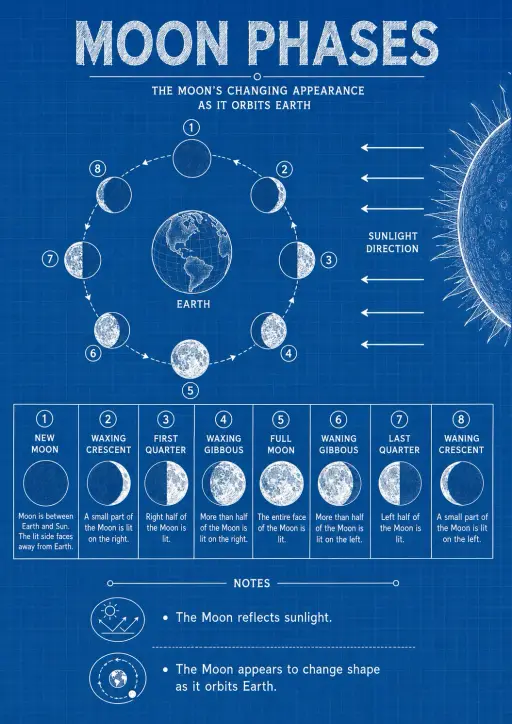
The Moon does not produce its own light — we see sunlight reflecting off its surface. As the Moon orbits Earth over roughly 29 days (the synodic period), we see different fractions of its sunlit face, creating the cycle of phases from New Moon (fully dark) through First Quarter, Full Moon, Last Quarter, and back. The illuminated fraction is determined purely by the Moon's orbital angle relative to the Sun–Earth line. Students can change day and compare what happens. Use it for earth science inquiry with Grades 3–5, Middle School, and High School on a projector or student device.
Standards: NGSS MS-ESS1-1
Yes. Open the Phases of the Moon simulation in a modern browser with no download or sign-up required.
The simulation includes learning-level presets spanning Grades 3–5, Middle School, and High School. Choose the level that matches your class, then use it on a projector or student devices.
Drop it into your LMS, blog, or class site — free.
<iframe src="https://kiwibee.io/en/simulations/phases-of-the-moon-simulation/embed" title="Phases of the Moon Interactive Simulation | KiwiBee" loading="lazy" allowfullscreen style="width:100%;height:min(70vh,620px);min-height:420px;border:0;border-radius:16px"></iframe>Continue exploring
Free interactive weather simulation. Explore weather hands-on online — great for whole-class or independent practice.

Free interactive the rock cycle simulation. Explore the rock cycle hands-on online — great for whole-class or independent practice.

Free interactive the water cycle simulation. Explore the water cycle hands-on online — great for whole-class or independent practice.

Free interactive the solar system simulation. Explore the solar system hands-on online — great for whole-class or independent practice.
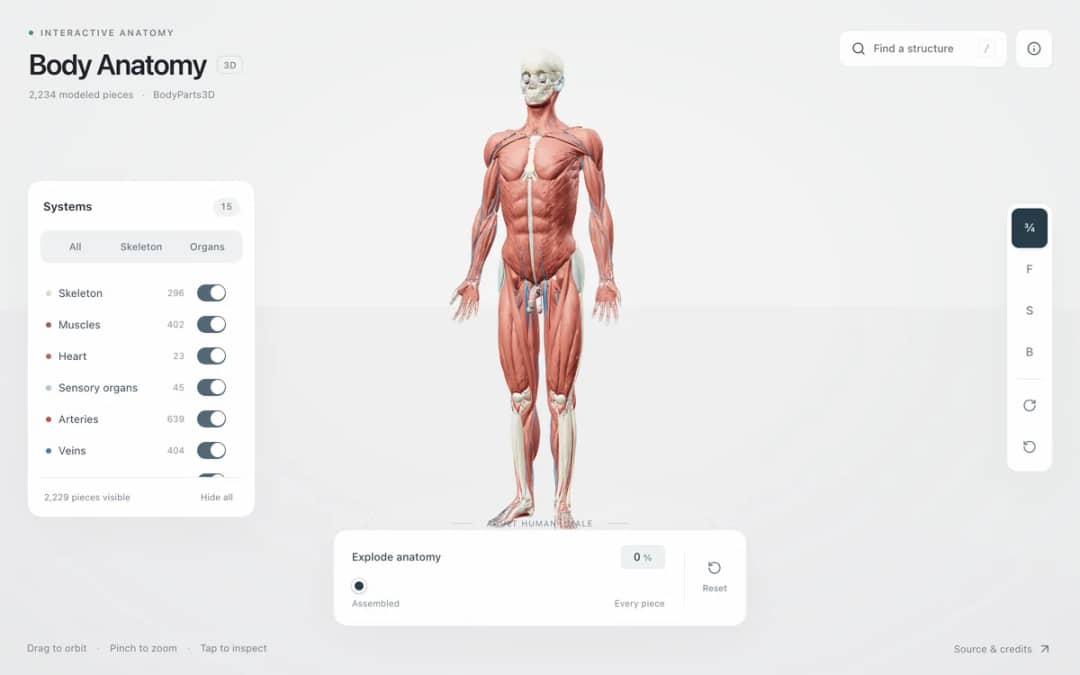
Explore an adult male reference body in 3D. Reveal 14 anatomical systems, search thousands of named structures, isolate organs, and pull 2,209 modeled pieces apart to see how the body is organized.
From model to evidence
Use a worksheet to capture predictions, observations, and explanations after students explore.
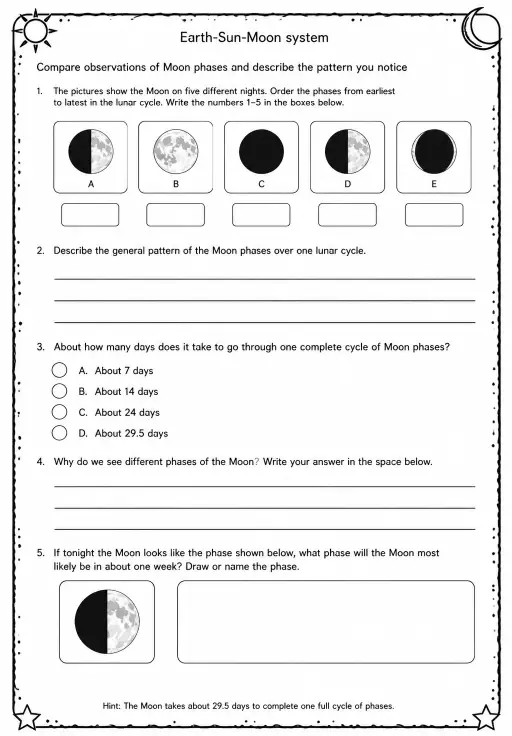
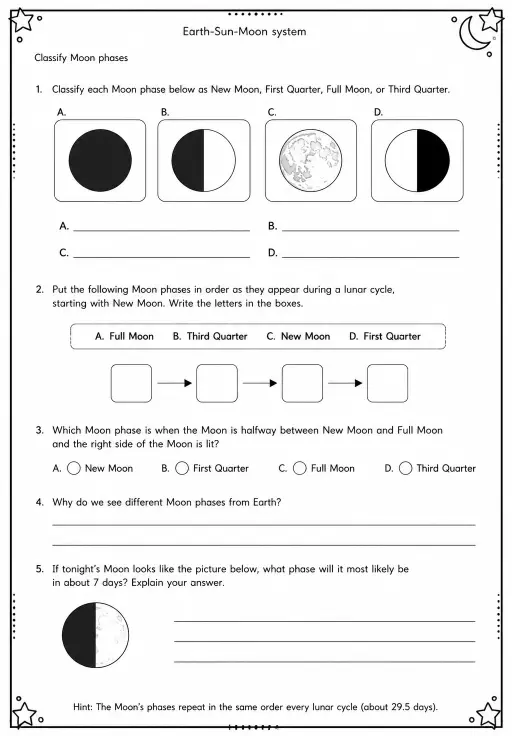
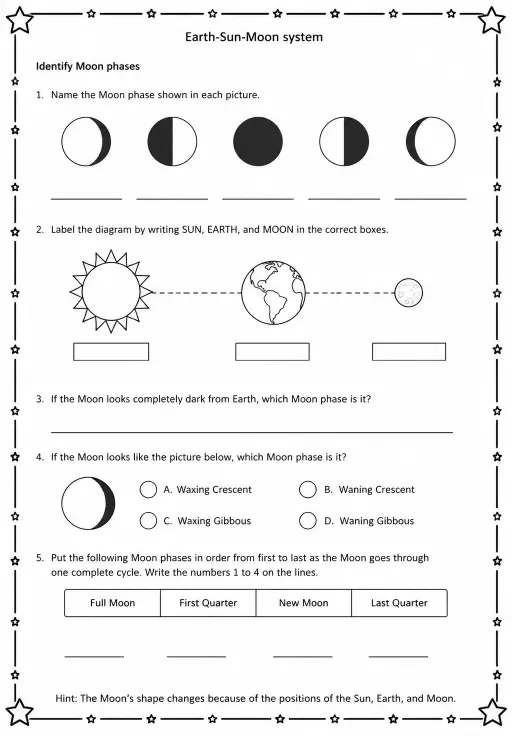
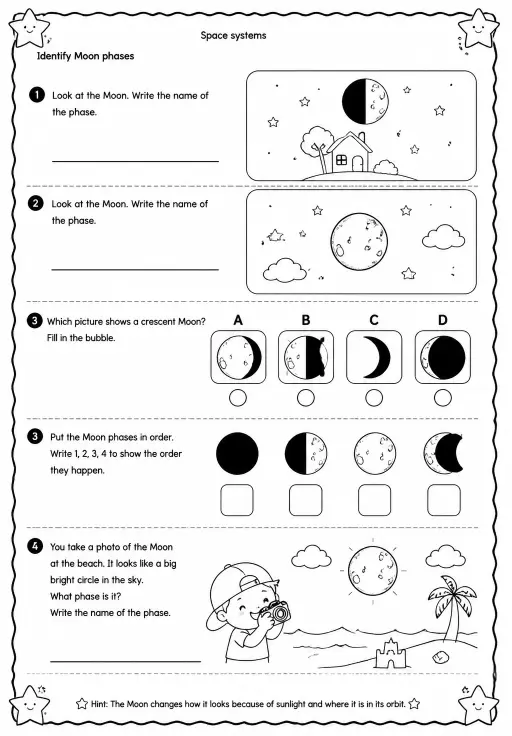
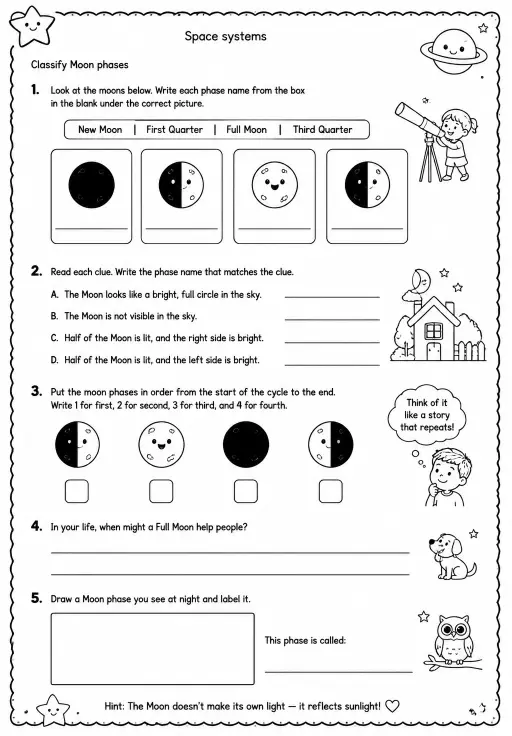
KiwiBee's free teacher workspace brings lesson planning, worksheets, classroom tools, and gradebook together in one place.
Start free and create your first class Home
Home All solutions
 Pricing
 About us
 KiwiBee for Non-profits
 Events & webinars
 For big organisations
 For schools
 For centers
 For team leaders
 For teachers
 AI and resources
 Resources
 Printable worksheets
 Lesson Packs
 Interactive simulations
 Teacher tools
 AI studio
 Ideas and research