Compare thermodynamic cycles and ideal efficiency.
—
KiwiBee uses optional Google Analytics, Google Ads, and Meta Pixel cookies to understand adult visitors, measure completed sign-ups, and improve campaigns. Essential cookies always stay on. OpenAI’s ChatGPT Ads Pixel also measures page views and completed enquiries after advertising consent, and may use hashed contact details for matching. Privacy policy
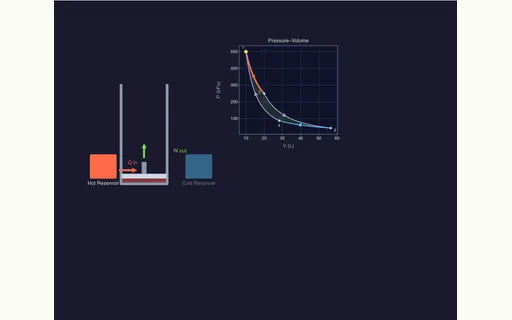
Carnot Heat Engine brings classical thermodynamics to life by pairing an animated 3D piston-cylinder-flywheel assembly with a synchronized 3D Pressure-Volume (P-V) diagram. Students can drag the piston head to scrub through the cycle or click any of the four corner states: Isothermal Expansion in contact with the hot reservoir T_H, Adiabatic Expansion to T_C, Isothermal Compression in contact with the cold reservoir T_C, and Adiabatic Compression back to T_H. Gas molecules speed up and slow down with temperature while live readouts report Carnot efficiency eta = 1 - T_C / T_H, gas temperature, pressure, and net work per cycle.
The four strokes are: (1 to 2) isothermal expansion absorbing heat Q_H at hot temperature T_H, (2 to 3) adiabatic expansion cooling the gas from T_H to T_C, (3 to 4) isothermal compression rejecting heat Q_C at cold temperature T_C, and (4 to 1) adiabatic compression heating the gas back to T_H.
By the Carnot formula eta = 1 - T_C / T_H, reaching 100% efficiency would require either an infinitely hot source (T_H = infinity) or a cold sink at absolute zero (T_C = 0 K), which is forbidden by the laws of thermodynamics.
During adiabatic expansion the cylinder walls are thermally insulated (Q = 0), so the expanding gas does positive mechanical work pushing the piston upward at the expense of its own internal kinetic energy, lowering its temperature.
No. Increasing the isothermal expansion ratio makes the P-V loop wider so the engine absorbs more heat Q_H and performs more net work per cycle, but the ratio W_net / Q_H stays fixed at 1 - T_C / T_H.
Drop it into your LMS, blog, or class site — free.
<iframe src="https://kiwibee.io/en/simulations/carnot-heat-engine-3d-simulation/embed" title="Carnot Heat Engine | KiwiBee" loading="lazy" allowfullscreen style="width:100%;height:min(70vh,620px);min-height:420px;border:0;border-radius:16px"></iframe>Continue exploring
Compare thermodynamic cycles and ideal efficiency.
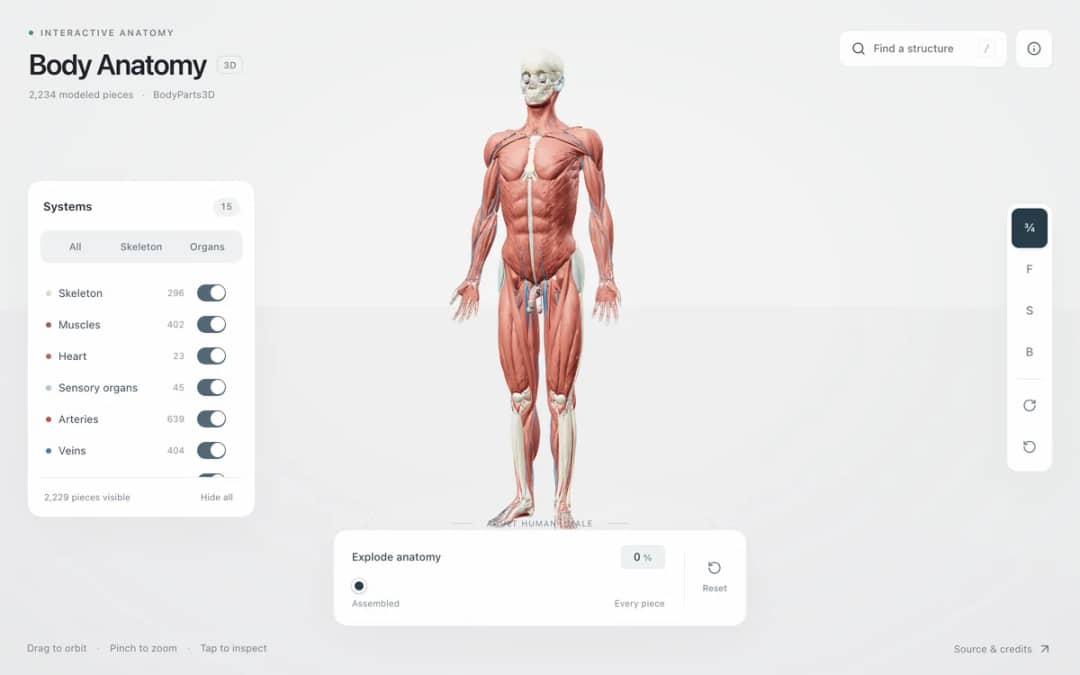
Explore an adult male reference body in 3D. Reveal 14 anatomical systems, search thousands of named structures, isolate organs, and pull 2,209 modeled pieces apart to see how the body is organized.
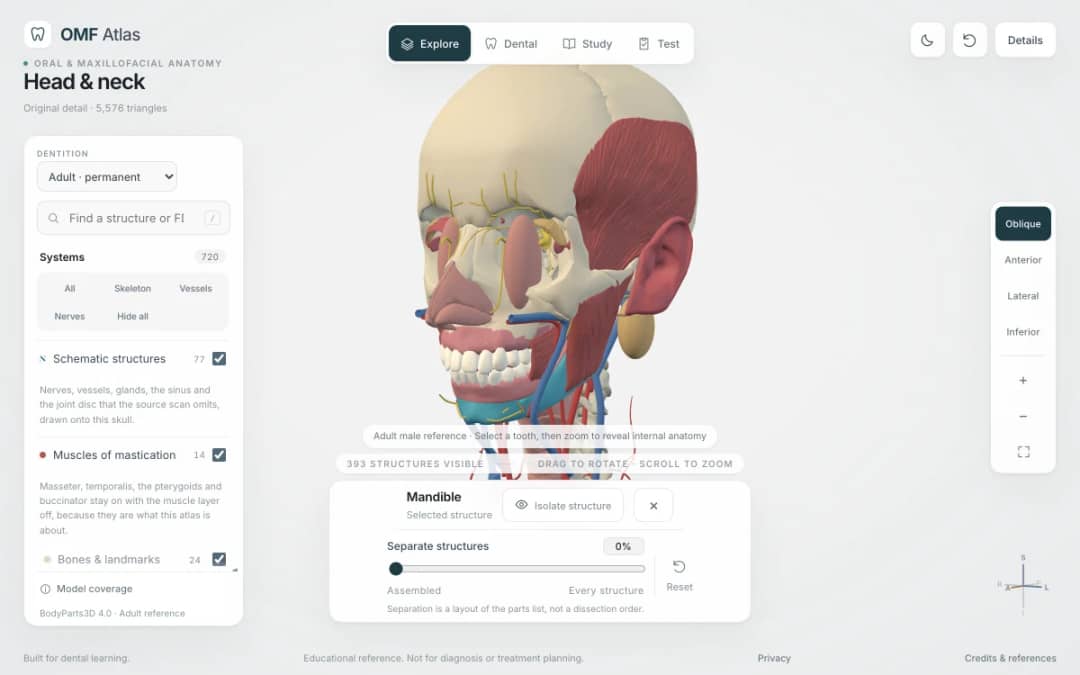
Explore the head and neck in 3D: 643 source meshes across 14 layers, 47 facial and masticatory muscles, and 77 drawn nerves, vessels and glands the source scan omits. Open any tooth onto its own pulp canal, and follow the seven stages of tooth development.

Free interactive photosynthesis simulation. Explore photosynthesis hands-on online — great for whole-class or independent practice.

Free interactive states of matter simulation. Explore states of matter hands-on online — great for whole-class or independent practice.
From model to evidence
Use a worksheet to capture predictions, observations, and explanations after students explore.
KiwiBee's free teacher workspace brings lesson planning, worksheets, classroom tools, and gradebook together in one place.
Start free and create your first class
 Home
Home All solutions
 Pricing
 About us
 KiwiBee for Non-profits
 Events & webinars
 For big organisations
 For schools
 For centers
 For team leaders
 For teachers
 AI and resources
 Resources
 Printable worksheets
 Lesson Packs
 Interactive simulations
 Teacher tools
 AI studio
 Ideas and research