
Printable worksheet
A Program with Variables and Decisions
QuizICTGrade 6English

Practise more with these
Picked by meaning from games, worksheets, simulations, teacher tools and videos.
On this sheet
The words and questions from the game
- 1A variable score starts at 2. The instruction adds 3 to score. What is its new value?2 · 6 · 5 · 3
- 2A variable can hold a value that changes when an update instruction runs.False · True
- 3In this question, “at least 5” means 5 or more. Does 5 meet the condition?Yes · No · Only when 5 is less than 5 · Only if 5 is greater than 5
- 4A square starts yellow. If score is at least 3, it becomes blue; otherwise it stays yellow. The score is 3. Which picture shows the result?
- 5The specified program sets n to 1, adds 2, then displays n. Put these instructions in order.
- 6Set points to 6, then subtract 2. What is the value?6 · 4 · 8 · 2
- 7For the condition n > 4, a value of n equal to 4 makes the condition true.True · False
- 8Listen to the program. What value does it display?4 · 5 · 2 · 3
- 9A program says: if n is even, show a star; otherwise show a circle. What is shown when n is 7?Both shapes · A star · A circle · A triangle
- 10A square starts yellow. If n is greater than 4, it becomes blue; otherwise it remains yellow. Here n is 4. Which picture shows the result?
- 11The condition is “n is at least 2 AND n is at most 5.” Which value meets both parts?4 · 0 · 6 · 1
- 12For a condition using AND, both stated parts must be true.False · True
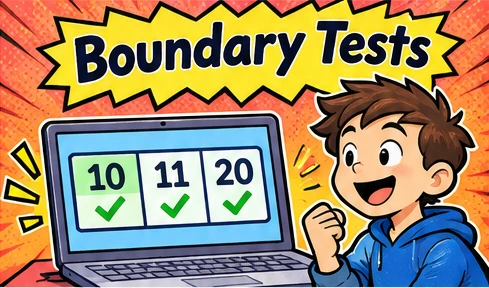
- 13The requirement is “accept values at least 10.” The code accepts only values greater than 10. Which smallest correction includes the boundary?Reject every value. · Accept only values below 10. · Change the condition to greater than 11. · Change the condition to at least 10.
- 14A score should rise by 1 on a correct answer. The update currently subtracts 1. What is the smallest fix?Change subtract 1 to subtract 0. · Delete the score variable and all game rules. · Change subtract 1 to add 1. · Subtract 2 instead.
- 15The given testing plan says: choose a boundary input, predict the result, run the program, then compare actual and predicted results. Put these steps in order.
- 16A test of n = 11 by itself establishes how a condition behaves at n = 10.False · True
- 17A program sets score to 3, adds 2, then shows a badge if score is at least 5. What happens?Score is 7 and the badge appears. · Score is 5 and the badge appears. · Score is 5 and the badge stays hidden. · Score is 3 and the badge appears.
- 18Listen to the condition. Which input makes the light turn on?4 · 2 · 1 · 3
- 19A rule should accept scores from 3 through 7, including both ends. Which condition expresses that rule?Score is below 3 AND above 7. · Score is at most 3 AND at least 7. · Score is at least 3 AND at most 7. · Score is greater than 3 AND less than 7.
- 20For “n is below 0 OR n is above 10,” an n of 12 makes the condition true.False · True
- 21A program should show a star when n is 6 or more and a circle otherwise. It currently shows a star only when n is greater than 6. Which single change fixes the Use “n is greater than 7.” · Use “n is at least 6.” · Show a star for every value. · Use “n is below 6” for the star.
About this worksheet
A printable worksheet made from the KiwiBee game “A Program with Variables and Decisions”. Open it in the free Worksheet Studio to choose the design and the sheet type, then print it or save a PDF.
Trace variable updates, evaluate stated conditions and correct boundary errors.
- ms 256
- computing
- trace variable values
- evaluate boolean conditions
- debug a boundary case
 Home
 All solutions
 Pricing
 About us
 KiwiBee for Non-profits
 Events & webinars
 For big organisations
 For schools
 For centers
 For team leaders
 For teachers
 Resources
 Printable worksheets
 Interactive simulations
 Teacher tools
 Ideas and research


Comments