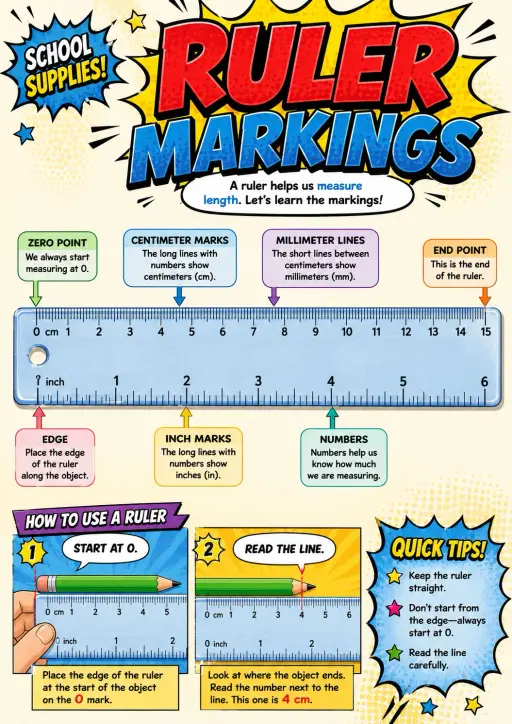
School And OfficeGrades 3–8
KiwiBee uses optional Google Analytics, Google Ads, and Meta Pixel cookies to understand adult visitors, measure completed sign-ups, and improve campaigns. Essential cookies always stay on. OpenAI’s ChatGPT Ads Pixel also measures page views and completed enquiries after advertising consent, and may use hashed contact details for matching. Privacy policy

Picked by meaning from games, worksheets, simulations, teacher tools and videos.
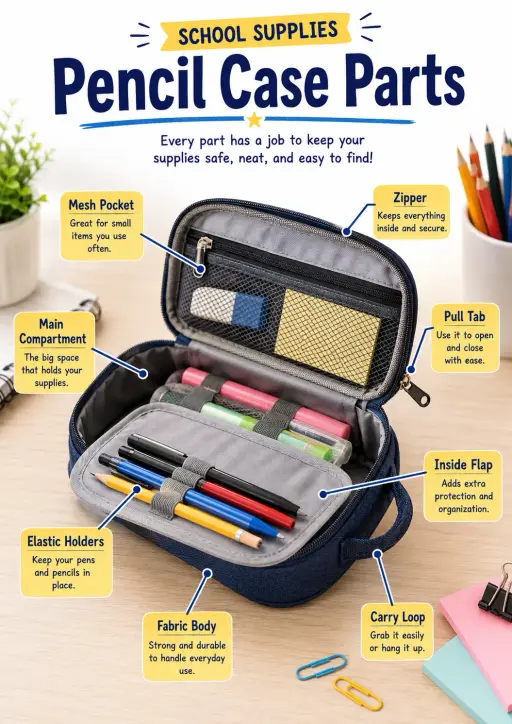 WorksheetPencil Case Parts: Zipper, Mesh Pocket, Elastic Holders and More
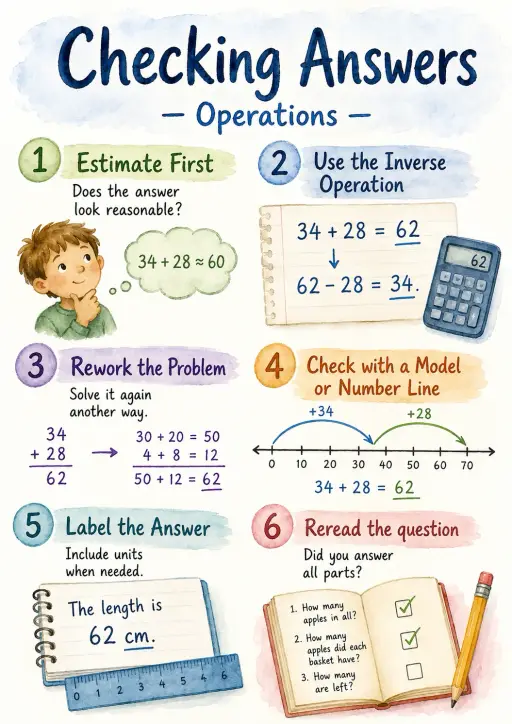 WorksheetChecking Answers Operations Infographic
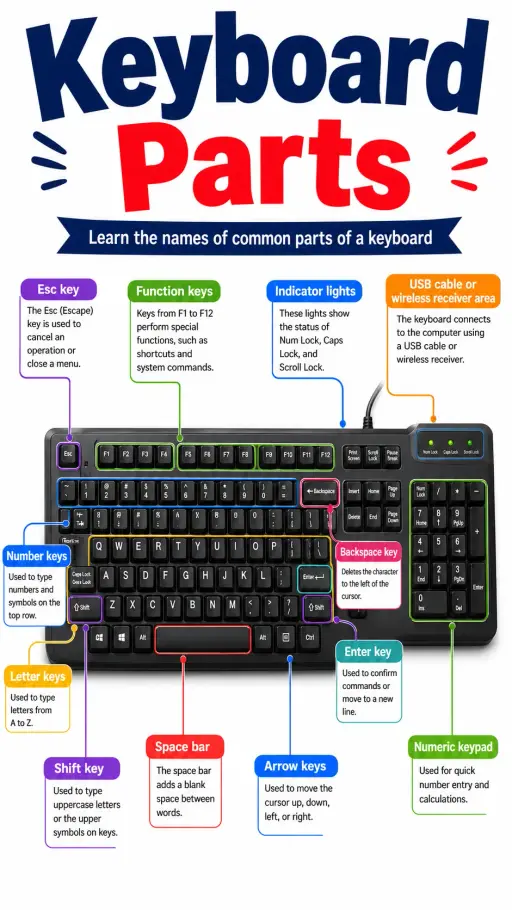 WorksheetKeyboard Parts Infographic
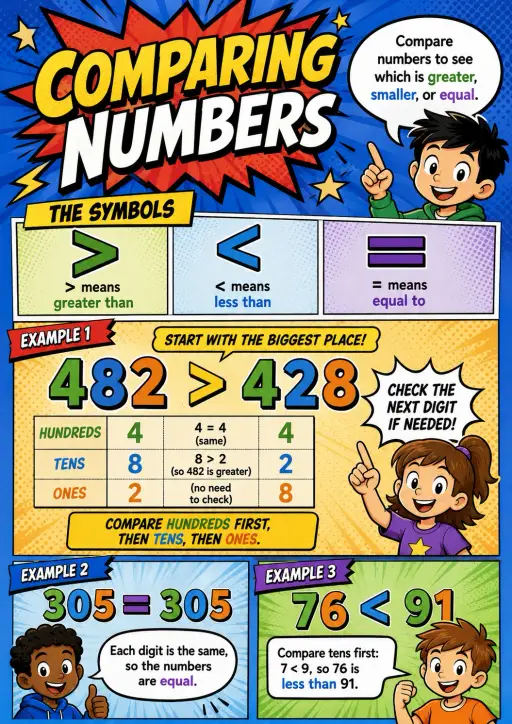 WorksheetComparing Numbers Number Sense Infographic
 GameOrder of Operations
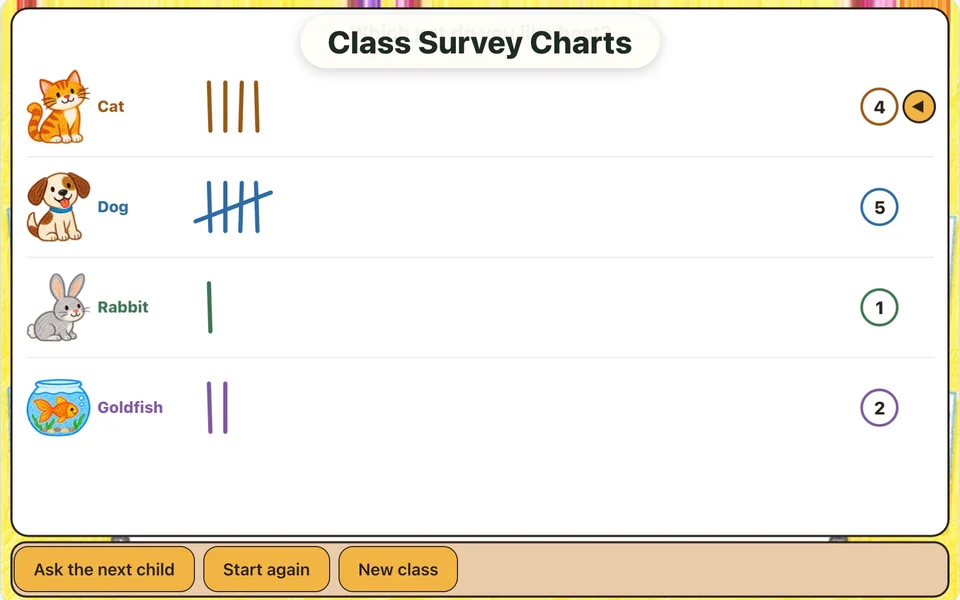 SimulationClass Survey Charts
 GamePercentages in Everyday Life
 GameCount Apples from 0 to 10 Quiz for Kids
This Grades 3-8 School Supplies infographic is headed Calculator Buttons and shows one large calculator with ten callouts. Each gives a short use, such as Turns the calculator on for ON/C and Take away a number for Minus, and the decimal point note shows numbers like 3.5 or 0.75. A tip says to press ON/C to start fresh whenever you need to.
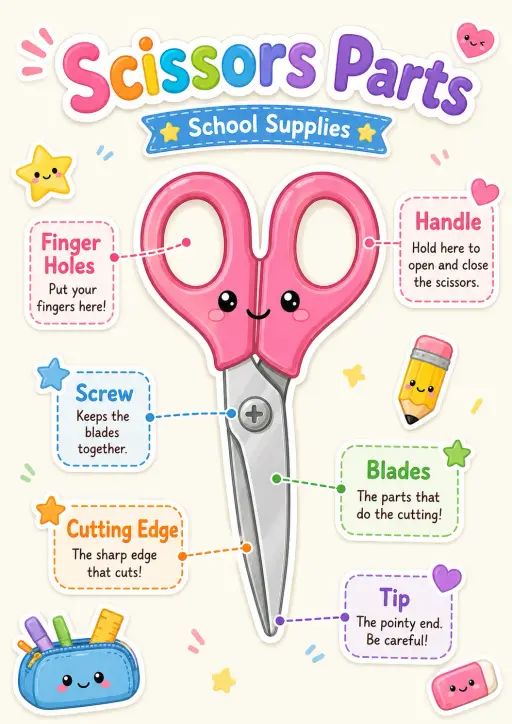
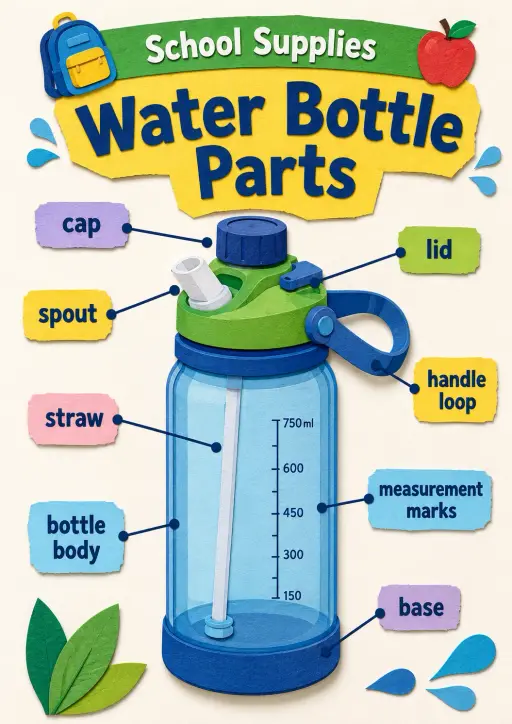
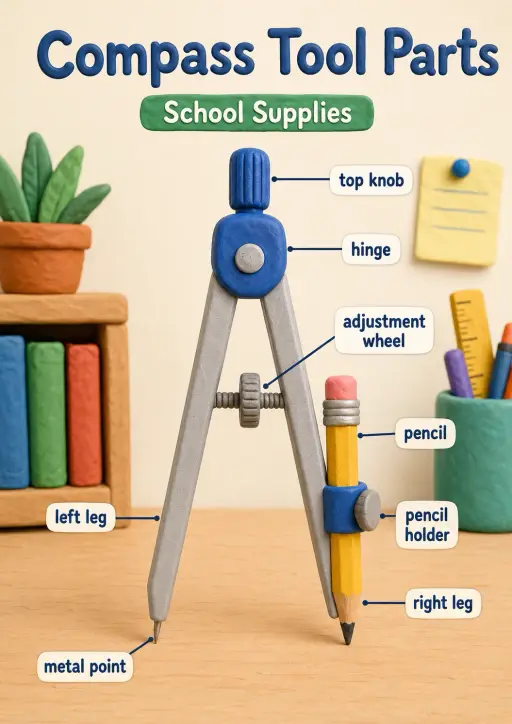
See what other teachers think and share a helpful note.
Generate a fresh worksheet for any grade, topic and language. Free.
 Home
 All solutions
 Pricing
 About us
 KiwiBee for Non-profits
 Events & webinars
 For big organisations
 For schools
 For centers
 For team leaders
 For teachers
 Resources
 Printable worksheets
 Interactive simulations
 Teacher tools
 Ideas and research


