ArtGrades 3–8
KiwiBee uses optional Google Analytics, Google Ads, and Meta Pixel cookies to understand adult visitors, measure completed sign-ups, and improve campaigns. Essential cookies always stay on. OpenAI’s ChatGPT Ads Pixel also measures page views and completed enquiries after advertising consent, and may use hashed contact details for matching. Privacy policy

Picked by meaning from games, worksheets, simulations, teacher tools and videos.
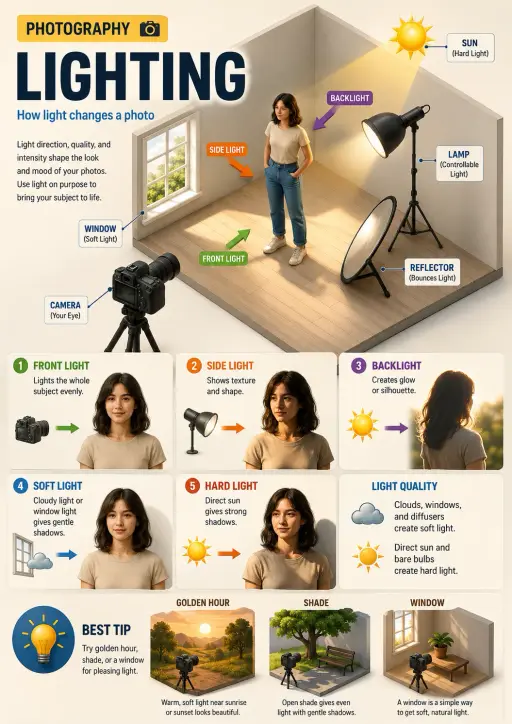 WorksheetPhotography Lighting: How Light Changes a Photo
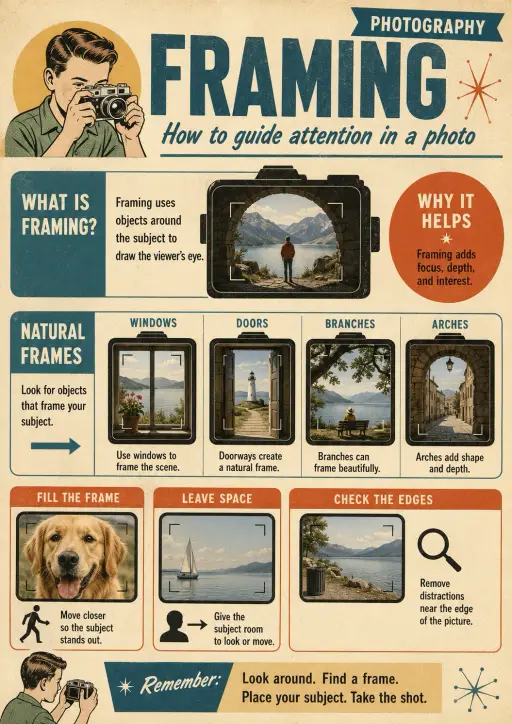 WorksheetPhotography Framing: How to Guide Attention in a Photo
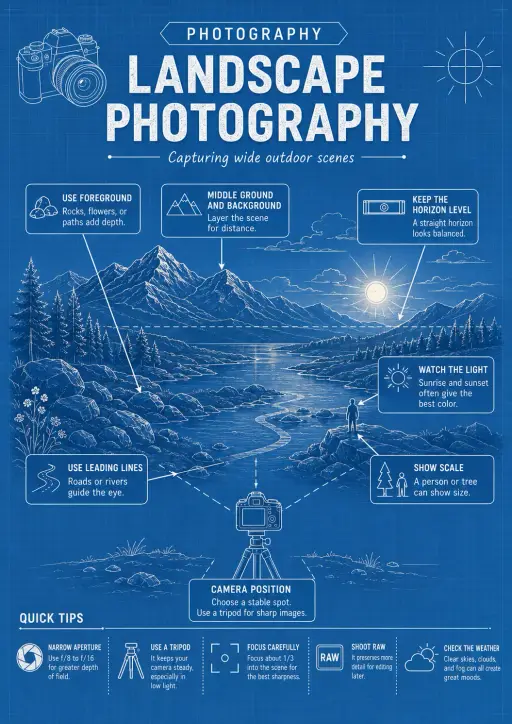 WorksheetLandscape Photography: Capturing Wide Outdoor Scenes
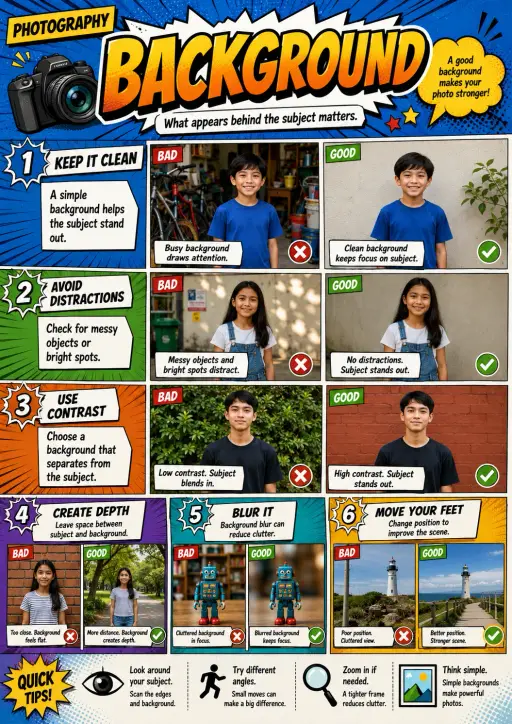 WorksheetPhotography Background: What Appears Behind the Subject
 GamePictures Tell a Visual Story
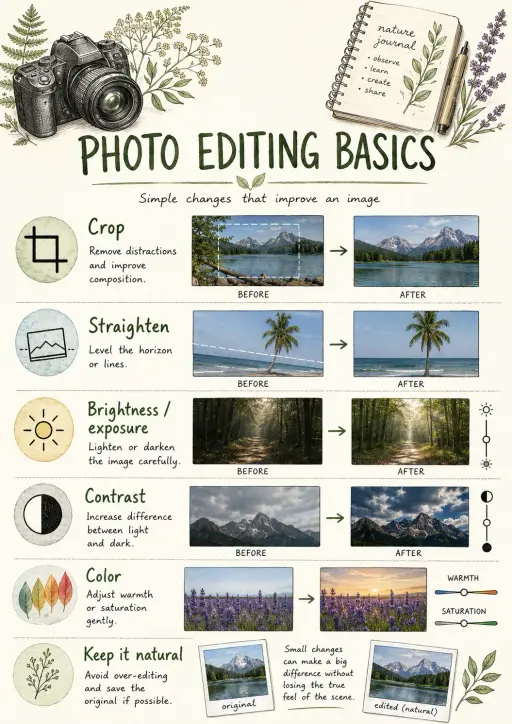 WorksheetPhoto Editing Basics Photography Infographic
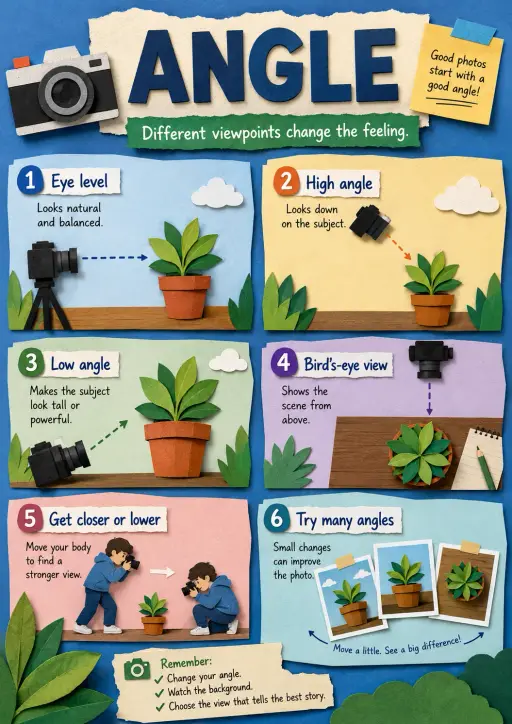 WorksheetAngle Photography Infographic
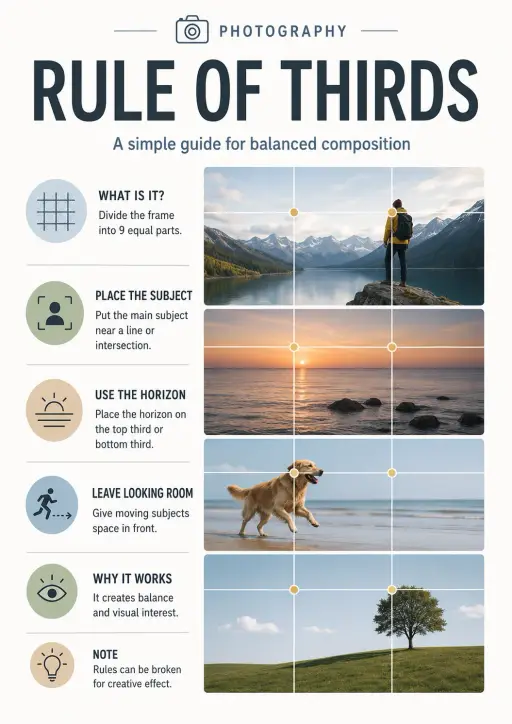 WorksheetPhotography: Rule of Thirds for Balanced Composition
This infographic for Grades 3-8 lists six steps for telling a story with photos: start with a main idea, capture a sequence, use wide, medium and close-up shots, look for emotion, include details and add context. An example story, A Birthday Surprise, uses five photos labeled beginning, middle, next, climax and ending. Wide, medium and close-up shots of one scene and a sample caption follow.
See what other teachers think and share a helpful note.
Generate a fresh worksheet for any grade, topic and language. Free.
 Home
 All solutions
 Pricing
 About us
 KiwiBee for Non-profits
 Events & webinars
 For big organisations
 For schools
 For centers
 For team leaders
 For teachers
 Resources
 Printable worksheets
 Interactive simulations
 Teacher tools
 Ideas and research


