Seesaw Alternative With Gradebook, Attendance and School Scheduling
When a school outgrows a portfolio-first workflow, the next platform must preserve family visibility while adding reliable operations.
 By KiwiBee Team· Education Team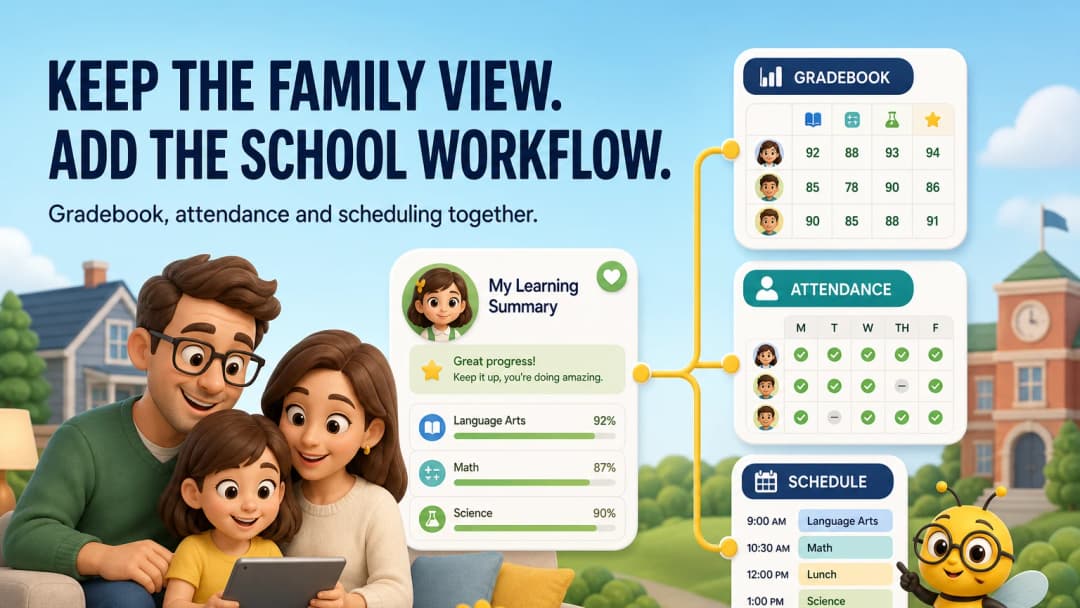
The gap between classroom visibility and school operations
Seesaw is purpose-built around elementary instruction, multimodal portfolios, assessment and family engagement. A growing school may eventually need more formal structures around curriculum, gradebook, attendance, scheduling and reporting.
The goal should not be to lose Seesaw’s human, visible learning experience. It should be to connect that experience to reliable school operations.
What to verify in an alternative
Gradebook
Can the school support its actual scoring system, rubrics and reporting periods? Can teachers trace a grade back to evidence?
Attendance
Can teachers take attendance quickly in the classroom? Are corrections, reasons, permissions and reports handled safely?
Scheduling
Can staff see the right class at the right time, and do schedule changes reach the affected users?
Family access
Can families still understand progress and classroom life without receiving raw administrative data?
KiwiBee’s connected model
KiwiBee’s teacher navigation includes Schedule, Lessons, Assignments, Reports, Class Story, Gradebook, Curriculums, Students and ClassSpark. Attendance is available in the ClassSpark tools panel. Gradebook exposes class, curriculum and section controls. Curriculum links units, weeks, lessons, skills and rubrics.
This makes KiwiBee a relevant Seesaw alternative when the school wants to keep learning visible while adding a broader operational backbone.
Explore school scheduling, gradebook, and parent portal.
Where Seesaw may still win
Seesaw may remain the stronger choice when PreK–6 multimedia creation, student-led portfolios and family engagement are the main requirements. Do not trade a successful learning culture for operational features teachers will not use.
Pilot the whole week
Run one week with a real class. Include lesson creation, one portfolio-worthy artifact, daily attendance, a schedule change, one graded task and one family update. Review both teacher effort and what the family can understand.
Plan the data transition before choosing the interface
List the portfolio items, comments, family connections, assessment evidence and student identifiers that must be preserved. Decide what needs to remain editable and what can move to a secure archive. Then test student matching, guardian permissions and one corrected attendance record. A school can recover from an unpopular button layout; it cannot casually recover from lost learning history or an update shown to the wrong family.
Separate daily convenience from statutory reporting
The teacher’s attendance action should be fast, while the underlying record may need reasons, approvals and compliance reports. Verify both layers during the pilot rather than assuming a visible attendance button completes the requirement.
FAQ
Does Seesaw include assessment?
Yes. Its current product includes formative assessment, insights and progress views alongside portfolios and family engagement.
Can KiwiBee take attendance from the classroom view?
Attendance was directly available in the reviewed ClassSpark tools panel.
Is scheduling just a calendar?
No. School scheduling also involves classes, staff, rooms, changes, permissions and how those changes reach teaching workflows.
Sources
Explore the platform
Continue with KiwiBee
Choose the KiwiBee workspace or resource library that fits what you need next.
 For big organisations
 For schools
 For centers
 For team leaders
 For teachers
 AI and resources
 Printable worksheets
 Interactive simulations
 Teacher tools
 AI studio
 Ideas and research