PowerSchool Alternative With Modern Teacher Tools and Parent Communication
A modern school platform should serve the teacher’s day and the family’s view without forcing staff to reconcile disconnected systems.
 By KiwiBee Team· Education Team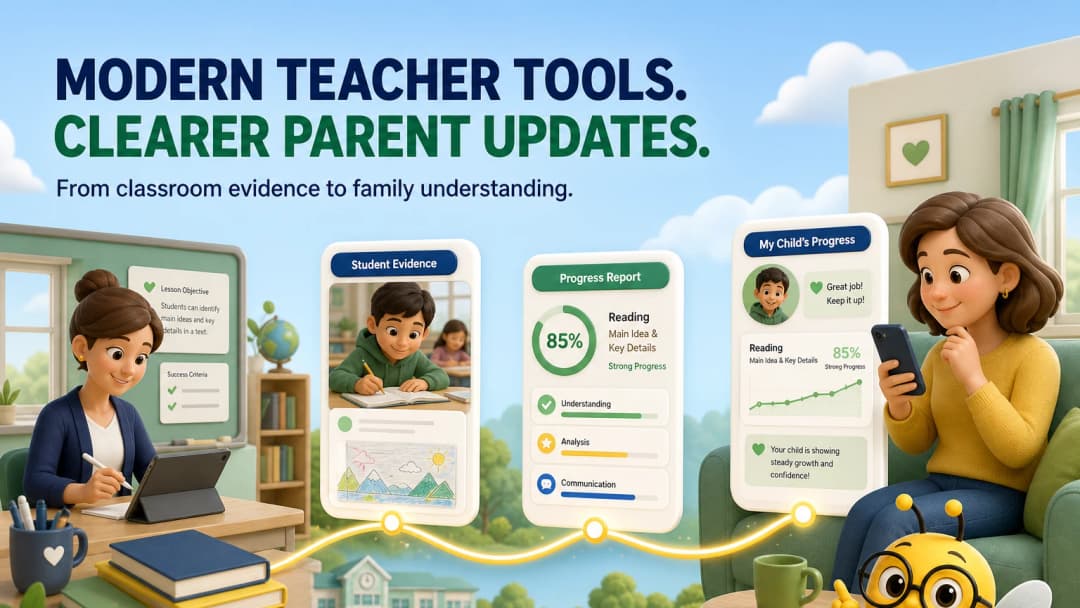
PowerSchool is a strong SIS; the question is the teacher experience around it
PowerSchool’s current SIS includes attendance, scheduling, grading, reporting, family portals and mobile access. Many schools value its configurability and integrations. G2 reviews include both praise for centralized information and comments about learning difficulty or usability, which can vary greatly by configuration.
When schools search for a “modern PowerSchool alternative,” they often want two things at once: quicker everyday teacher work and clearer information for families.
The connected evidence chain
An ideal workflow is simple to describe:
curriculum → lesson → assignment → classroom evidence → grade/report → family
The hard part is keeping those stages connected. If behaviour sits in one app, assignments in an LMS, final grades in an SIS and messages somewhere else, teachers become the integration layer.
How KiwiBee approaches the chain
KiwiBee’s teacher navigation brings Lessons, Assignments, Games, Reports, Class Story, Gradebook, Curriculums, Students and ClassSpark together. The live workspace preserved the selected class across the primary creation and reporting areas examined for this article.
ClassSpark adds roster-based points, attendance, timer, picker, formation, wellbeing and behaviour tools. Reports provides daily, weekly and termly starting points. The parent portal and class stories provide family-facing surfaces, while gradebook and reports connect academic evidence.
What “modern” should mean
Do not define modern by rounded corners alone. A modern teacher system should:
- retain context between common tasks;
- use accessible, obvious navigation;
- provide useful defaults without hiding control;
- work on the devices teachers actually use;
- preserve auditability and role boundaries;
- make family information understandable, not merely available.
Where PowerSchool may remain the right choice
PowerSchool is likely the better fit when your school depends on its state or regional compliance workflows, mature integrations, master scheduling or historical data model. A teacher-experience improvement is not worth creating a data-governance problem.
Schools can also improve configuration and training without replacing the SIS. Evaluate that option alongside a full switch.
Pilot the full loop
Ask a teacher to create an assignment, record evidence, update a score, prepare a short report and show what a parent sees. Ask an administrator to audit the same events. The winning product should make both stories coherent.
Questions to ask in the vendor demonstration
Ask the vendor to use a teacher account first, not an administrator dashboard. Have the demonstrator find a class, open tomorrow’s lesson, create student work, record one result and show the family view. Then ask what happens when a teacher changes classes, teaches several subjects or works as a homeroom teacher and a subject specialist. Finally, request the audit trail: who changed the score, when did the family see it, and how is an error corrected? These questions expose whether “connected” is a real workflow or simply several products sharing one login.
FAQ
Does PowerSchool include a parent portal?
Yes. Its official SIS product provides parent and student portals plus mobile access to grades, attendance, schedules and notifications.
What does KiwiBee add for teachers?
It places lesson planning, assignments, games, reports, curriculum and ClassSpark classroom tools in one persistent teacher workspace.
Should family communication replace formal records?
No. Messages and stories help families understand learning, while formal grades, attendance and reports must remain accurate, permissioned records.
Sources
Explore the platform
Continue with KiwiBee
Choose the KiwiBee workspace or resource library that fits what you need next.
 For big organisations
 For schools
 For centers
 For team leaders
 For teachers
 AI and resources
 Printable worksheets
 Interactive simulations
 Teacher tools
 AI studio
 Ideas and research