Design School Permissions Around Tasks, Not Job Titles
Why broad ‘admin’ access creates risk, confusion, and avoidable workflow problems in schools
 By KiwiBee· KiwiBee
Last updated July 11, 2026
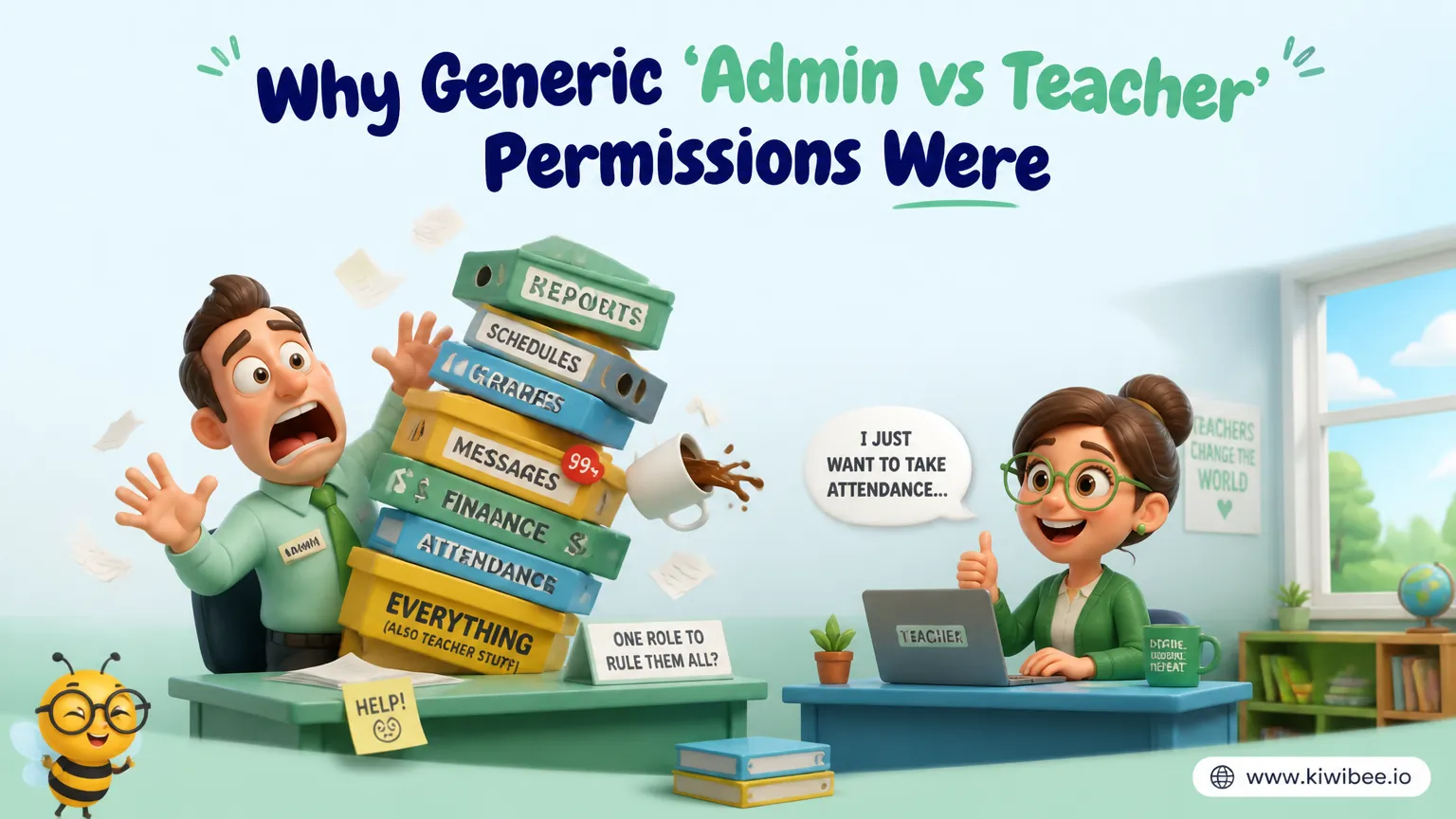
Many school systems are set up with only a few permission levels. In practice, that often means one group can see almost everything while another group cannot do enough to complete routine tasks.
This creates two problems at once. Staff are blocked from legitimate work, so leaders grant broader access than they intended. Then sensitive information becomes visible to people who do not need it, simply because the system offers no middle ground.
A more workable model is to build permissions around tasks and data boundaries rather than broad labels such as “admin” or “teacher.” Schools that do this can reduce risk, answer basic compliance questions more clearly, and make everyday work less awkward for support staff, office teams, and middle leaders.
The real problem with ‘admin versus teacher’
A binary permission model looks simple, but it rarely matches how schools operate. Schools depend on many specialist roles: librarians, finance officers, schedulers, teaching assistants, pastoral staff, department heads, and office teams. These roles need access to different parts of the system, and their work rarely falls neatly into ‘everything’ or ‘almost nothing.’
When the only way to let someone complete a task is to give them full administrative access, the system is doing a poor job of reflecting the organisation. That is a design problem, not a staffing problem.
The risks are practical as well as legal. A librarian may need circulation records and inventory tools but not payroll. A finance officer may need billing, contracts, or payroll information but not student academic history. A teaching assistant may need to view the classes they support and log behaviour notes, but not edit final grades.
- Check whether staff are being given broad access simply because a narrower option does not exist.
- List the routine tasks that currently require ‘admin’ access and mark which ones should be separated.
- Treat awkward permission workarounds as a system design issue, not as evidence that staff roles are unclear.
Start with tasks, then define the data each task requires
The cleanest way to design permissions is to begin with work, not titles. Ask what each role actually needs to do during a normal week. Then identify the minimum data and actions required to complete those tasks.
This avoids a common mistake: creating roles based on status instead of function. For example, two members of staff may both be considered ‘support staff,’ but one may need timetable access while the other needs borrowing records. Their work is different, so their permissions should be different too.
Thinking in task blocks can help. Typical blocks might include viewing student contact details, managing inventory, recording attendance, logging behaviour, editing grades, viewing payroll, issuing invoices, or managing schedules. Once these are clear, role design becomes much easier.
- Write each role’s top recurring tasks before discussing permission names.
- Separate ‘can view’ from ‘can edit’ so staff can see what they need without changing sensitive records.
- Define the minimum dataset needed for each task instead of granting access to a whole module by default.
Use role granularity where school work is genuinely different
Granularity does not mean creating dozens of roles for the sake of it. It means recognising meaningful differences in responsibility. If two roles consistently need different tools, different records, or different editing rights, they should probably not share the same permission set.
In many schools, several distinct roles commonly need their own access pattern. These may include school administration, department leadership, classroom teachers, teaching assistants, finance staff, student services, librarians, and schedulers. In larger organisations, multi-site or central-office functions may also need separate treatment.
The point is not to copy a fixed list. The point is to avoid lumping unlike jobs together under one label. A department head may need broader visibility across a subject area than a classroom teacher. A teaching assistant may need focused access to supported classes only. A finance role may need strong access within financial records and no access at all to academic files.
- Create separate roles when staff need different combinations of data, not merely different job titles on paper.
- Review whether middle leadership roles need broader oversight without full school-wide access.
- Avoid creating one generic ‘support staff’ role if support functions include clearly different responsibilities.
Protect sensitive categories by default
Some categories of information deserve special attention because they are more sensitive or more tightly restricted. In a school context, that often includes financial records, disciplinary information, medical information, confidential parent communications, and detailed academic records.
A useful rule is to presume restricted access unless there is a clear operational need. This shifts the discussion from convenience to necessity. Instead of asking, ‘Why not let this role see it?’ ask, ‘What task requires this access, and what happens if we remove it?’
This approach also makes it easier to explain the model to auditors, governors, or senior leaders. If access rules are tied to specific duties, the rationale is easier to document and defend.
- Identify your most sensitive data categories and review them separately from everyday operational data.
- Require an explicit reason before granting access to medical, financial, disciplinary, or confidential communication records.
- Limit cross-category access unless a role truly depends on it for routine work.
Design for oversight without overexposure
One reason schools overuse admin access is that leaders need visibility. They may need to check progress across departments, confirm that records are complete, or monitor whether tasks are being done. Full access can seem like the quickest answer.
But oversight does not always require unrestricted access. In many cases, leaders need summary visibility, approval rights, or read-only access within a defined area rather than the power to edit every record across the school.
This distinction matters. If a department head needs to review grade entry across their department, that is different from allowing them to alter payroll or inspect unrelated confidential files. If a pastoral lead needs behaviour data, that does not automatically mean they need academic editing rights.
- Separate oversight permissions from operational permissions so leaders can monitor work without seeing unrelated records.
- Use read-only access where verification is needed but editing is not.
- Define scope boundaries clearly, such as ‘own classes,’ ‘own department,’ or ‘assigned students.’
Build an access map before changing the system
Permission redesign often goes wrong when schools jump straight into software settings. Before changing anything, map the current state. Record who has access, what they can see, what they can change, and why that access was originally granted.
This exercise usually reveals two patterns. First, some people have inherited broad access because they once covered another role or helped during implementation. Second, critical jobs are being done through informal workarounds because the permission model never fit daily operations.
A simple access map also helps with prioritisation. You can identify the most urgent mismatches first: roles that can see highly sensitive data without a clear need, and roles that cannot complete essential tasks without requesting help.
- Export or document current roles and compare them against actual responsibilities held today.
- Flag inherited permissions that remain from temporary cover arrangements or old job descriptions.
- Prioritise fixes where sensitive data exposure and workflow blockage are both present.
Questions to test whether a role is well designed
A workable role should pass a few practical tests. Can the person complete their main tasks without asking for an administrator to intervene? Can they avoid seeing confidential information unrelated to those tasks? Can leaders explain, in plain language, why that role has each category of access?
If the answer to any of these questions is no, the role probably needs adjustment. Permission models should be understandable to non-technical leaders. If only one systems expert can explain why access is configured a certain way, governance is too fragile.
Clarity matters during audits, staff changes, and safeguarding reviews. It also matters on ordinary school days when someone is absent and another person needs temporary cover.
- Test each role by walking through real weekly tasks and noting where access is missing or excessive.
- Ask whether each permission can be explained by a specific duty rather than a vague status level.
- Document temporary elevated access separately so short-term exceptions do not become permanent defaults.
Implementation cautions for school leaders
More detailed permissions can improve workflow, but they also create maintenance work. Role sets need ownership, review dates, and a process for exceptions. Without that, a granular model can become just as messy as a broad one.
Avoid building roles around one individual’s preferences. Permissions should reflect the responsibilities of a post, not the habits of the current postholder. Otherwise, every staffing change creates confusion.
It is also wise to watch for role overlap. Some staff do legitimately wear multiple hats. In those cases, combining well-defined permissions may be better than inventing a catch-all super-role. The goal is precision, not sprawl.
- Assign responsibility for permission reviews to a named leader or team rather than leaving access to drift.
- Review roles when job descriptions change, not only when software is updated.
- Use time-limited exceptions for staff covering another role, then remove them promptly.
- Avoid a single ‘power user’ role that quietly accumulates unrelated permissions over time.
A permission model should reflect how a school actually works
The most useful school permission models are neither excessively broad nor unnecessarily complicated. They give staff the access required to do their jobs well, while protecting confidential information that sits outside their responsibilities.
If a school still relies on a basic ‘admin versus teacher’ structure, the practical lesson is straightforward: map real tasks, define sensitive data boundaries, and build roles around actual work. That shift usually improves both daily workflow and the school’s ability to explain who can access what, and why.
Explore the platform
Continue with KiwiBee
Choose the KiwiBee workspace or resource library that fits what you need next.
Related posts
Best Tools for School Leaders: Staff, Curriculum & Teacher Management
I tested Notion, Monday.com, Google Sheets, and Excel for running staff, curriculum, and student data. Here's where each one wins — and how to choose.
PowerSchool for Teachers: Honest Review + Alternatives (2026)
Honest review of PowerSchool for teachers — what it does well, where it falls short, and three alternatives worth trying.
We Replaced 6 Apps With One Platform — Here's Our Honest First Year
Google Classroom, ClassSpark, spreadsheet gradebooks, separate scheduling software, an exam platform, and email newsletters. Last year, we ran all of it. This year, we don't.
 For big organisations
 For schools
 For centers
 For team leaders
 For teachers
 AI and resources
 Printable worksheets
 Teacher tools
 AI studio
 Ideas and research