Classroom Behaviour App That Connects Points to Learning and Grades
The goal is not to turn behaviour into a grade. It is to help teachers see classroom routines and learning evidence in the right context.
 By KiwiBee Team· Education Team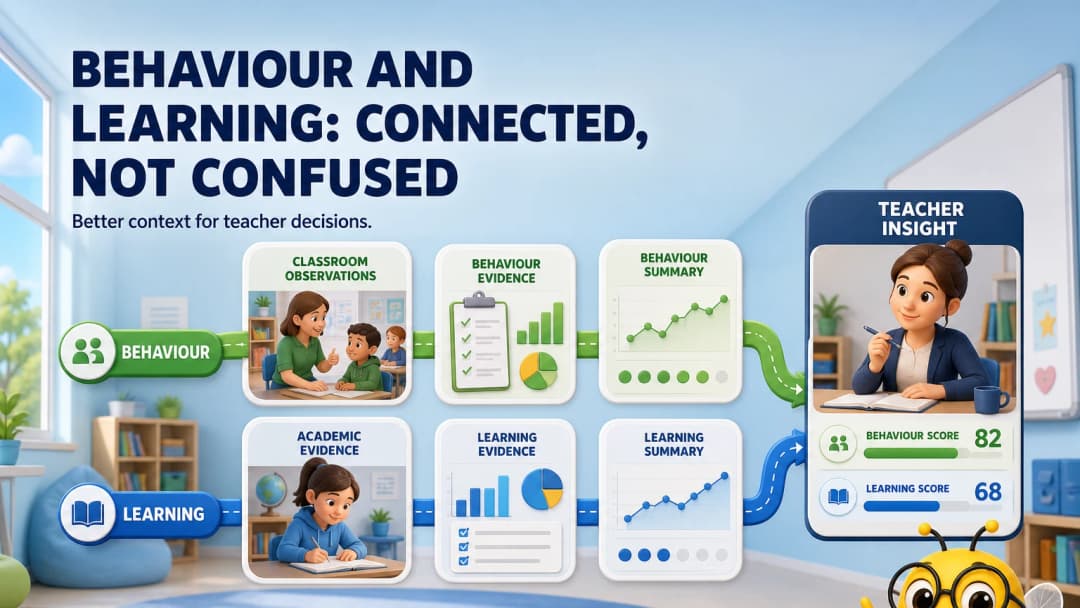
The problem with standalone behaviour data
A behaviour app can motivate students and make classroom routines visible. But when the data never connects to lessons, skills or reports, teachers must reconstruct the story manually: Was the student off task because the work was too hard? Did a new grouping improve participation? Did attendance affect the assessment result?
Connection helps answer those questions. It does not mean behaviour points should become academic marks.
What a responsible connected app needs
- distinct academic, behaviour, attendance and wellbeing records;
- clear permissions and audit history;
- age-appropriate, non-shaming language;
- easy correction of mistakes;
- patterns that support teacher inquiry, not automated punishment;
- family views that explain evidence rather than expose raw notes.
KiwiBee’s ClassSpark workflow
In the live ClassSpark workspace, the teacher saw the selected class roster and each student’s current ClassSpark points. A side panel provided All Class, Timer, Attendance, Background, Pick, Formation, Tools, Wellbeing, Settings, Behaviours, Report and Edit names.
Because ClassSpark sits inside the same teacher shell as Lessons, Assignments, Games, Reports, Gradebook and Curriculums, the teacher can consider behaviour in the context of what was being taught and assessed.
Explore classroom management and gradebook.
A better teacher question
Instead of “How many points did this student earn?” ask:
- Which routine was difficult?
- What learning demand was present?
- Did the behaviour change after adaptation or support?
- Is the pattern consistent across lessons and teachers?
- What evidence should be shared with the student or family?
A connected system makes those questions easier to investigate while the teacher remains responsible for interpretation.
Implementation safeguards
Define which events are recorded, who can see them, how long they are retained and how students can challenge an error. Review categories for cultural or disability bias. Never use a simple point total as an automatic high-stakes decision.
A two-week teacher inquiry
Choose one routine—independent work, transitions or group discussion—and one learning objective. Record only the minimum useful behaviour observations, then compare them with task difficulty, attendance and academic evidence. At the end of two weeks, ask whether the data led to a concrete support or teaching change. If it did not, reduce the collection. Connected software should help teachers notice and respond; it should not encourage recording for its own sake.
FAQ
Do ClassSpark points automatically change grades?
They should be treated as distinct evidence unless the school deliberately configures and documents another policy. Academic grading must remain transparent.
Can teachers take attendance in ClassSpark?
Attendance was available directly in the reviewed ClassSpark tools panel.
Why connect behaviour to curriculum at all?
Connection gives teachers context for reflection and support. It should improve professional judgment, not create an automated label for the student.
Sources
Explore the platform
Continue with KiwiBee
Choose the KiwiBee workspace or resource library that fits what you need next.
 For big organisations
 For schools
 For centers
 For team leaders
 For teachers
 AI and resources
 Printable worksheets
 Interactive simulations
 Teacher tools
 AI studio
 Ideas and research