Google Classroom Alternative for Teachers Who Want Everything in One Place
For many teachers, the problem is not Google Classroom itself. It is the timer, game, behaviour, curriculum and reporting tabs surrounding it.
 By KiwiBee Team· Education Team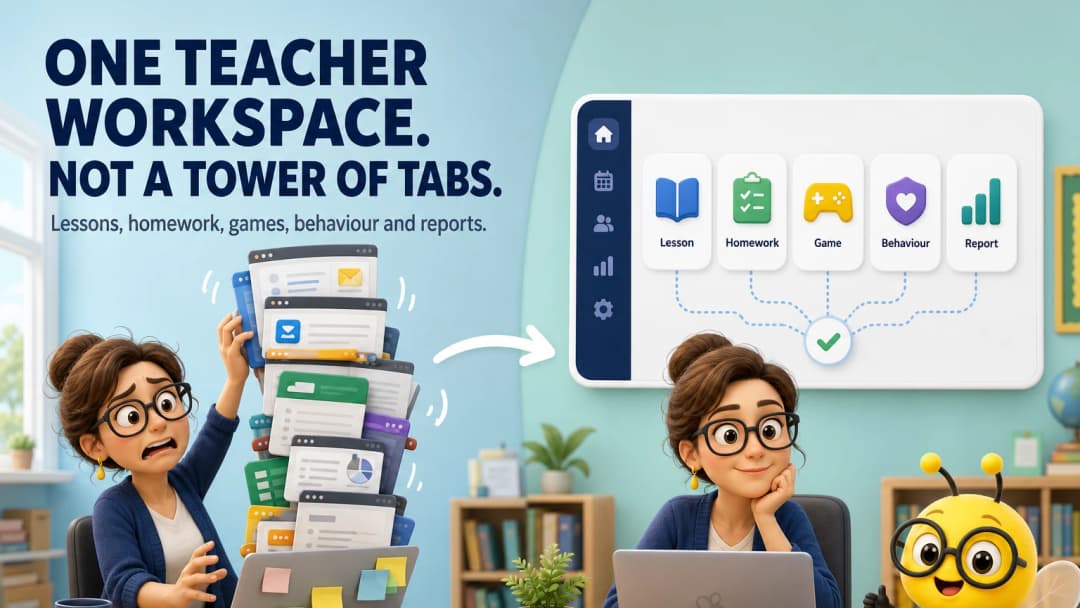
Google Classroom is often one tool in a much larger pile
Google Classroom can be fast, familiar and effective. A teacher may still use a separate curriculum planner, AI chatbot, game site, behaviour app, timer, attendance system, gradebook, report writer and parent-messaging tool.
The search for an all-in-one alternative is usually a search for fewer context changes—not a rejection of Google’s assignment workflow.
What “everything in one place” should mean
It should not mean a crowded homepage with every possible feature. It should mean that the next common task is reachable, remembers the right context and uses the work the teacher already created.
For example:
- curriculum objective becomes a lesson;
- lesson becomes homework and a game;
- live classroom tools support delivery;
- evidence reaches gradebook and reports;
- the family receives an understandable update.
KiwiBee’s one-workspace approach
KiwiBee’s live teacher shell presents persistent navigation for Dashboard, Messages, ClassSpark, Schedule, Lessons, Assignments, Games, Reports, Class Story, Gradebook, Curriculums, Students and Teams.
In the workflows reviewed for this article, the selected class stayed visible between the main planning, activity, game, report and curriculum areas. Creation screens also opened with useful starting formats selected rather than a completely blank canvas.
That is the practical winning point for teachers who dislike repeated setup: the product preserves momentum.
Explore for teachers, AI lesson plans, and classroom management.
When Google Classroom is still enough
Stay with Google Classroom if assignments, feedback, Drive files and Meet cover your teaching needs, and your school’s SIS already handles everything else cleanly. Familiarity and low training overhead have real value.
An all-in-one switch is not worthwhile if it duplicates a well-integrated school stack or weakens Google collaboration your teachers rely on.
Conduct a tab audit
Ask teachers to record every digital tool opened during one normal day. Group them by job: planning, delivery, practice, behaviour, evidence, communication and administration.
Then evaluate whether a candidate platform can genuinely replace a group of tools—not just imitate their icons. A strong result is fewer handoffs with no loss of capability or data quality.
The best first consolidation target
Start with tools that repeat the same context: the lesson planner, AI assistant, worksheet generator and classroom game site often need the same class, topic and learning objective. Combining those can save more effort than replacing a specialist tool used once per term. Keep the audit small and reversible. After two weeks, ask teachers which logins disappeared, which information stopped being copied and which specialist tool they missed. That evidence tells you whether “all-in-one” is improving the day or merely relocating the clutter.
FAQ
Is Google Classroom a full school management system?
It is primarily a teaching and learning product within Google Workspace. Schools commonly connect it to an SIS or other operational systems.
Does all-in-one mean no integrations?
No. Good integrations still matter. All-in-one should reduce unnecessary fragmentation while preserving specialized tools that add clear value.
What should teachers test first in KiwiBee?
Try the path from one curriculum objective to a lesson, assignment, game and report, then test ClassSpark during a real class.
Sources
Explore the platform
Continue with KiwiBee
Choose the KiwiBee workspace or resource library that fits what you need next.
 For big organisations
 For schools
 For centers
 For team leaders
 For teachers
 AI and resources
 Printable worksheets
 Interactive simulations
 Teacher tools
 AI studio
 Ideas and research