
Base-Ten Blocks 3D
- Mathématiques
Commentaires
Liées à cette simulation
Choisis selon le sens parmi les jeux, fiches, simulations, outils pour les enseignants et vidéos.


À propos de cette simulation
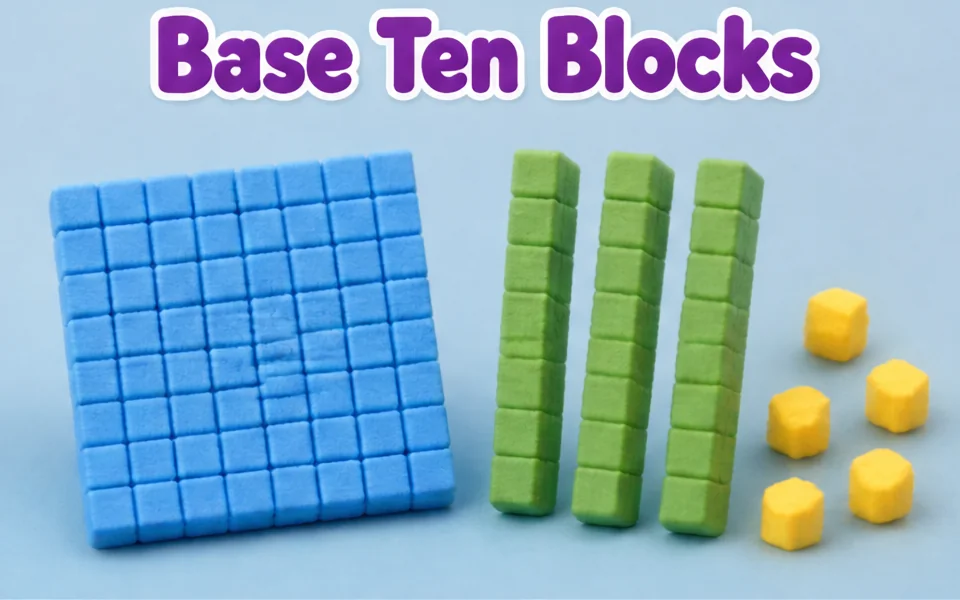
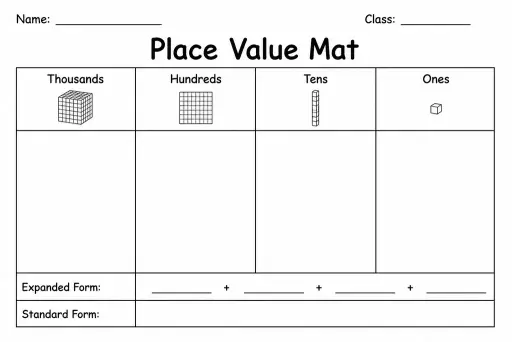
Base-Ten Blocks 3D is a hands-on manipulatives table for exploring decimal place value, expanded notation, and regrouping (carrying and borrowing). The 3D classroom mat is organized into four color-coded columns: purple Thousands cubes (10×10×10 = 1,000), red Hundreds flats (10×10 = 100), green Tens rods (1×10 = 10), and blue Ones unit cubes (1). Students can click any column pad or adjust the sliders to place up to 15 blocks in a column, creating non-standard groupings such as 14 tens or 12 ones. Pressing Regroup / Bundle 10 (or clicking the gold Regroup Orb) bundles each group of 10 blocks into 1 block in the next column to the left while keeping the total number unchanged.
Ce que les élèves peuvent explorer
- Set Ones to 12 and press Regroup / Bundle 10 to trade 10 blue unit cubes for 1 green ten-rod while watching the Total number readout stay identical.
- Click the green Tens pad until you have more than 10 ten-rods, then bundle 10 rods into 1 red 10×10 hundred-flat.
- Compare the physical 3D size of 1 unit cube, 1 ten-rod, 1 hundred-flat, and 1 thousand-cube by orbiting around the table.
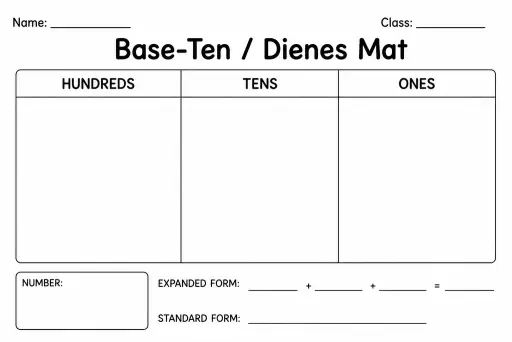
- Read the Expanded form readout (for example 1000 + 300 + 50 + 2) and match each addend to its column of 3D blocks.
Objectifs d'apprentissage
- 1Represent multi-digit whole numbers up to 3,999 using concrete 3D base-ten blocks (thousands, hundreds, tens, and ones).
- 2Explain why each place value column represents a unit 10 times as large as the column to its right.
- 3Regroup (bundle) 10 ones into 1 ten, or 10 tens into 1 hundred, and verify that the total numeric value remains constant.
- 4Translate between concrete base-ten block models, standard numerals, and expanded form.
Questions fréquentes des enseignants
What are base-ten blocks used for in maths?
Base-ten blocks (also called Dienes blocks) give students a physical, proportional model of our decimal number system. Because a ten-rod is literally 10 unit cubes tall and a hundred-flat is 100 cubes in area, students can see why each digit's position multiplies its value by 10.
What does regrouping or bundling 10 mean?
In standard base-ten notation, each digit position holds at most 9 units. When a column reaches 10 or more blocks—such as 12 ones—we bundle 10 of those ones into 1 ten-rod and move it to the Tens column, leaving 2 ones behind.
Why doesn't the total number change when we press Regroup / Bundle 10?
Trading 10 ones for 1 ten (or 10 tens for 1 hundred) is an equal exchange: 10 × 1 = 10 and 10 × 10 = 100. The blocks are reorganized into standard place-value form without adding or removing any unit cubes.
What is the expanded form of a number?
Expanded form writes a number as the sum of the values of each of its digits—for example, writing 1,352 as 1,000 + 300 + 50 + 2, which directly matches the value of the blocks in each place-value column.
Intégrer cette simulation
Placez-la dans votre ENT, votre blog ou le site de la classe — gratuitement.
<iframe src="https://kiwibee.io/fr/simulations/place-value-base-ten-blocks-3d-3d-simulation/embed" title="Base-Ten Blocks 3D | KiwiBee" loading="lazy" allowfullscreen style="width:100%;height:min(70vh,620px);min-height:420px;border:0;border-radius:16px"></iframe>Objectifs du programme
Cambridge
- 3Np.01Understand and explain that the value of each digit is determined by its position in that number (up to 3-digit numbers).Cambridge Primary Mathematics (0096) — Stage 3 › Number › Place value, ordering and rounding
Learning objectives © UCLES (Cambridge University Press & Assessment), quoted with attribution.
Faites entrer les sciences interactives dans votre classe
L'espace enseignant gratuit de KiwiBee réunit au même endroit la préparation des séances, les fiches, les outils de classe et le carnet de notes.
Commencez gratuitement et créez votre première classeRegardez KiwiBee sur YouTube
De courtes vidéos KiwiBee pour les enseignants et les écoles. Abonnez-vous, ou suivez KiwiBee où que vous soyez.
 Accueil
 Toutes les solutions
 Tarifs
 À propos
 KiwiBee pour les associations
 Événements et webinaires
 Pour les grands réseaux
 Pour les établissements
 Pour les centres
 Pour les responsables d'équipe
 Pour les enseignants
 Ressources
 Fiches imprimables
 Simulations interactives
 Outils pour les enseignants
 Idées et recherche


