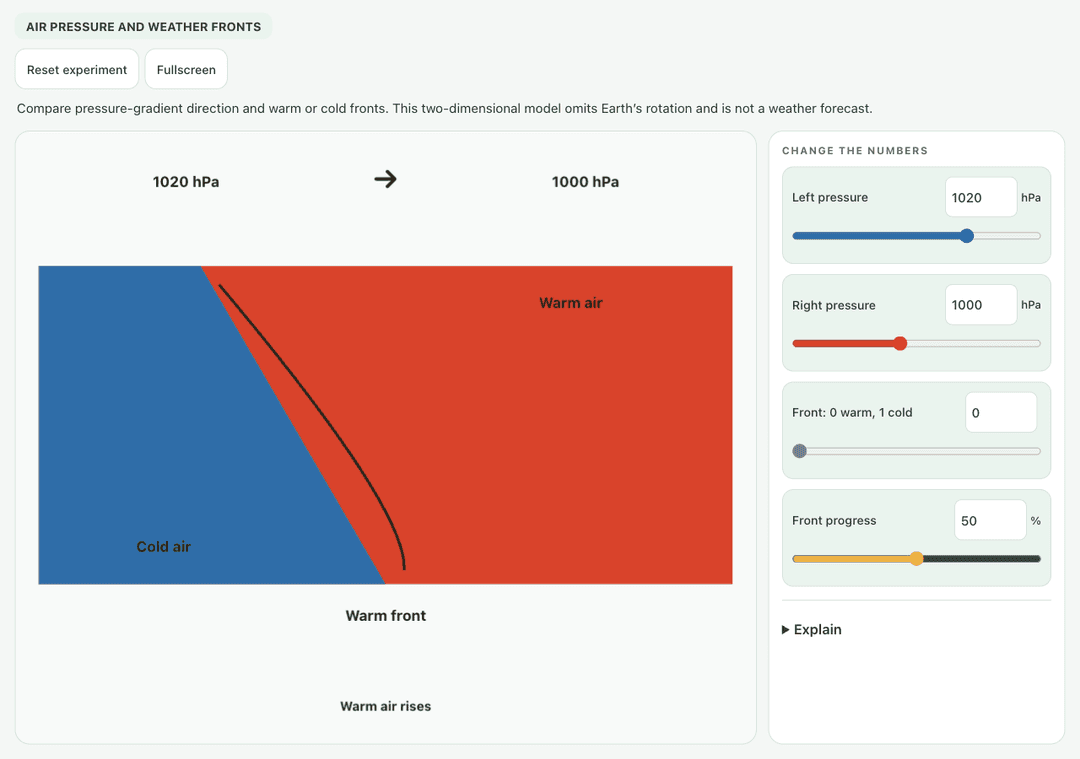
Compare pressure-gradient direction and warm or cold fronts. This two-dimensional model omits Earth’s rotation and is not a weather forecast.
—
KiwiBee 使用 Google Analytics、Google Ads 及 Meta Pixel 的可選 Cookie,以了解成年訪客、統計已完成的註冊及改善推廣活動。必要 Cookie 會一直保持啟用。 OpenAI 的 ChatGPT 廣告像素亦會在您同意廣告追蹤後衡量頁面瀏覽及已提交的查詢,並可能使用經雜湊處理的聯絡資料作配對。 私隱政策
Students drag the orange warm air mass and the blue cold air mass toward each other and move the town to different spots. The simulation names the front type from how the masses move, and shows the overlap, the temperature at the town and the rain there. Sliders set warm and cold air temperatures, a toggle makes cold air push east, and a button lets warm air push instead. It shows why cold fronts bring short heavy showers while warm fronts bring lighter, longer rain.
Yes, it costs nothing and there is no account to create. Weather Fronts works in the browser on laptops, Chromebooks, whiteboards, tablets and phones.
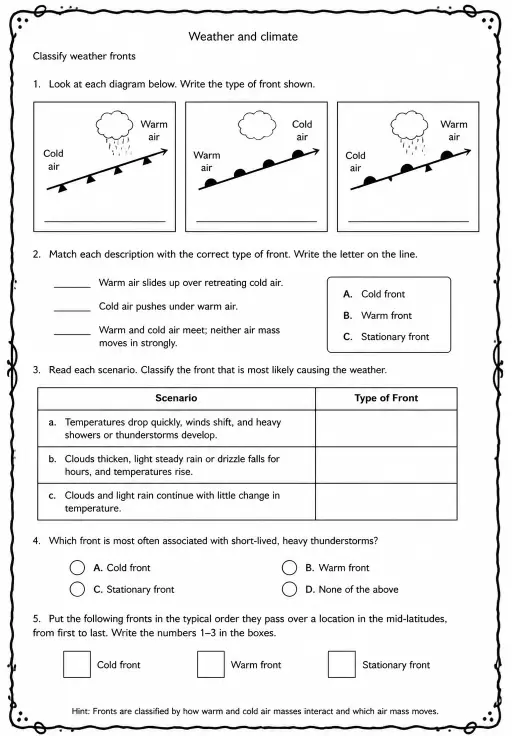
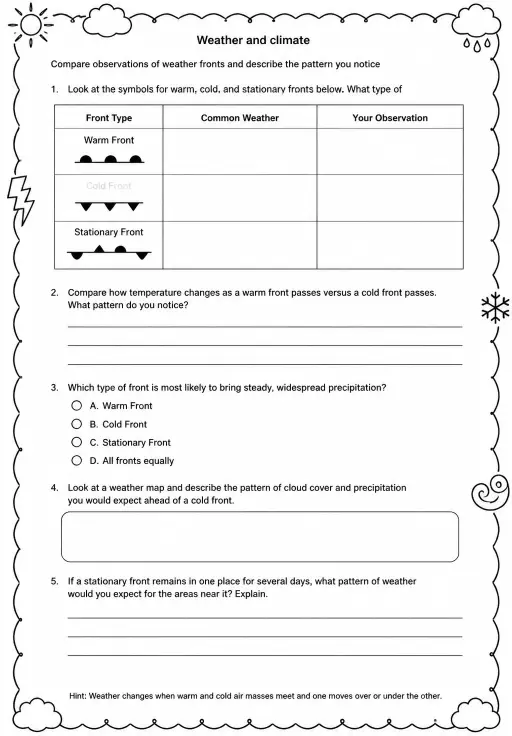
A cold front is where advancing cold, dense air wedges under warmer air and pushes it upward quickly. That often makes tall storm clouds and a short burst of heavy rain.
A warm front is where warm air slides gently up over retreating cold air. The slope is shallow, so clouds spread wide and bring lighter, steadier drizzle.
Drag the warm and cold air masses toward each other and drag the town to a new spot. Use the temperature sliders and push buttons to try other cases.
免費嵌入你的學習平台、網誌或班級網頁。
<iframe src="https://kiwibee.io/zh/simulations/weather-fronts-collision-3d-simulation/embed" title="Weather Fronts | KiwiBee" loading="lazy" allowfullscreen style="width:100%;height:min(70vh,620px);min-height:420px;border:0;border-radius:16px"></iframe>繼續探索
Compare pressure-gradient direction and warm or cold fronts. This two-dimensional model omits Earth’s rotation and is not a weather forecast.
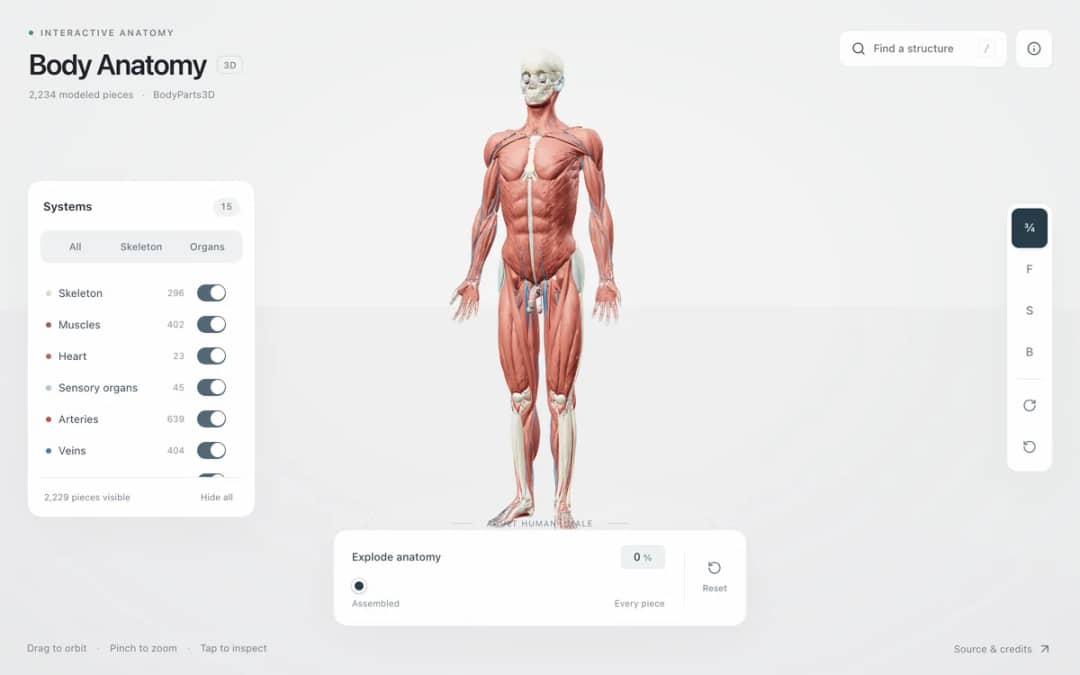
Explore an adult male reference body in 3D. Reveal 14 anatomical systems, search thousands of named structures, isolate organs, and pull 2,209 modeled pieces apart to see how the body is organized.
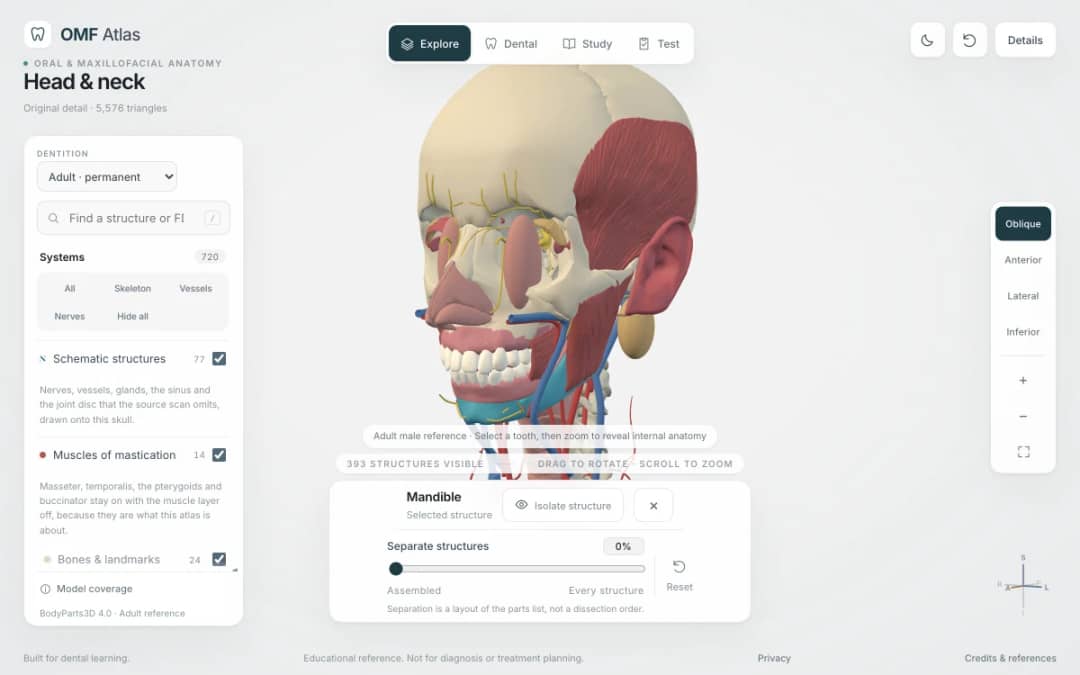
Explore the head and neck in 3D: 643 source meshes across 14 layers, 47 facial and masticatory muscles, and 77 drawn nerves, vessels and glands the source scan omits. Open any tooth onto its own pulp canal, and follow the seven stages of tooth development.

Free interactive photosynthesis simulation. Explore photosynthesis hands-on online — great for whole-class or independent practice.

Free interactive states of matter simulation. Explore states of matter hands-on online — great for whole-class or independent practice.
由模型到紀錄
學生探索之後,用工作紙記錄他們的預測、觀察和解釋。
KiwiBee 的免費教師工作空間,把備課、工作紙、課堂工具和成績冊集中在同一處。
免費開始,建立你的第一個班別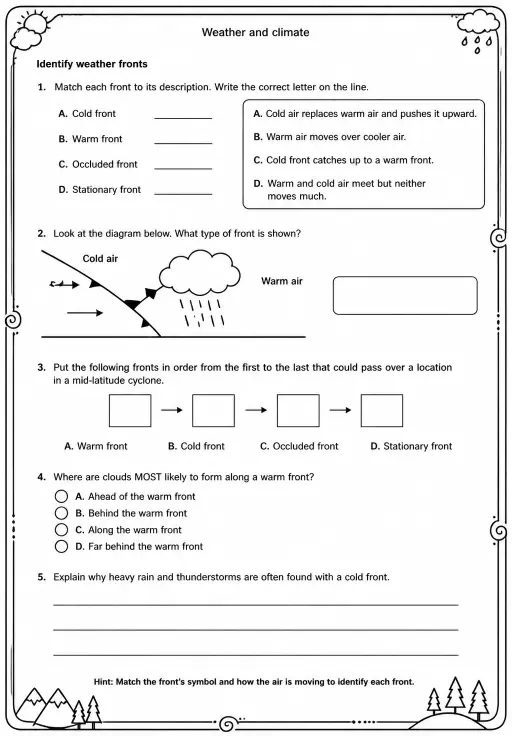
 首頁
首頁 所有解決方案
 價格
價格 關於我們
關於我們 KiwiBee 非牟利機構計劃
 活動及網上研討會
 適合大型教育機構
 適合學校
適合學校 適合教育中心
 適合團隊主管
 適合教師
適合教師 AI 和教學資源
 教學資源
教學資源 可列印工作紙
 課程包
課程包 互動模擬
互動模擬 教師工具
教師工具 AI 工作室
 教學構思與研究