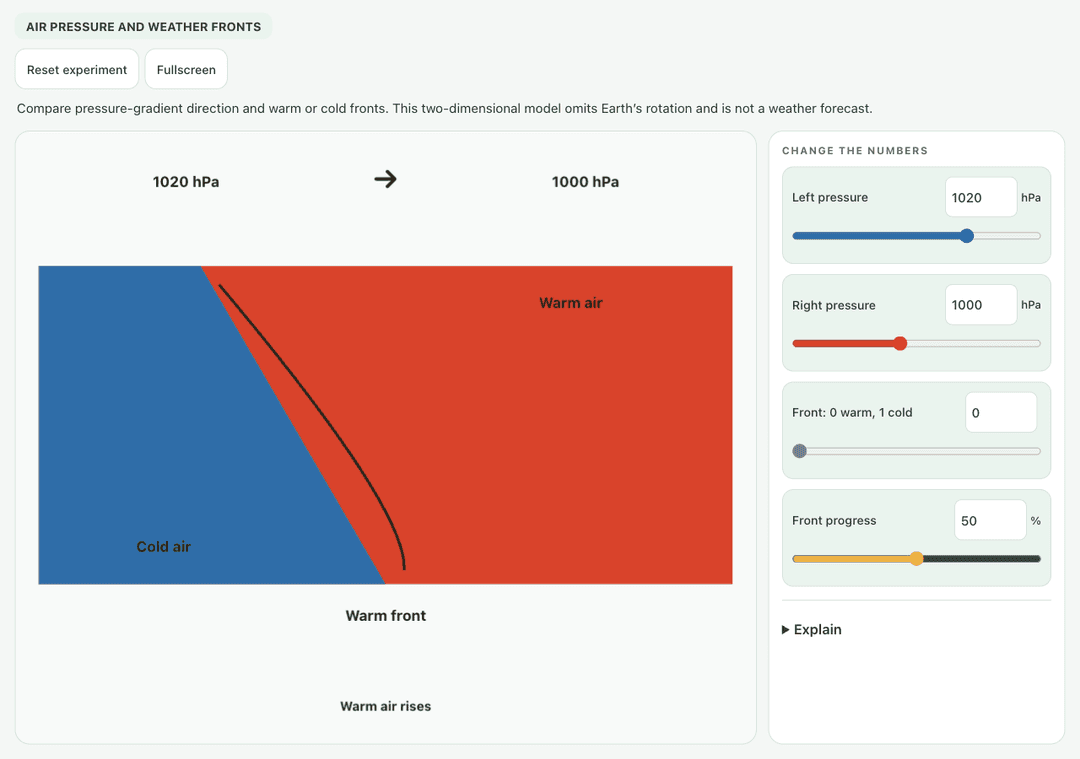
Compare pressure-gradient direction and warm or cold fronts. This two-dimensional model omits Earth’s rotation and is not a weather forecast.
—
KiwiBee 使用 Google Analytics、Google Ads 和 Meta Pixel 的可选 Cookie,用于了解成年访客、统计已完成的注册并改进推广活动。必要 Cookie 始终保持开启。 OpenAI 的 ChatGPT 广告像素还会在您同意广告追踪后衡量页面浏览和已提交的咨询,并可能使用经过哈希处理的联系信息进行匹配。 隐私政策
Students drag the orange warm air mass and the blue cold air mass toward each other and move the town to different spots. The simulation names the front type from how the masses move, and shows the overlap, the temperature at the town and the rain there. Sliders set warm and cold air temperatures, a toggle makes cold air push east, and a button lets warm air push instead. It shows why cold fronts bring short heavy showers while warm fronts bring lighter, longer rain.
Yes, it costs nothing and there is no account to create. Weather Fronts works in the browser on laptops, Chromebooks, whiteboards, tablets and phones.
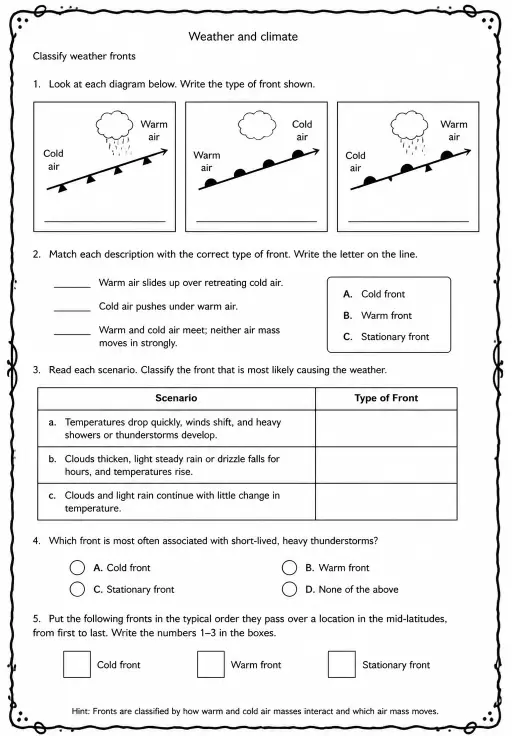
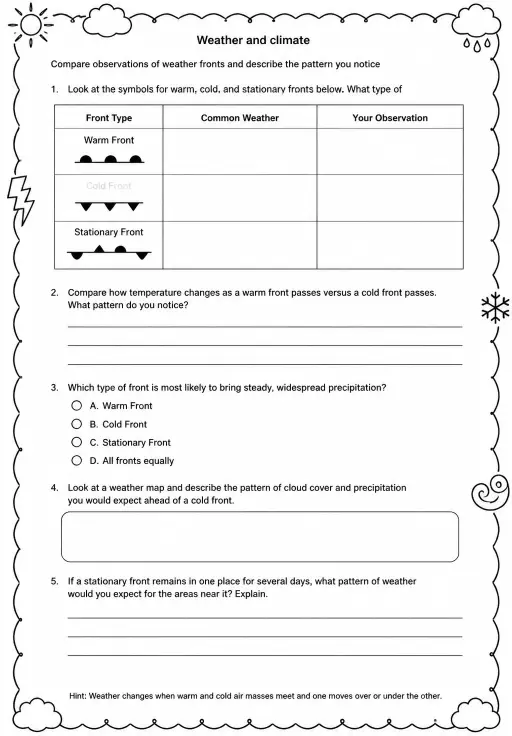
A cold front is where advancing cold, dense air wedges under warmer air and pushes it upward quickly. That often makes tall storm clouds and a short burst of heavy rain.
A warm front is where warm air slides gently up over retreating cold air. The slope is shallow, so clouds spread wide and bring lighter, steadier drizzle.
Drag the warm and cold air masses toward each other and drag the town to a new spot. Use the temperature sliders and push buttons to try other cases.
免费嵌入你的学习平台、博客或班级网站。
<iframe src="https://kiwibee.io/zh-cn/simulations/weather-fronts-collision-3d-simulation/embed" title="Weather Fronts | KiwiBee" loading="lazy" allowfullscreen style="width:100%;height:min(70vh,620px);min-height:420px;border:0;border-radius:16px"></iframe>继续探索
Compare pressure-gradient direction and warm or cold fronts. This two-dimensional model omits Earth’s rotation and is not a weather forecast.
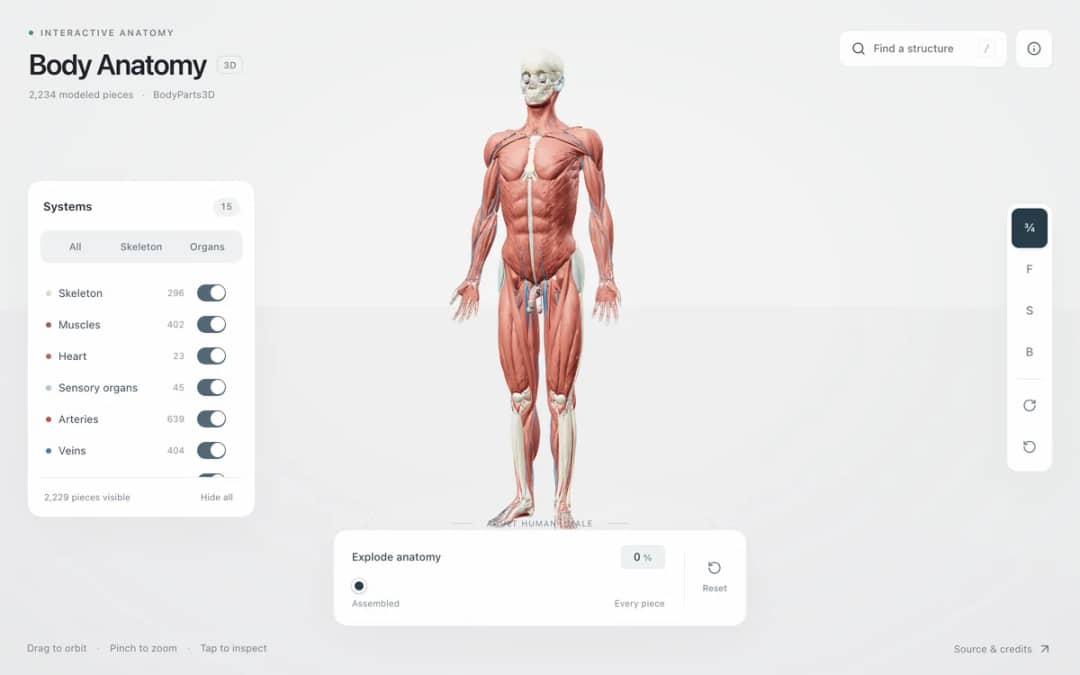
Explore an adult male reference body in 3D. Reveal 14 anatomical systems, search thousands of named structures, isolate organs, and pull 2,209 modeled pieces apart to see how the body is organized.
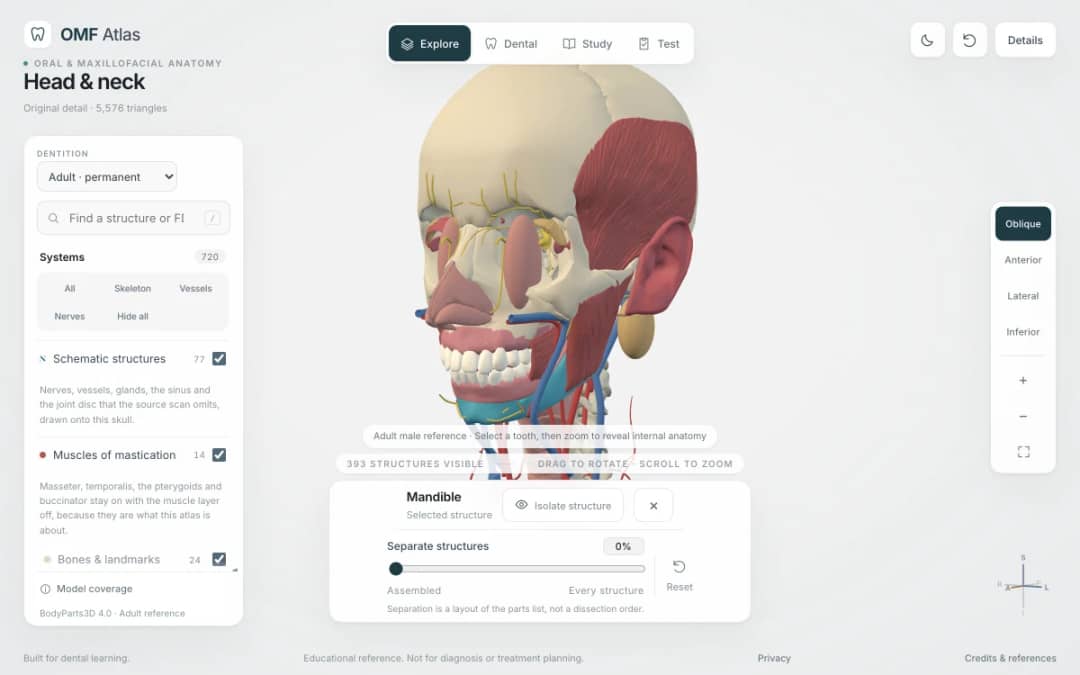
Explore the head and neck in 3D: 643 source meshes across 14 layers, 47 facial and masticatory muscles, and 77 drawn nerves, vessels and glands the source scan omits. Open any tooth onto its own pulp canal, and follow the seven stages of tooth development.

Free interactive photosynthesis simulation. Explore photosynthesis hands-on online — great for whole-class or independent practice.

Free interactive states of matter simulation. Explore states of matter hands-on online — great for whole-class or independent practice.
从模型到记录
学生探索之后,用工作表记录他们的预测、观察和解释。
KiwiBee 的免费教师工作台把备课、工作表、课堂工具和成绩册集中在一处。
免费开始,创建你的第一个班级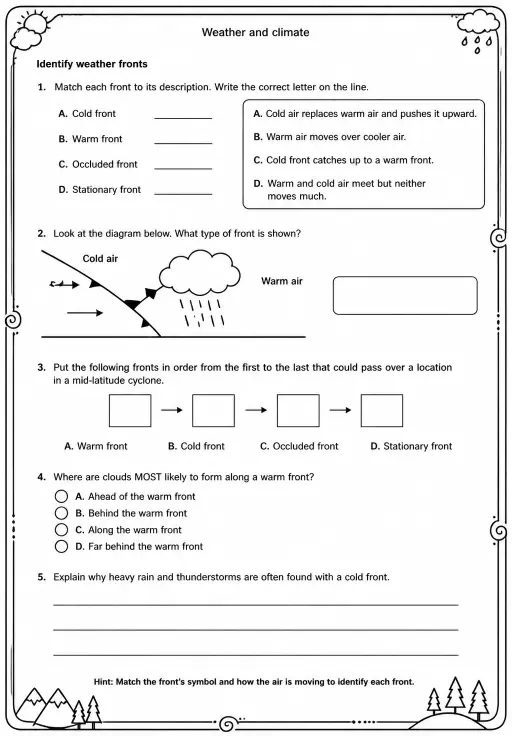
 首页
首页 全部解决方案
 价格
价格 关于我们
关于我们 KiwiBee 非营利组织计划
 活动与网络研讨会
 面向大型教育集团
 面向学校
面向学校 面向教育中心
 面向团队负责人
 面向教师
面向教师 AI 与教学资源
 教学资源
教学资源 可打印练习单
 课程包
课程包 互动模拟实验
 教师工具
教师工具 AI 工作室
 灵感与研究
灵感与研究