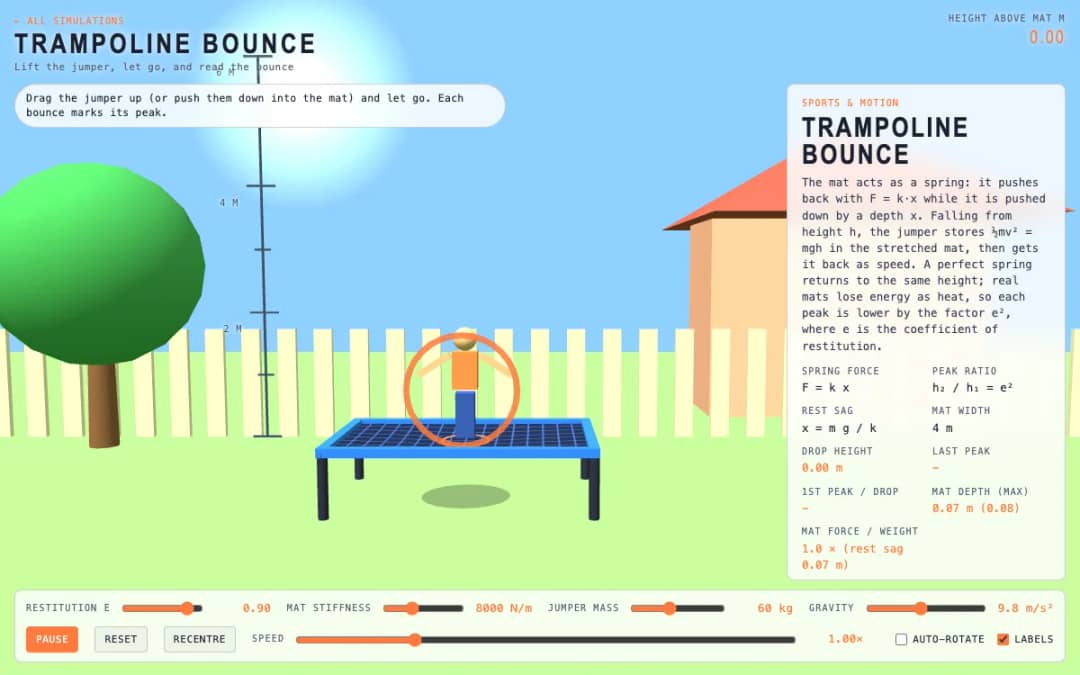
A jumper hovers above a trampoline mat. Students drag them up or push them into the mat, let go, and watch each bounce mark its peak while sliders change stiffness, mass, gravity and restitution.
—
KiwiBee usa cookies opcionales de Google Analytics, Google Ads y Meta Pixel para entender a los visitantes adultos, medir los registros completados y mejorar las campañas. Las cookies esenciales siempre permanecen activas. El píxel de anuncios de ChatGPT de OpenAI también mide las visitas y las consultas enviadas tras aceptar la publicidad, y puede usar datos de contacto cifrados mediante hash para la atribución. Política de privacidad
This simulation shows how projectiles fall and drift on the way to a target. Pulling the string left adds power and pulling it down raises the aim. The arrow drops under gravity, slows with optional air drag, and is pushed sideways by an adjustable crosswind from minus 15 to 15 meters per second. Readouts show draw and speed, aim elevation, last arrow, score and crosswind. Three camera views let students watch from the side, behind the archer or at the target. Teachers can use it for projectile motion and vectors.
Yes. It is free, needs no sign-up, and works in any modern browser, including whiteboards, tablets and phones.
The arrow starts falling the moment it leaves the bow. At 20 meters and 45 meters per second, the flight takes about 0.45 seconds, enough to drop over a meter.
Drag the bowstring back. Pull to the left for more power and downward to aim higher, then release. Each end uses six arrows.
The arrow moves relative to the air, not the ground, so a crosswind pushes it sideways. Use the Crosswind slider and aim into the wind to compensate.
Colócala en tu LMS, blog o sitio de clase, gratis.
<iframe src="https://kiwibee.io/es/simulations/archery-range-3d-simulation/embed" title="Archery Range | KiwiBee" loading="lazy" allowfullscreen style="width:100%;height:min(70vh,620px);min-height:420px;border:0;border-radius:16px"></iframe>Sigue explorando
A jumper hovers above a trampoline mat. Students drag them up or push them into the mat, let go, and watch each bounce mark its peak while sliders change stiffness, mass, gravity and restitution.
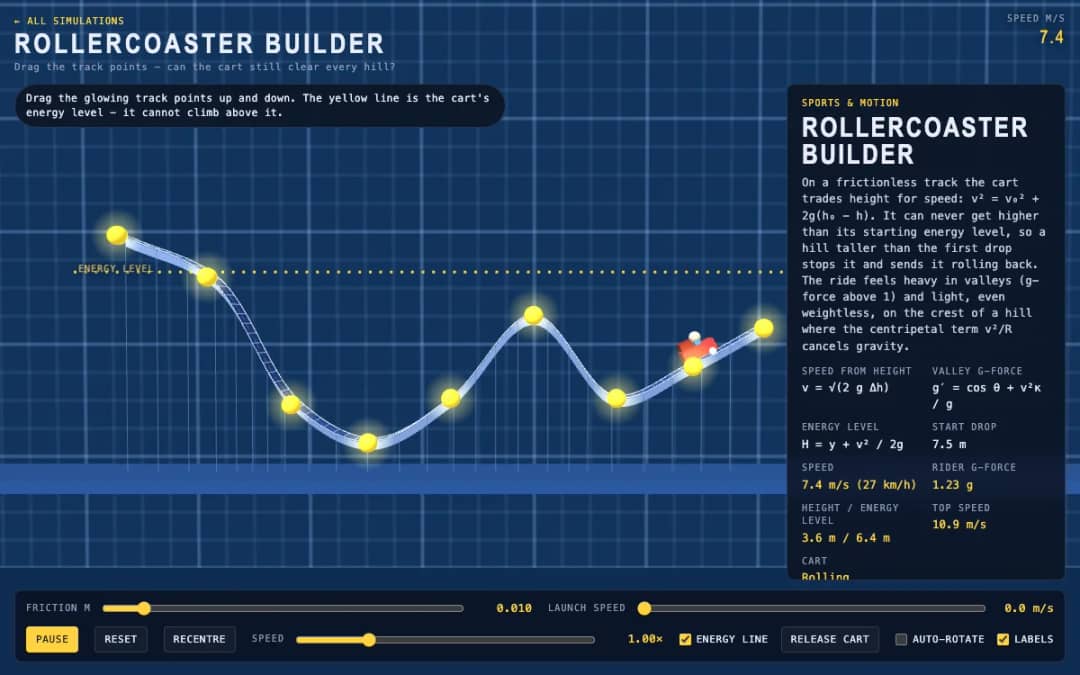
A smooth coaster track runs through glowing control points. Students drag points up and down to reshape hills, press Release cart, and see whether the cart can clear every hill below the yellow energy line.
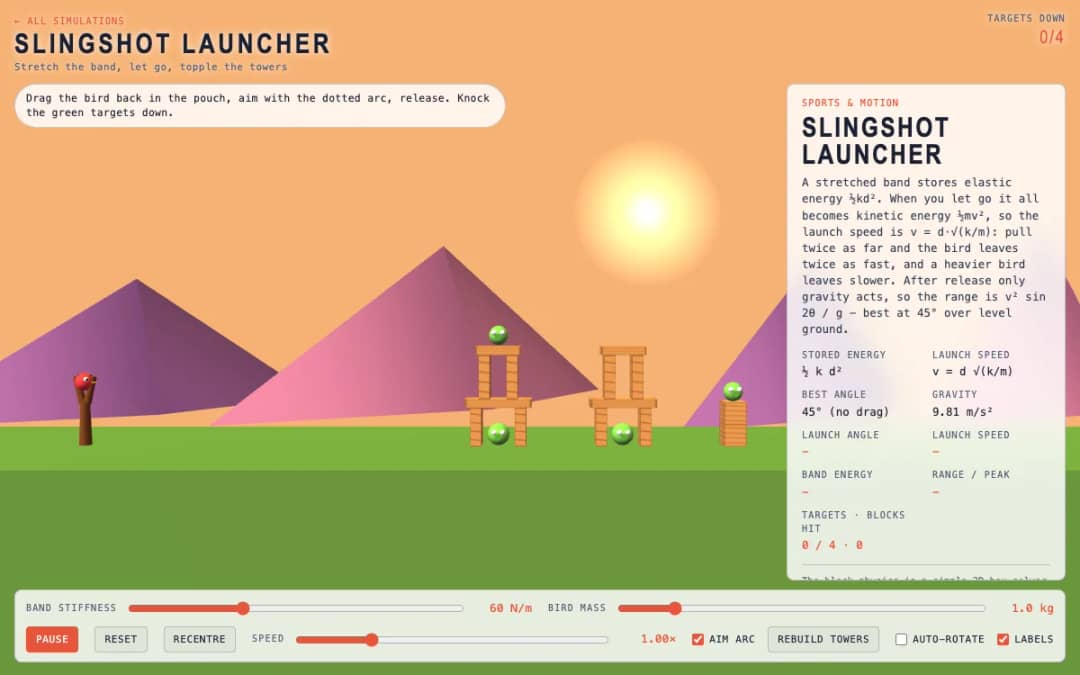
A slingshot faces towers with green targets. Students drag the bird back in the pouch, follow the dotted aim arc, release, and try to knock down the targets using the right stretch and angle.
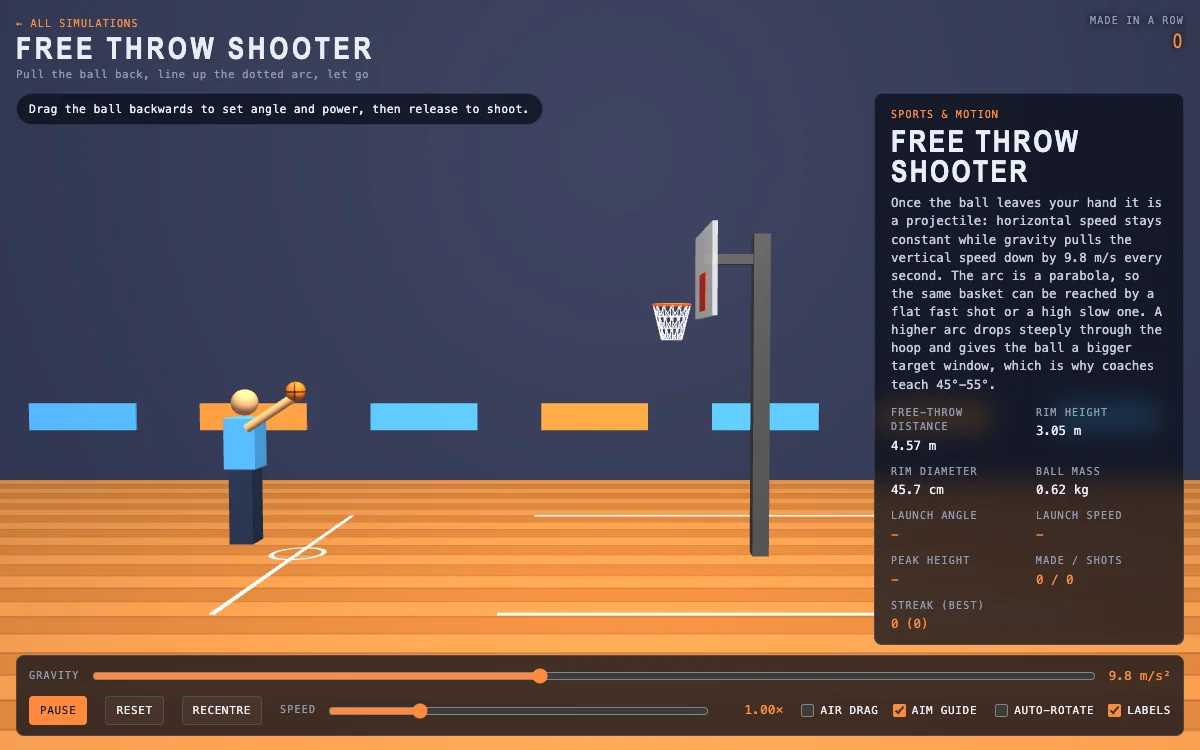
A basketball court shows the free throw line, hoop and a dotted aim arc. Students drag the ball backward to set launch angle and power, release to shoot, and read speed, peak height and streak.
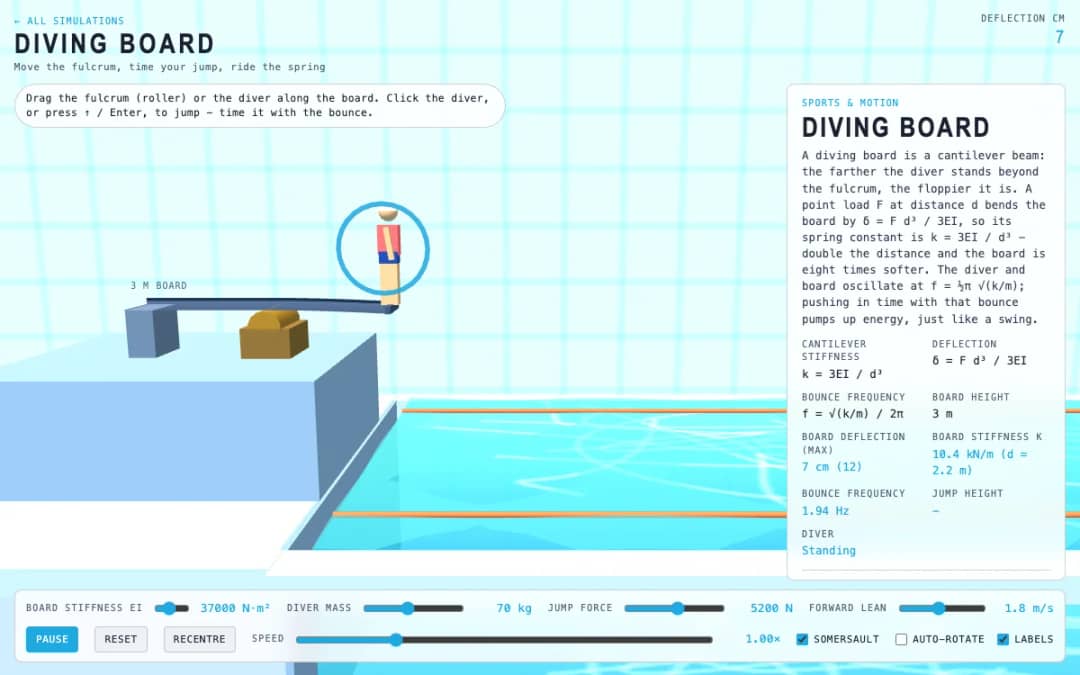
A diving board hangs over a pool at three meters. Students drag the fulcrum roller or the diver along the board, click the diver or press Enter to jump, and time pushes with the board's bounce.
El espacio de trabajo gratuito para docentes de KiwiBee reúne en un solo lugar la planificación de clases, las fichas, las herramientas de aula y el libro de calificaciones.
Empieza gratis y crea tu primera clase Inicio
 Todas las soluciones
 Precios
 Quiénes somos
 KiwiBee para organizaciones sin fines de lucro
 Eventos y seminarios web
 Para grandes organizaciones
 Para escuelas
 Para centros de aprendizaje
 Para líderes de equipo
 Para docentes
 IA y recursos
 Recursos
 Hojas de trabajo imprimibles
 Paquetes didácticos
 Simulaciones interactivas
 Herramientas para docentes
 Estudio de IA
 Ideas e investigación