
Explore where notable people were born on an interactive world map. Filter culture, science, leadership, and sport, compare regions, and connect biographies with geography. Map by Topi Tjukanov, using research by Morgane Laouenan and colleagues.
—
KiwiBee usa cookies opcionales de Google Analytics, Google Ads y Meta Pixel para entender a los visitantes adultos, medir los registros completados y mejorar las campañas. Las cookies esenciales siempre permanecen activas. El píxel de anuncios de ChatGPT de OpenAI también mide las visitas y las consultas enviadas tras aceptar la publicidad, y puede usar datos de contacto cifrados mediante hash para la atribución. Política de privacidad
Students drag nine wedge-shaped voussoirs onto the wooden centering, placing the keystone last, then click the frame or press Remove centering to see if the arch stands. A slider adds a load on top up to 300 kN. Readouts show stones placed, horizontal thrust and the state of the arch. The model uses an 8 m span and 4 m rise. It shows how Roman builders turned weight into compression and why the keystone matters.
It is completely free. Open the Roman Arch Builder in any current browser on a classroom whiteboard, tablet or phone, with no sign-up and nothing to install.
The keystone is the central wedge at the top. Until it is in place, the arch cannot carry its own weight. Once it locks the crown, the stones press on each other and hold.
Centering is the temporary timber frame builders used to hold the stones in position while the arch was built. It is removed once the keystone is placed.
Drag each stone onto the wooden frame, put the keystone in last, then click the frame or press Remove centering. Use the Load on top slider to test the arch.
Colócala en tu LMS, blog o sitio de clase, gratis.
<iframe src="https://kiwibee.io/es/simulations/roman-arch-builder-3d-simulation/embed" title="Roman Arch Builder | KiwiBee" loading="lazy" allowfullscreen style="width:100%;height:min(70vh,620px);min-height:420px;border:0;border-radius:16px"></iframe>Sigue explorando
Explore where notable people were born on an interactive world map. Filter culture, science, leadership, and sport, compare regions, and connect biographies with geography. Map by Topi Tjukanov, using research by Morgane Laouenan and colleagues.

Explore how ideas spread through social networks in an interactive lesson. Draw connections, compare network structures, and investigate collective behavior.
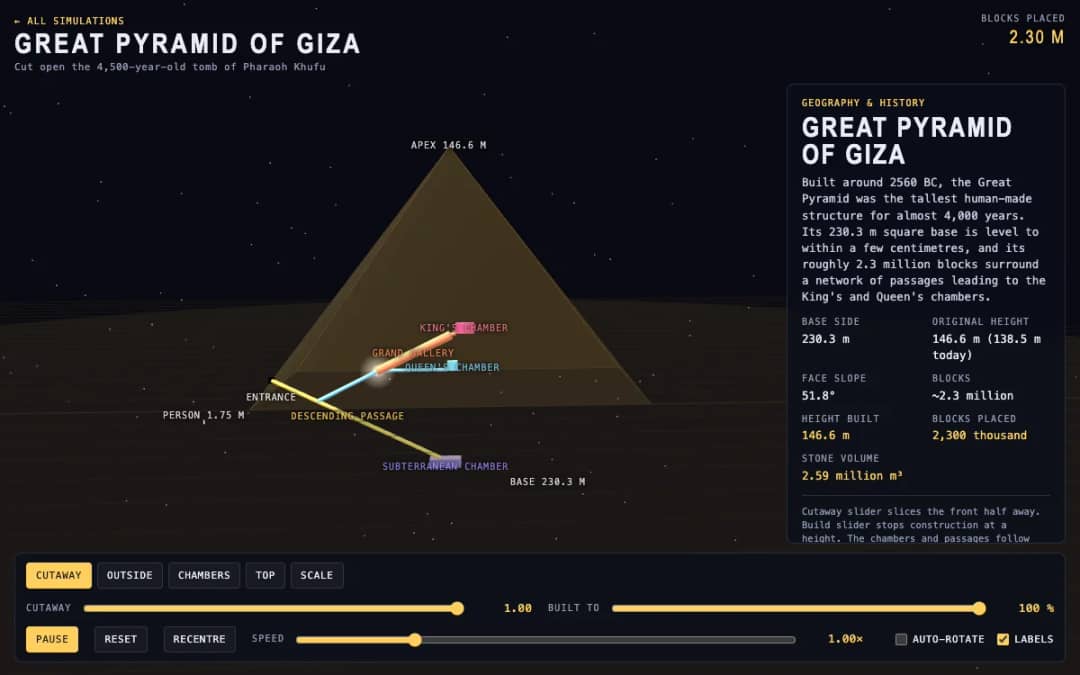
The Great Pyramid of Giza is shown in 3D with a cutaway slider that slices the front away and a build slider that stops construction at any height. Readouts show the height built, blocks placed and stone volume.
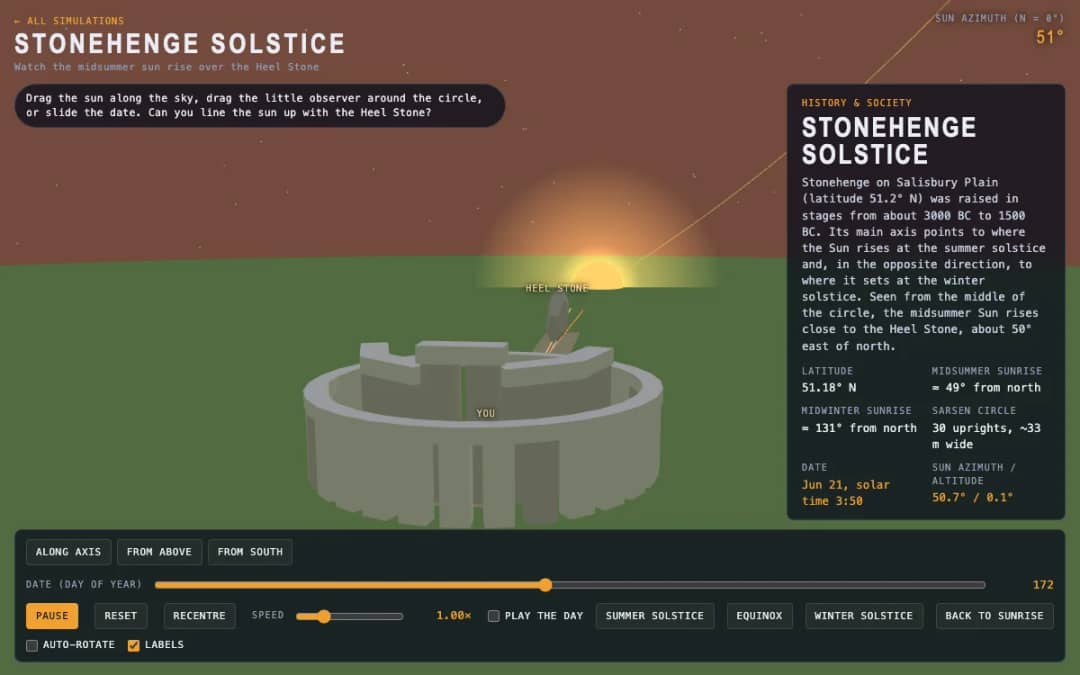
A 3D stone circle under a moving sun. Students drag the sun, move an observer around the circle or slide the date to test whether sunrise lines up with the Heel Stone.
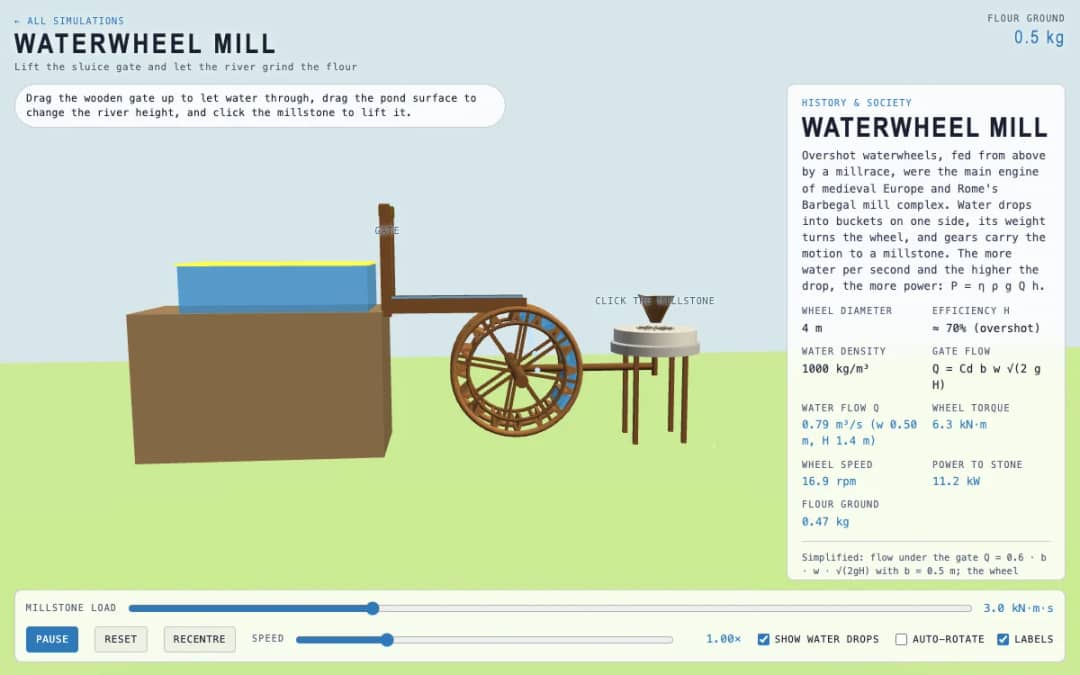
An overshot waterwheel driving a millstone. Students lift the wooden gate, change the pond level and click the millstone, then watch flow, torque, wheel speed and flour output.
El espacio de trabajo gratuito para docentes de KiwiBee reúne en un solo lugar la planificación de clases, las fichas, las herramientas de aula y el libro de calificaciones.
Empieza gratis y crea tu primera clase Inicio
 Todas las soluciones
 Precios
 Quiénes somos
 KiwiBee para organizaciones sin fines de lucro
 Eventos y seminarios web
 Para grandes organizaciones
 Para escuelas
 Para centros de aprendizaje
 Para líderes de equipo
 Para docentes
 IA y recursos
 Recursos
 Hojas de trabajo imprimibles
 Paquetes didácticos
 Simulaciones interactivas
 Herramientas para docentes
 Estudio de IA
 Ideas e investigación