
Light & Shadow Studio
- Física
Comentarios
Relacionado con esta simulación
Elegidos por su significado entre juegos, fichas, simulaciones, herramientas para docentes y vídeos.
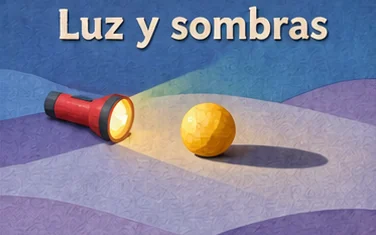
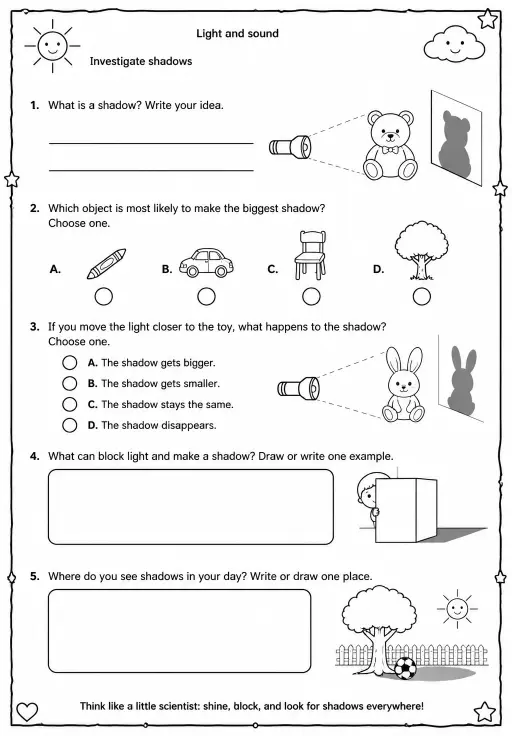
Sobre esta simulación
This simulation lets students experiment with shadows. They drag a yellow lamp around a table and drag the sphere, cube and cone to new places. Sliders set the lamp height and the lamp size, and further controls show or hide light rays and change shadow darkness. A low lamp throws long shadows and a high one throws short ones; a tiny lamp makes a sharp edge, while a large lamp makes a dark center and a soft half-shadow. Readouts show the cone's shadow length, the lamp angle, the penumbra width and the type of shadow edge. It supports lessons on light traveling in straight lines, shadow length and similar triangles.
Qué pueden explorar los alumnos
- Drag the lamp to the left, then right, and watch the cone's shadow swing the other way.
- Lower Lamp height and compare the Cone shadow length readout with a high lamp.
- Raise Lamp size and look for a dark core surrounded by a lighter edge.
- Move an object close to the table edge and see how its shadow changes.
- Turn Light rays on and off to see the straight lines from the lamp past each object.
Objetivos de aprendizaje
- 1Explain that shadows form because light travels in straight lines and is blocked.
- 2Describe how lamp height changes shadow length.
- 3Distinguish the umbra from the penumbra.
- 4Predict how a shadow moves when the light source moves.
Preguntas frecuentes de los docentes
Is it free?
Yes. Light & Shadow Studio is free, needs no sign-up and runs in any modern browser, including whiteboards, tablets and phones.
Why do shadows get longer when the lamp is lower?
Light travels in straight lines. A lower lamp makes the light strike the object at a shallower angle, so the blocked region stretches farther across the table.
What are umbra and penumbra?
The umbra is the dark core where the light is fully blocked. The penumbra is the soft half-shadow where only part of a large lamp is blocked.
How do I move things?
Press on the lamp or on an object and drag it across the table. Use the sliders for lamp height, lamp size and shadow darkness.
Insertar esta simulación
Colócala en tu LMS, blog o sitio de clase, gratis.
<iframe src="https://kiwibee.io/es/simulations/light-shadow-studio-3d-simulation/embed" title="Light & Shadow Studio | KiwiBee" loading="lazy" allowfullscreen style="width:100%;height:min(70vh,620px);min-height:420px;border:0;border-radius:16px"></iframe>Lleva la ciencia interactiva a tu aula
El espacio de trabajo gratuito para docentes de KiwiBee reúne en un solo lugar la planificación de clases, las fichas, las herramientas de aula y el libro de calificaciones.
Empieza gratis y crea tu primera claseMira KiwiBee en YouTube
Vídeos cortos de KiwiBee para docentes y centros. Suscríbete o sigue a KiwiBee donde estés.
 Inicio
 Todas las soluciones
 Precios
 Quiénes somos
 KiwiBee para organizaciones sin fines de lucro
 Eventos y seminarios web
 Para grandes organizaciones
 Para escuelas
 Para centros de aprendizaje
 Para líderes de equipo
 Para docentes
 Recursos
 Hojas de trabajo imprimibles
 Simulaciones interactivas
 Herramientas para docentes
 Ideas e investigación


