
Explore where notable people were born on an interactive world map. Filter culture, science, leadership, and sport, compare regions, and connect biographies with geography. Map by Topi Tjukanov, using research by Morgane Laouenan and colleagues.
—
KiwiBee 使用 Google Analytics、Google Ads 和 Meta Pixel 的可选 Cookie,用于了解成年访客、统计已完成的注册并改进推广活动。必要 Cookie 始终保持开启。 OpenAI 的 ChatGPT 广告像素还会在您同意广告追踪后衡量页面浏览和已提交的咨询,并可能使用经过哈希处理的联系信息进行匹配。 隐私政策
Students drag nine wedge-shaped voussoirs onto the wooden centering, placing the keystone last, then click the frame or press Remove centering to see if the arch stands. A slider adds a load on top up to 300 kN. Readouts show stones placed, horizontal thrust and the state of the arch. The model uses an 8 m span and 4 m rise. It shows how Roman builders turned weight into compression and why the keystone matters.
It is completely free. Open the Roman Arch Builder in any current browser on a classroom whiteboard, tablet or phone, with no sign-up and nothing to install.
The keystone is the central wedge at the top. Until it is in place, the arch cannot carry its own weight. Once it locks the crown, the stones press on each other and hold.
Centering is the temporary timber frame builders used to hold the stones in position while the arch was built. It is removed once the keystone is placed.
Drag each stone onto the wooden frame, put the keystone in last, then click the frame or press Remove centering. Use the Load on top slider to test the arch.
免费嵌入你的学习平台、博客或班级网站。
<iframe src="https://kiwibee.io/zh-cn/simulations/roman-arch-builder-3d-simulation/embed" title="Roman Arch Builder | KiwiBee" loading="lazy" allowfullscreen style="width:100%;height:min(70vh,620px);min-height:420px;border:0;border-radius:16px"></iframe>继续探索
Explore where notable people were born on an interactive world map. Filter culture, science, leadership, and sport, compare regions, and connect biographies with geography. Map by Topi Tjukanov, using research by Morgane Laouenan and colleagues.

Explore how ideas spread through social networks in an interactive lesson. Draw connections, compare network structures, and investigate collective behavior.
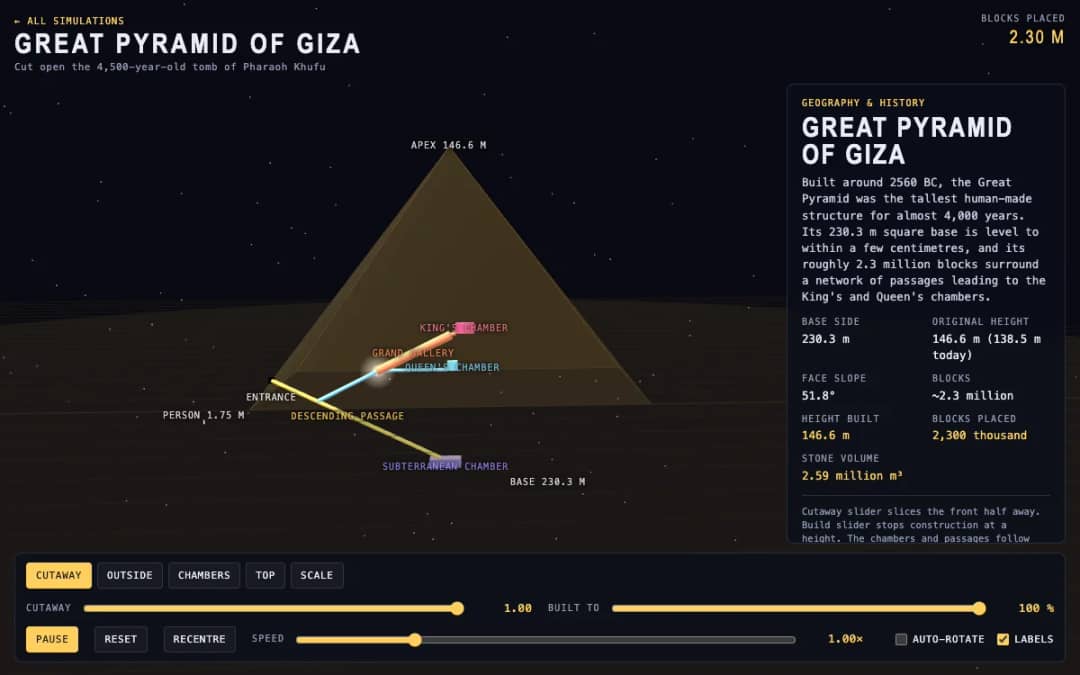
The Great Pyramid of Giza is shown in 3D with a cutaway slider that slices the front away and a build slider that stops construction at any height. Readouts show the height built, blocks placed and stone volume.
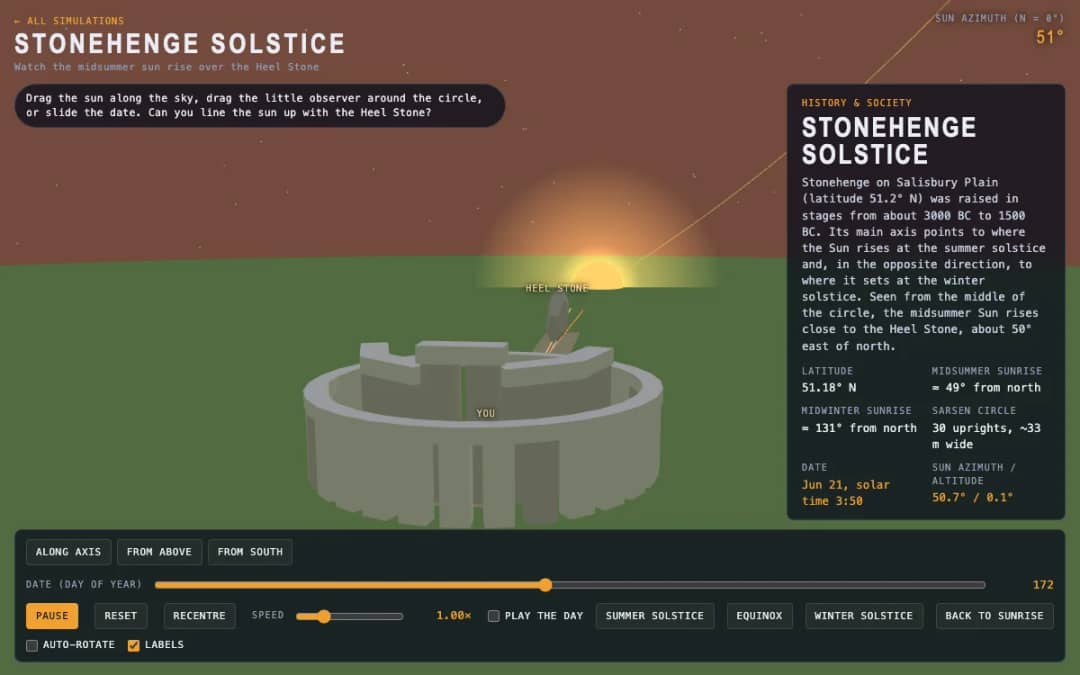
A 3D stone circle under a moving sun. Students drag the sun, move an observer around the circle or slide the date to test whether sunrise lines up with the Heel Stone.
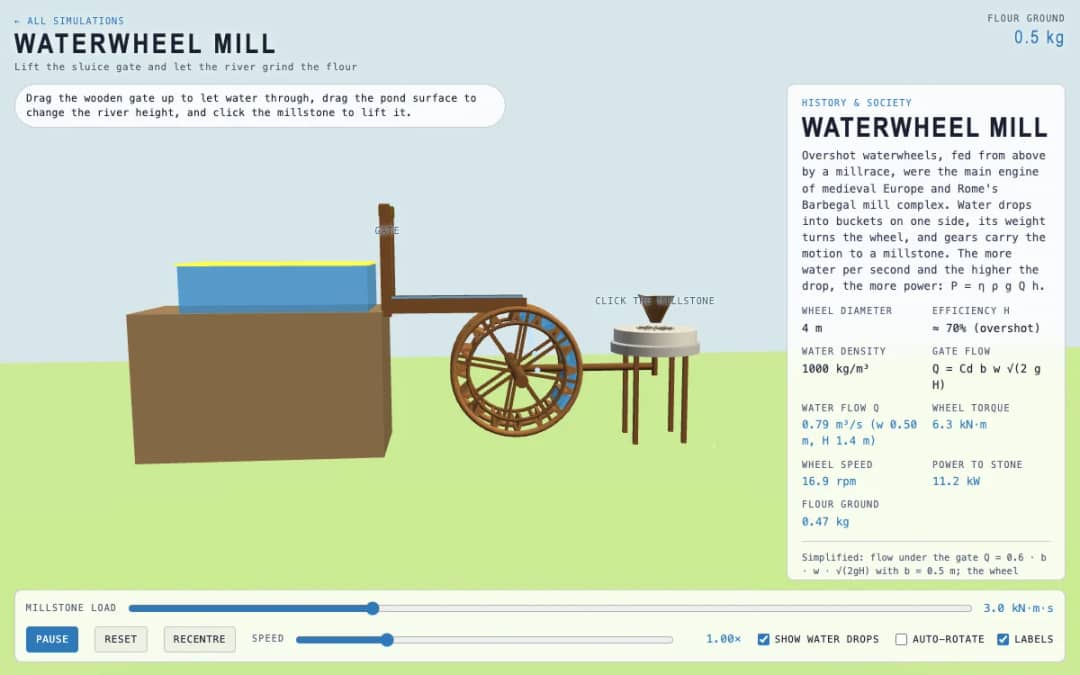
An overshot waterwheel driving a millstone. Students lift the wooden gate, change the pond level and click the millstone, then watch flow, torque, wheel speed and flour output.
KiwiBee 的免费教师工作台把备课、工作表、课堂工具和成绩册集中在一处。
免费开始,创建你的第一个班级 首页
首页 全部解决方案
 价格
价格 关于我们
关于我们 KiwiBee 非营利组织计划
 活动与网络研讨会
 面向大型教育集团
 面向学校
面向学校 面向教育中心
 面向团队负责人
 面向教师
面向教师 AI 与教学资源
 教学资源
教学资源 可打印练习单
 课程包
课程包 互动模拟实验
 教师工具
教师工具 AI 工作室
 灵感与研究
灵感与研究