
3D Point Plotter
- ریاضی
تبصرے
اس سمیولیشن سے متعلق
کھیلوں، ورک شیٹس، سمیولیشنز، اساتذہ کے اوزار اور ویڈیوز میں سے معنی کی بنیاد پر منتخب۔

اس سمیولیشن کے بارے میں
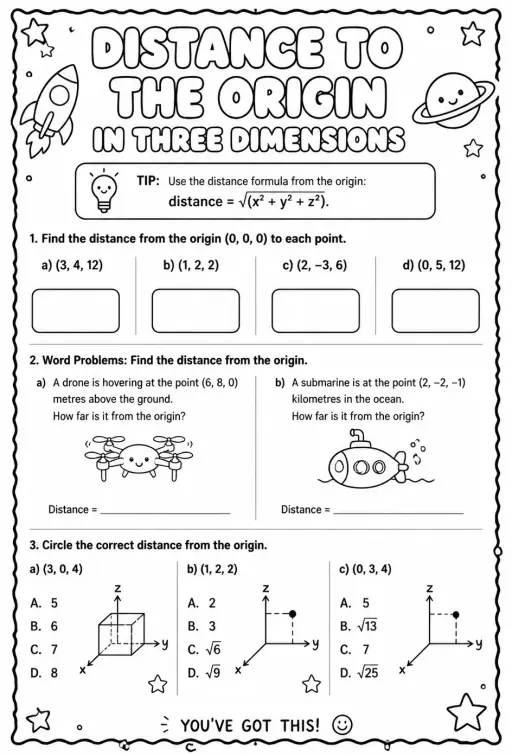
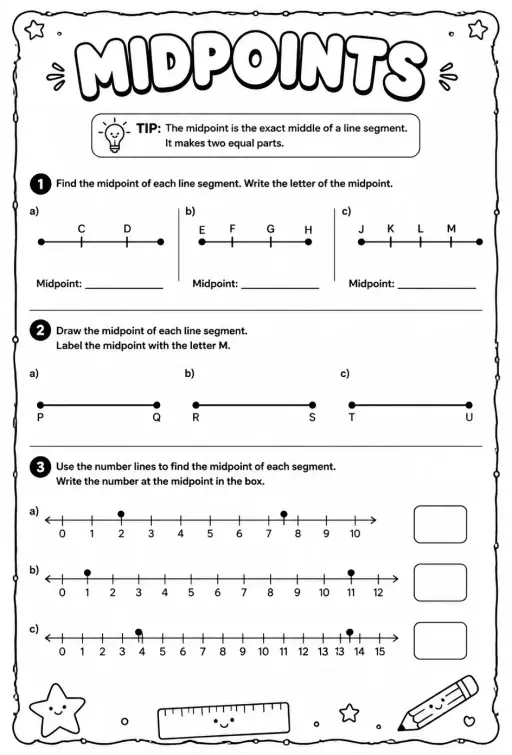
3D Point Plotter lets students move a red point P and a teal point Q inside a coordinate box with x, y and z axes. A Drag plane menu chooses the floor, wall or side plane, and the third coordinate stays fixed while dragging. Coordinates snap to half units between -5 and 5. Readouts show P, Q, the distance OP, the distance PQ and the midpoint M, and projection lines drop to the planes. It is a good first look at three-dimensional coordinates and at extending the distance and midpoint formulas to space.
طلبہ کیا دریافت کر سکتے ہیں
- Drag the red ball on the floor plane and note how x and z change while y stays the same.
- Change Drag plane to XY (wall) and drag again to see which coordinate is now fixed.
- Turn on the second point Q and read Distance PQ as you move it away from P.
- Place P and Q so the midpoint M has whole-number coordinates and check the readout.
- Toggle Projection lines to see how each coordinate is measured from the planes.
تدریسی مقاصد
- 1Read and plot a point using three coordinates (x, y, z).
- 2Describe how moving in one plane keeps the third coordinate fixed.
- 3Calculate distance between two points in space and check it with the readout.
- 4Find the midpoint of a segment by averaging each coordinate.
اساتذہ کے عام سوالات
Is it free?
Yes, it costs nothing and needs no account. Open it in any current browser on a whiteboard, tablet, Chromebook or phone and it just works.
How is distance in 3D calculated?
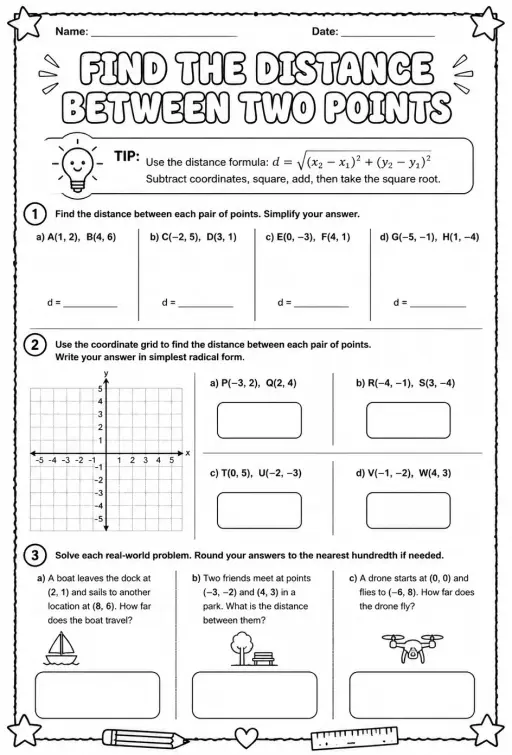
Take the square root of the sum of the squared differences in x, y and z. It is Pythagoras applied twice, first on the floor and then upward with the height.
Which axis is which color?
The x axis is red, the y axis is green and the z axis is blue. In this simulation the floor is the XZ plane and y is the height.
How do I move a point in the third direction?
Switch the Drag plane menu to a different plane. Each plane lets the point slide in two directions, so using two planes lets you reach any position.
یہ سمیولیشن اپنی سائٹ میں شامل کریں
اسے اپنے ایل ایم ایس، بلاگ یا کلاس کی ویب سائٹ پر لگائیں — مفت۔
<iframe src="https://kiwibee.io/ur/simulations/3d-point-plotter-3d-simulation/embed" title="3D Point Plotter | KiwiBee" loading="lazy" allowfullscreen style="width:100%;height:min(70vh,620px);min-height:420px;border:0;border-radius:16px"></iframe>نصاب کے معیارات
Cambridge
- 9Gp.02Use knowledge of coordinates to find points on a line segment.Cambridge Lower Secondary Mathematics (0862) — Stage 9 › Geometry and Measure › Position and transformation
Learning objectives © UCLES (Cambridge University Press & Assessment), quoted with attribution.
تعاملی سائنس اپنے کلاس روم میں لائیں
KiwiBee کا مفت اساتذہ ورک اسپیس سبق کی منصوبہ بندی، ورک شیٹس، کلاس روم اوزار اور گریڈ بک کو ایک ہی جگہ لے آتا ہے۔
مفت شروع کریں اور اپنی پہلی کلاس بنائیںYouTube پر KiwiBee دیکھیں
اساتذہ اور اسکولوں کے لیے KiwiBee کی مختصر ویڈیوز۔ سبسکرائب کریں، یا جہاں بھی ہوں KiwiBee کو فالو کریں۔
 ہوم
 تمام حل
 قیمتیں
 ہمارے بارے میں
 غیر منافع بخش اداروں کے لیے KiwiBee
 تقریبات اور ویبینارز
 بڑے اداروں کے لیے
 اسکولوں کے لیے
 تعلیمی مراکز کے لیے
 ٹیم لیڈرز کے لیے
 اساتذہ کے لیے
 وسائل
 قابلِ طباعت ورک شیٹس
 تعاملی سمیولیشنز
 اساتذہ کے اوزار
 خیالات اور تحقیق


