
3D Point Plotter
- Matematikë
Komente
Lidhur me këtë simulim
Zgjedhur sipas kuptimit nga lojërat, fletët e punës, simulimet, mjetet për mësuesit dhe videot.

Rreth këtij simulimi
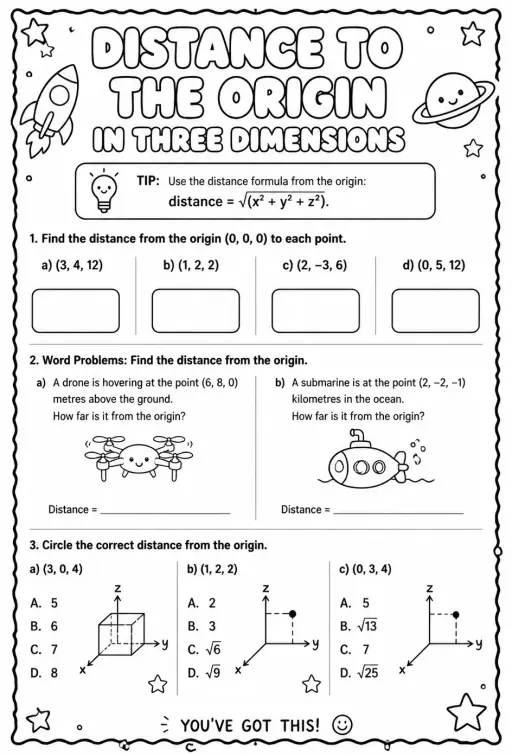
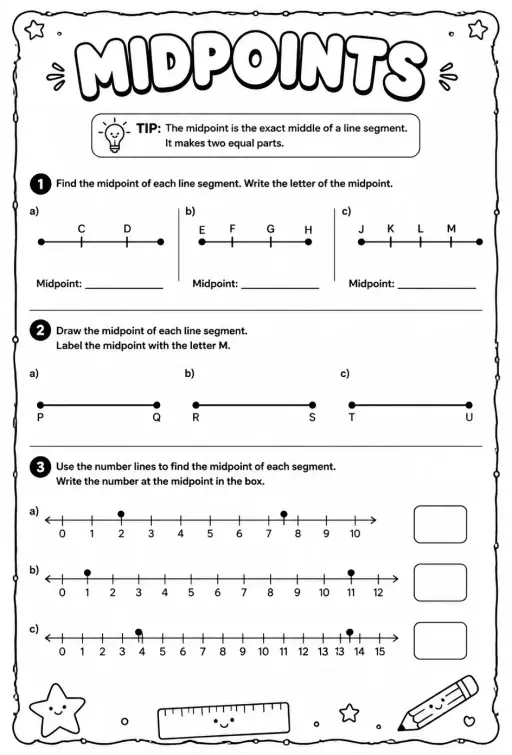
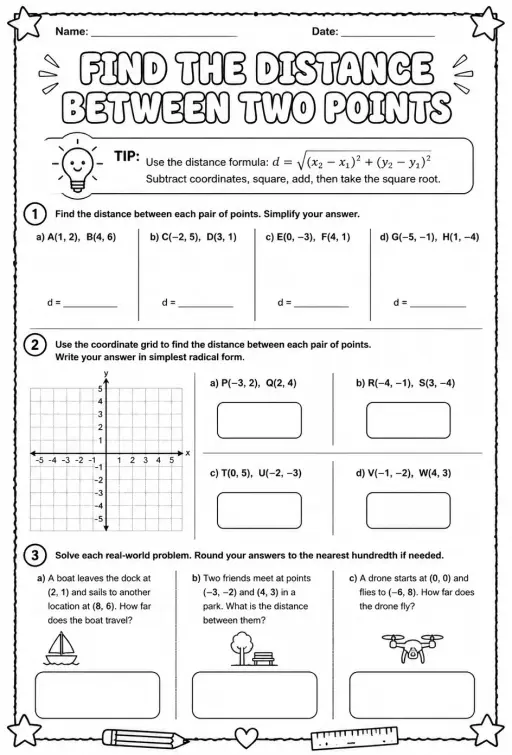
3D Point Plotter lets students move a red point P and a teal point Q inside a coordinate box with x, y and z axes. A Drag plane menu chooses the floor, wall or side plane, and the third coordinate stays fixed while dragging. Coordinates snap to half units between -5 and 5. Readouts show P, Q, the distance OP, the distance PQ and the midpoint M, and projection lines drop to the planes. It is a good first look at three-dimensional coordinates and at extending the distance and midpoint formulas to space.
Çfarë mund të eksplorojnë nxënësit
- Drag the red ball on the floor plane and note how x and z change while y stays the same.
- Change Drag plane to XY (wall) and drag again to see which coordinate is now fixed.
- Turn on the second point Q and read Distance PQ as you move it away from P.
- Place P and Q so the midpoint M has whole-number coordinates and check the readout.
- Toggle Projection lines to see how each coordinate is measured from the planes.
Objektivat e të nxënit
- 1Read and plot a point using three coordinates (x, y, z).
- 2Describe how moving in one plane keeps the third coordinate fixed.
- 3Calculate distance between two points in space and check it with the readout.
- 4Find the midpoint of a segment by averaging each coordinate.
Pyetjet që bëjnë mësuesit
Is it free?
Yes, it costs nothing and needs no account. Open it in any current browser on a whiteboard, tablet, Chromebook or phone and it just works.
How is distance in 3D calculated?
Take the square root of the sum of the squared differences in x, y and z. It is Pythagoras applied twice, first on the floor and then upward with the height.
Which axis is which color?
The x axis is red, the y axis is green and the z axis is blue. In this simulation the floor is the XZ plane and y is the height.
How do I move a point in the third direction?
Switch the Drag plane menu to a different plane. Each plane lets the point slide in two directions, so using two planes lets you reach any position.
Vendoseni këtë simulim në faqen tuaj
Vendoseni në platformën tuaj mësimore, në blog ose në faqen e klasës — falas.
<iframe src="https://kiwibee.io/sq/simulations/3d-point-plotter-3d-simulation/embed" title="3D Point Plotter | KiwiBee" loading="lazy" allowfullscreen style="width:100%;height:min(70vh,620px);min-height:420px;border:0;border-radius:16px"></iframe>Standardet e kurrikulës
Cambridge
- 9Gp.02Use knowledge of coordinates to find points on a line segment.Cambridge Lower Secondary Mathematics (0862) — Stage 9 › Geometry and Measure › Position and transformation
Learning objectives © UCLES (Cambridge University Press & Assessment), quoted with attribution.
Sillni shkencën interaktive në klasën tuaj
Hapësira falas e mësuesit në KiwiBee bashkon në një vend planifikimin e mësimit, fletët e punës, mjetet e klasës dhe regjistrin e notave.
Filloni falas dhe krijoni klasën tuaj të parëShikoni KiwiBee në YouTube
Video të shkurtra të KiwiBee për mësuesit dhe shkollat. Abonohuni, ose ndiqni KiwiBee kudo që jeni.
 Ballina
 Të gjitha zgjidhjet
 Çmimet
 Rreth nesh
 KiwiBee për organizatat jofitimprurëse
 Evente dhe webinare
 Për organizatat e mëdha
 Për shkollat
 Për qendrat mësimore
 Për drejtuesit e ekipeve
 Për mësuesit
 Burimet
 Fletë pune të shtypshme
 Simulime interaktive
 Mjete për mësuesit
 Ide dhe kërkime


