
Train a small neural network in your browser. Change data, hidden layers and learning rate, then compare its decision boundary, training loss and test loss.
—
KiwiBee uses optional Google Analytics, Google Ads, and Meta Pixel cookies to understand adult visitors, measure completed sign-ups, and improve campaigns. Essential cookies always stay on. OpenAI’s ChatGPT Ads Pixel also measures page views and completed enquiries after advertising consent, and may use hashed contact details for matching. Privacy policy
This simulation shows a real three-five-five-two neural network doing a forward pass. Each neuron adds its weighted inputs and a bias, then squashes the result with the tanh function. Students move three input sliders and see the signals flow through, with cyan connections for positive weights, orange for negative, and neuron color and size showing activation. A button randomizes the weights. The weights are not trained, so the focus is on how the arithmetic works, which makes it an approachable first look at how machine learning models compute.
Yes. It is free and runs in any modern browser, including whiteboards and tablets. There is no sign-up.
No. The weights are random, so the outputs do not mean anything specific. The aim is to show exactly how a network turns inputs into outputs, using the same arithmetic that trained networks use.
Tanh squashes any number into the range from minus 1 to 1. This keeps each neuron output bounded and lets the network represent more than simple straight-line relationships.
Drag the three input sliders and watch the colors and outputs update. Press Randomise weights to create a new network with the same shape.
ដាក់វាចូលទៅក្នុង LMS ប្លក់ ឬគេហទំព័រថ្នាក់រៀនរបស់អ្នក — ឥតគិតថ្លៃ។
<iframe src="https://kiwibee.io/km/simulations/neural-network-3d-simulation/embed" title="Neural Network | KiwiBee" loading="lazy" allowfullscreen style="width:100%;height:min(70vh,620px);min-height:420px;border:0;border-radius:16px"></iframe>បន្តស្វែងរក
Train a small neural network in your browser. Change data, hidden layers and learning rate, then compare its decision boundary, training loss and test loss.
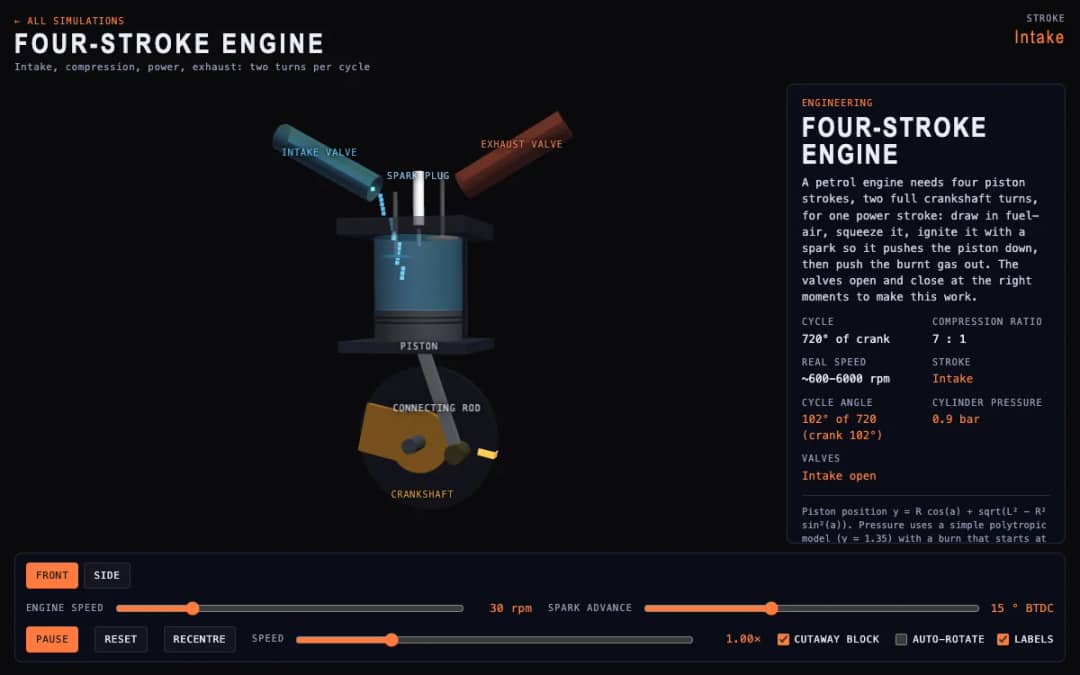
A cutaway engine cylinder shows the piston, valves and spark through the four strokes of the cycle. Students change engine speed and spark advance and watch the stroke, cycle angle, cylinder pressure and valve states update.
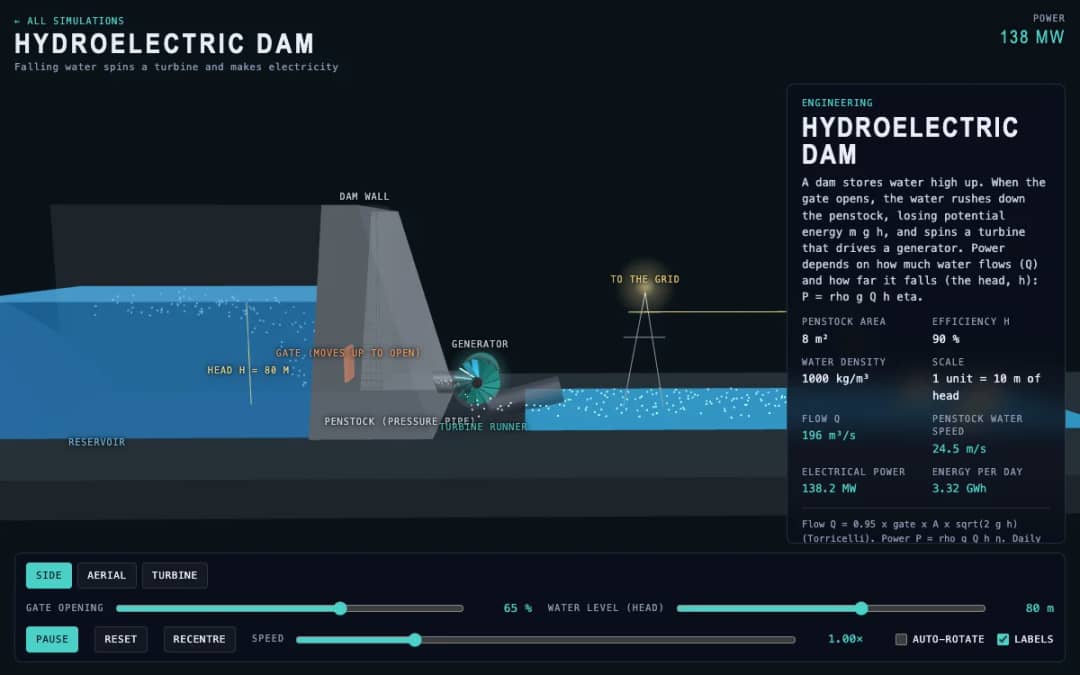
A dam, penstock and turbine are shown in 3D. Students change the gate opening and the water level, called the head, and read the water flow, penstock water speed, electrical power and energy per day.
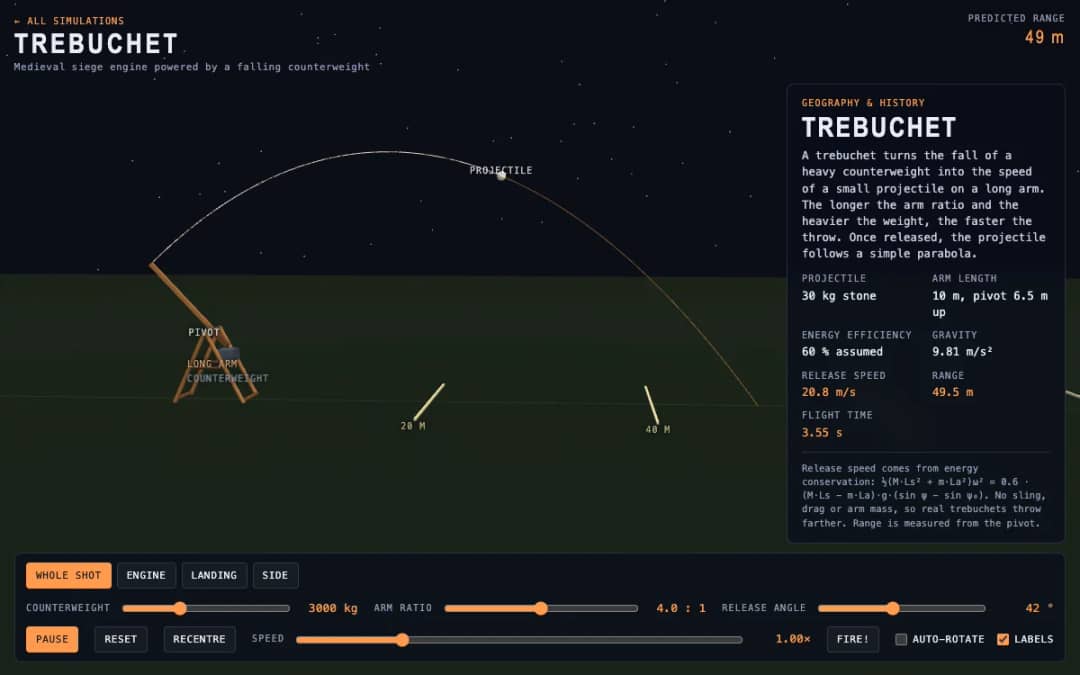
A medieval trebuchet swings its arm in 3D and throws a stone. Students change the counterweight mass, arm ratio and release angle, press Fire, and read the release speed, range and flight time.
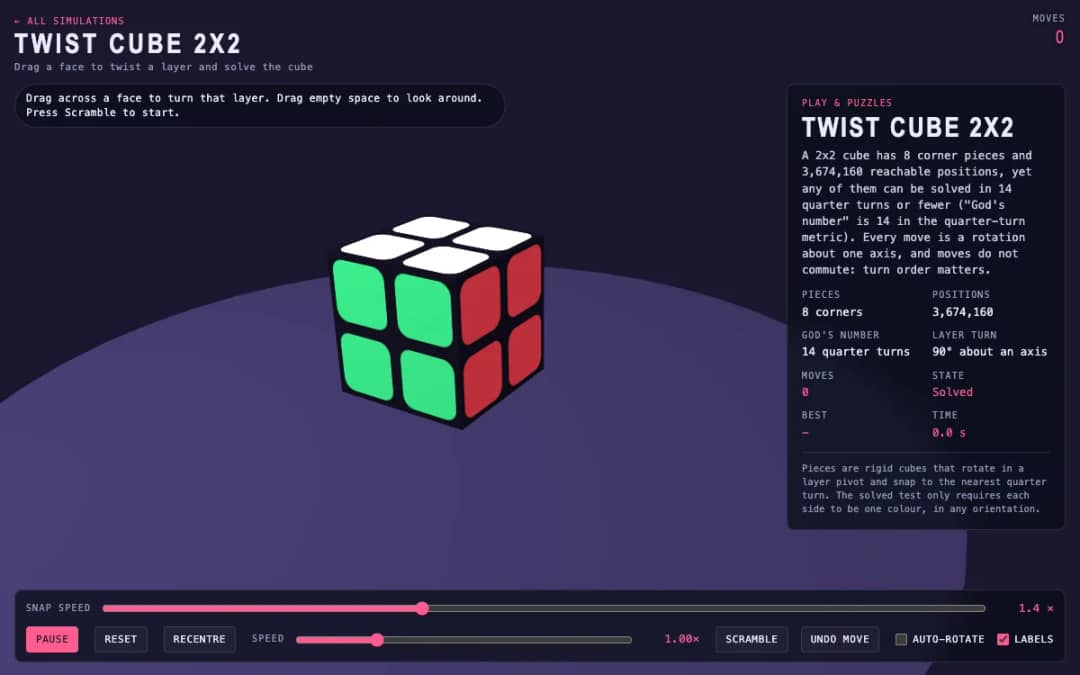
A 3D pocket cube with colored faces sits on screen. Students drag across a face to turn a layer, press Scramble to mix it, and try to solve it while the move counter and timer run.
ទីតាំងការងារសម្រាប់គ្រូដោយឥតគិតថ្លៃ KiwiBee នាំមកនូវការរៀបចំមេរៀន សន្លឹកកិច្ចការ ឧបករណ៍ក្នុងថ្នាក់ និងសៀវភៅពិន្ទុ ទាំងអស់នៅកន្លែងតែមួយ។
ចាប់ផ្តើមឥតគិតថ្លៃ និងបង្កើតថ្នាក់ដំបូងរបស់អ្នក ទំព័រដើម
 ដំណោះស្រាយទាំងអស់
 តម្លៃ
តម្លៃ អំពីយើង
 KiwiBee សម្រាប់អង្គការមិនស្វែងរកប្រាក់ចំណេញ
 ព្រឹត្តិការណ៍ និងសិក្ខាសាលាអនឡាញ
 សម្រាប់អង្គភាពធំ
 សម្រាប់សាលារៀន
 សម្រាប់មជ្ឈមណ្ឌល
 សម្រាប់ប្រធានក្រុម
 សម្រាប់គ្រូ
 AI និងធនធាន
 ធនធាន
ធនធាន សន្លឹកកិច្ចការសម្រាប់បោះពុម្ព
 កញ្ចប់មេរៀន
 ការពិសោធន៍និម្មិតអន្តរកម្ម
 ឧបករណ៍គ្រូ
 ស្ទូឌីយ៉ូ AI
 គំនិត និងការស្រាវជ្រាវ