Technology Gadgets Infographic
infographic
easy
বয়স 8–14
——
প্রাপ্তবয়স্ক দর্শকদের বুঝতে, সম্পন্ন সাইন-আপ পরিমাপ করতে এবং ক্যাম্পেইন উন্নত করতে KiwiBee ঐচ্ছিক Google Analytics, Google Ads ও Meta Pixel কুকি ব্যবহার করে। প্রয়োজনীয় কুকি সবসময় চালু থাকে। OpenAI-এর ChatGPT Ads Pixel বিজ্ঞাপনের সম্মতির পরে পৃষ্ঠা দেখা ও জমা দেওয়া অনুসন্ধানও পরিমাপ করে এবং মিল খোঁজার জন্য হ্যাশ করা যোগাযোগের তথ্য ব্যবহার করতে পারে। গোপনীয়তা নীতি

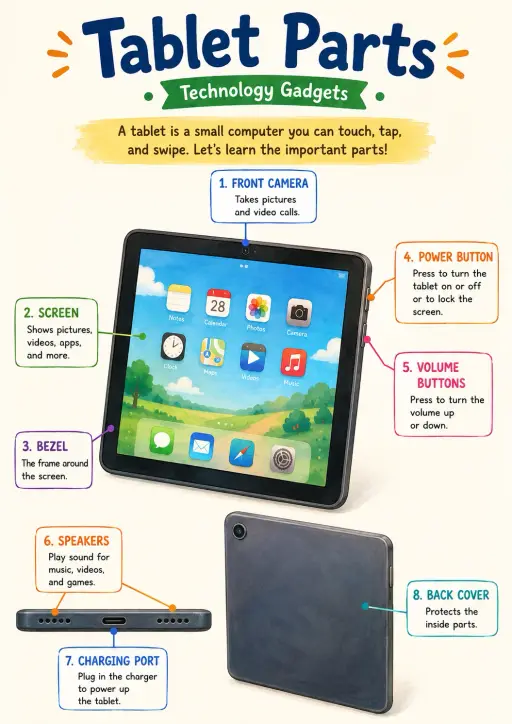
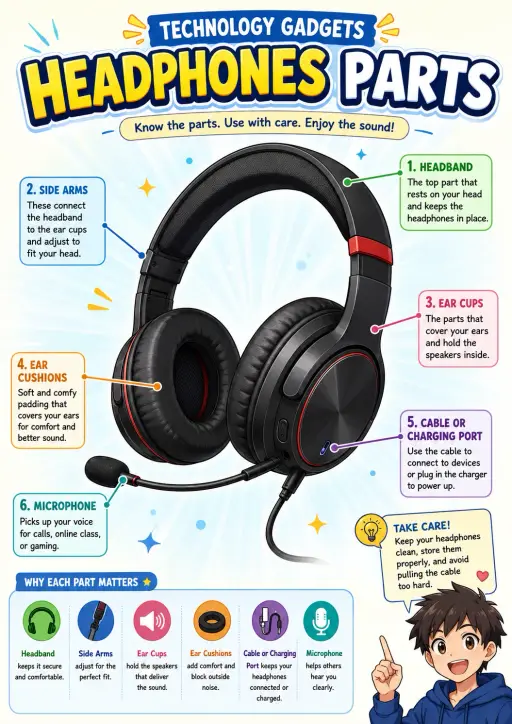
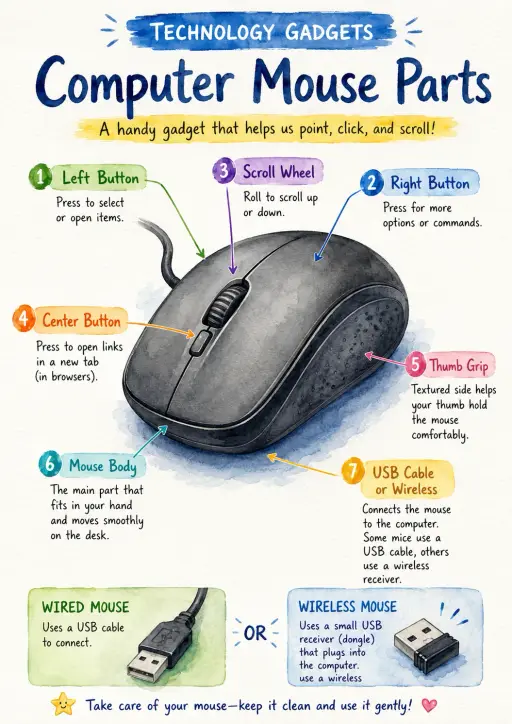
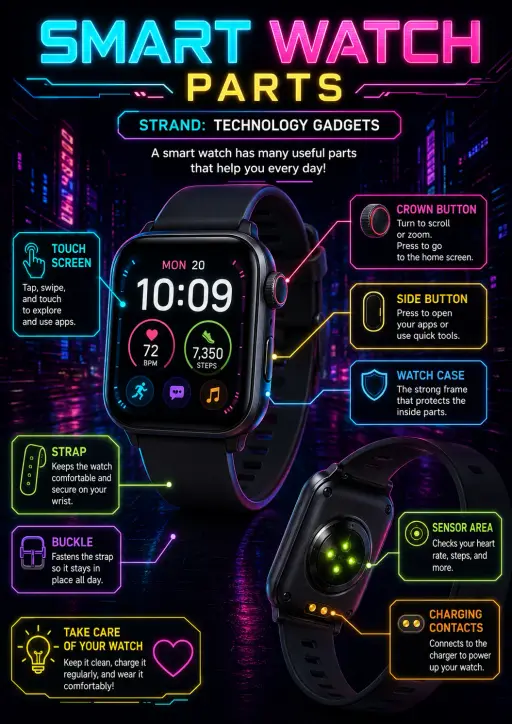
This Technology Gadgets infographic for Technology Gadgets focuses on PRINTER PARTS, 1 SCANNER LID, Lift the lid to place photos or documents on the glass., 2 CONTROL PANEL and Use the buttons and display to choose settings and functions.. The image uses short OCR-extracted labels and reference text from the poster itself, making it ready for classroom display, quick review, learning centers, and independent student study. OCR content highlights: PRINTER PARTS, 1 SCANNER LID, Lift the lid to place photos or documents on the glass., 2 CONTROL PANEL and Use the buttons and display to choose settings and functions.. Visual style: isometric 3D infographic with tidy object cutaways and clear floating labels.
অন্য শিক্ষকেরা কী ভাবছেন দেখুন এবং একটি সহায়ক নোট শেয়ার করুন।
যেকোনো শ্রেণি, প্রসঙ্গ ও ভাষার জন্য নতুন ওয়ার্কশিট তৈরি করুন। বিনামূল্যে।
 হোম
হোম সব সমাধান
 মূল্য
মূল্য আমাদের সম্পর্কে
 অলাভজনক সংস্থার জন্য KiwiBee
 ইভেন্ট ও ওয়েবিনার
 বড় প্রতিষ্ঠানের জন্য
 স্কুলের জন্য
 শিক্ষাকেন্দ্রের জন্য
 টিম লিডারদের জন্য
 শিক্ষকদের জন্য
 AI ও উপকরণ
 উপকরণ
উপকরণ ছাপার উপযোগী ওয়ার্কশিট
 পাঠ প্যাক
 ইন্টারঅ্যাকটিভ সিমুলেশন
 শিক্ষকের সরঞ্জাম
 AI স্টুডিও
 ভাবনা ও গবেষণা