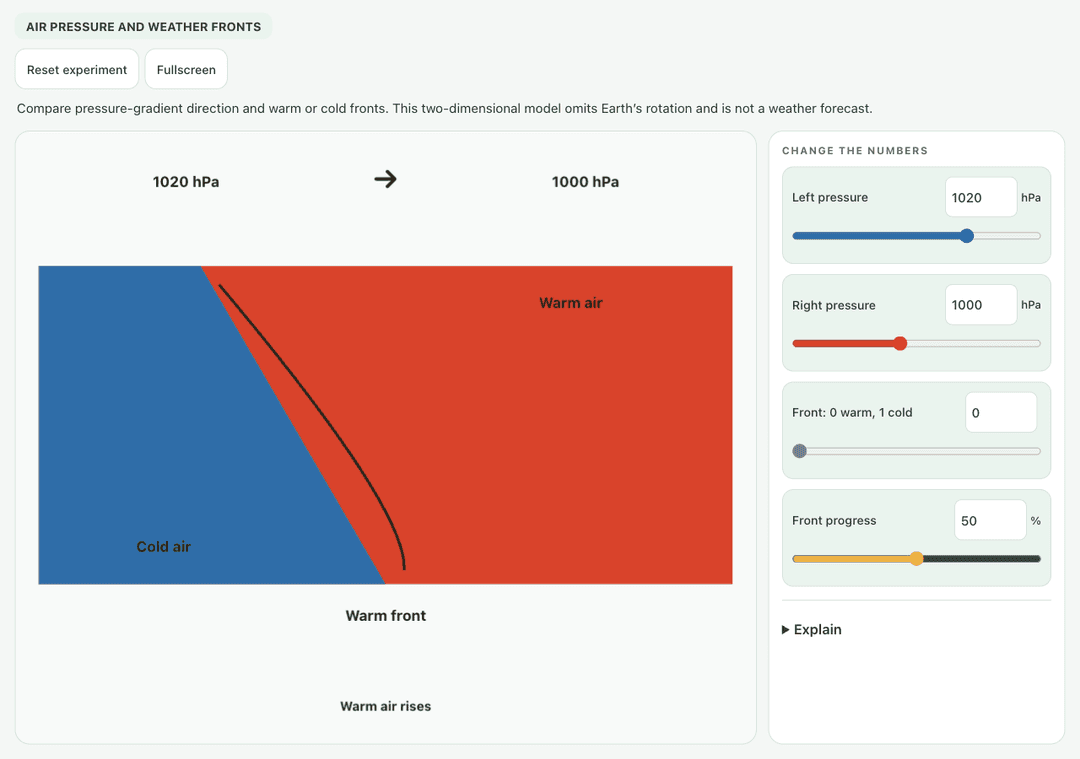
Compare pressure-gradient direction and warm or cold fronts. This two-dimensional model omits Earth’s rotation and is not a weather forecast.
—
KiwiBee بالغ وزیٹرز کو سمجھنے، مکمل ہونے والے سائن اپس کی پیمائش کرنے اور مہمات کو بہتر بنانے کے لیے Google Analytics، Google Ads اور Meta Pixel کی اختیاری کوکیز استعمال کرتا ہے۔ ضروری کوکیز ہمیشہ فعال رہتی ہیں۔ OpenAI کا ChatGPT Ads Pixel اشتہارات کی رضامندی کے بعد صفحات کے مشاہدات اور بھیجی گئی درخواستیں بھی ناپتا ہے اور مماثلت کے لیے ہیش کی گئی رابطہ معلومات استعمال کر سکتا ہے۔ رازداری کی پالیسی
Students drag the orange warm air mass and the blue cold air mass toward each other and move the town to different spots. The simulation names the front type from how the masses move, and shows the overlap, the temperature at the town and the rain there. Sliders set warm and cold air temperatures, a toggle makes cold air push east, and a button lets warm air push instead. It shows why cold fronts bring short heavy showers while warm fronts bring lighter, longer rain.
Yes, it costs nothing and there is no account to create. Weather Fronts works in the browser on laptops, Chromebooks, whiteboards, tablets and phones.
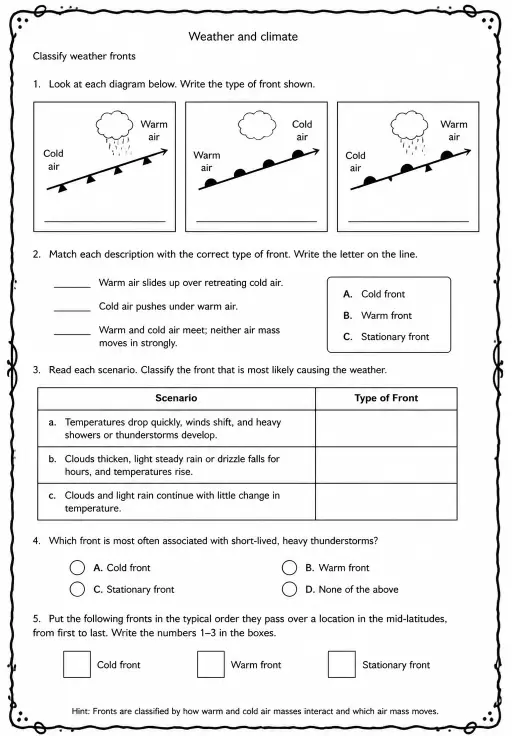
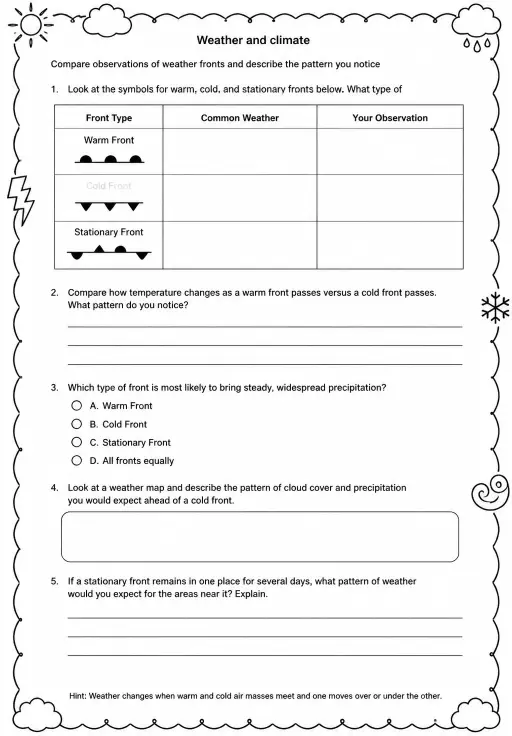
A cold front is where advancing cold, dense air wedges under warmer air and pushes it upward quickly. That often makes tall storm clouds and a short burst of heavy rain.
A warm front is where warm air slides gently up over retreating cold air. The slope is shallow, so clouds spread wide and bring lighter, steadier drizzle.
Drag the warm and cold air masses toward each other and drag the town to a new spot. Use the temperature sliders and push buttons to try other cases.
اسے اپنے ایل ایم ایس، بلاگ یا کلاس کی ویب سائٹ پر لگائیں — مفت۔
<iframe src="https://kiwibee.io/ur/simulations/weather-fronts-collision-3d-simulation/embed" title="Weather Fronts | KiwiBee" loading="lazy" allowfullscreen style="width:100%;height:min(70vh,620px);min-height:420px;border:0;border-radius:16px"></iframe>دریافت جاری رکھیں
Compare pressure-gradient direction and warm or cold fronts. This two-dimensional model omits Earth’s rotation and is not a weather forecast.
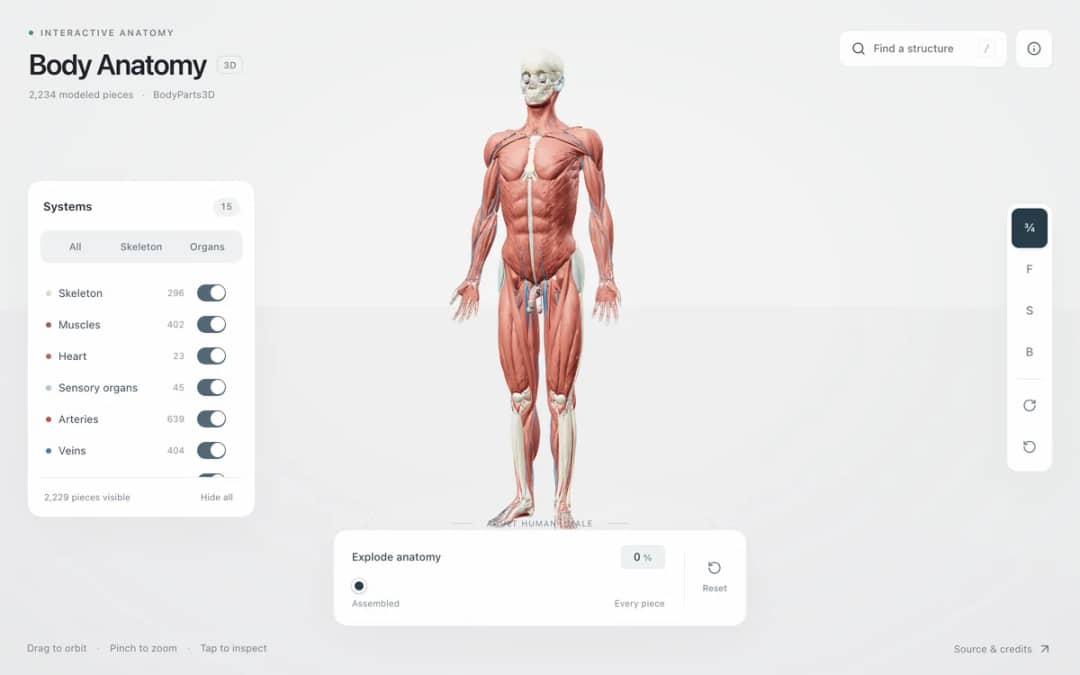
Explore an adult male reference body in 3D. Reveal 14 anatomical systems, search thousands of named structures, isolate organs, and pull 2,209 modeled pieces apart to see how the body is organized.
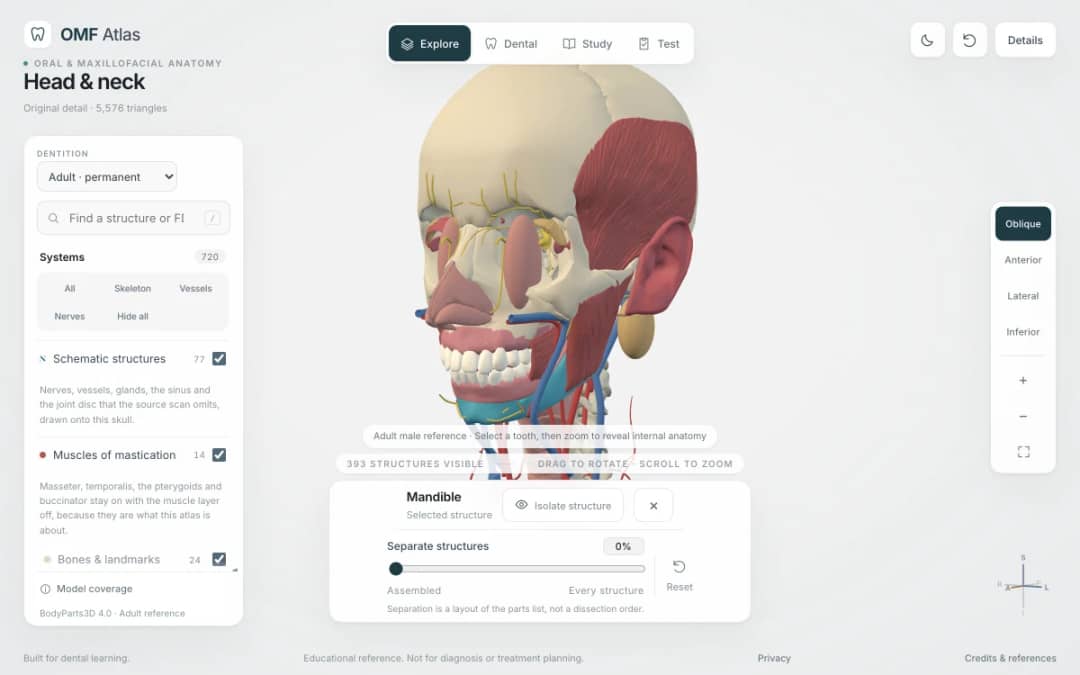
Explore the head and neck in 3D: 643 source meshes across 14 layers, 47 facial and masticatory muscles, and 77 drawn nerves, vessels and glands the source scan omits. Open any tooth onto its own pulp canal, and follow the seven stages of tooth development.

Free interactive photosynthesis simulation. Explore photosynthesis hands-on online — great for whole-class or independent practice.

Free interactive states of matter simulation. Explore states of matter hands-on online — great for whole-class or independent practice.
ماڈل سے شواہد تک
طلبہ کے دریافت کرنے کے بعد ان کے اندازے، مشاہدات اور وضاحتیں لکھوانے کے لیے ورک شیٹ استعمال کریں۔
KiwiBee کا مفت اساتذہ ورک اسپیس سبق کی منصوبہ بندی، ورک شیٹس، کلاس روم اوزار اور گریڈ بک کو ایک ہی جگہ لے آتا ہے۔
مفت شروع کریں اور اپنی پہلی کلاس بنائیں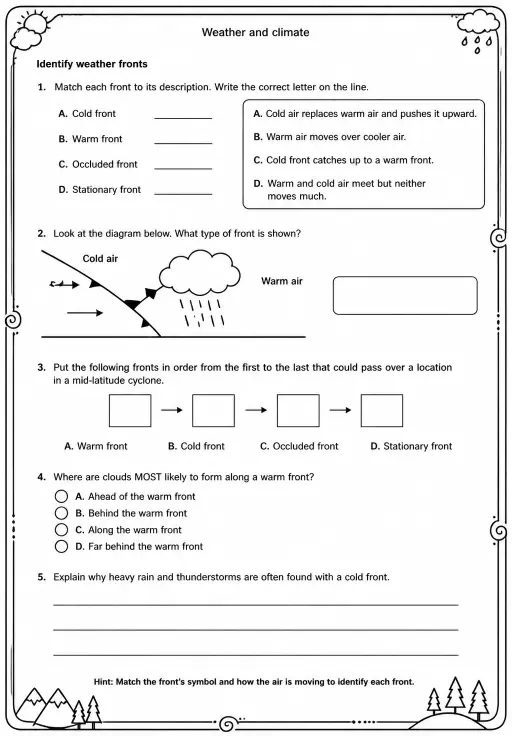
 ہوم
ہوم تمام حل
 قیمتیں
 ہمارے بارے میں
 غیر منافع بخش اداروں کے لیے KiwiBee
 تقریبات اور ویبینارز
 بڑے اداروں کے لیے
 اسکولوں کے لیے
 تعلیمی مراکز کے لیے
 ٹیم لیڈرز کے لیے
 اساتذہ کے لیے
 AI اور وسائل
 وسائل
وسائل قابلِ طباعت ورک شیٹس
 سبق پیکس
 تعاملی سمیولیشنز
 اساتذہ کے اوزار
 AI اسٹوڈیو
 خیالات اور تحقیق