
Explore where notable people were born on an interactive world map. Filter culture, science, leadership, and sport, compare regions, and connect biographies with geography. Map by Topi Tjukanov, using research by Morgane Laouenan and colleagues.
—
KiwiBee menggunakan cookie opsional dari Google Analytics, Google Ads, dan Meta Pixel untuk memahami pengunjung dewasa, mengukur pendaftaran yang selesai, dan meningkatkan kampanye. Cookie penting selalu aktif. Pixel iklan ChatGPT OpenAI juga mengukur tampilan halaman dan pertanyaan yang telah dikirim setelah persetujuan iklan, serta dapat menggunakan detail kontak yang di-hash untuk pencocokan. Kebijakan privasi
Students drag nine wedge-shaped voussoirs onto the wooden centering, placing the keystone last, then click the frame or press Remove centering to see if the arch stands. A slider adds a load on top up to 300 kN. Readouts show stones placed, horizontal thrust and the state of the arch. The model uses an 8 m span and 4 m rise. It shows how Roman builders turned weight into compression and why the keystone matters.
It is completely free. Open the Roman Arch Builder in any current browser on a classroom whiteboard, tablet or phone, with no sign-up and nothing to install.
The keystone is the central wedge at the top. Until it is in place, the arch cannot carry its own weight. Once it locks the crown, the stones press on each other and hold.
Centering is the temporary timber frame builders used to hold the stones in position while the arch was built. It is removed once the keystone is placed.
Drag each stone onto the wooden frame, put the keystone in last, then click the frame or press Remove centering. Use the Load on top slider to test the arch.
Pasang di LMS, blog, atau situs kelas Anda — gratis.
<iframe src="https://kiwibee.io/id/simulations/roman-arch-builder-3d-simulation/embed" title="Roman Arch Builder | KiwiBee" loading="lazy" allowfullscreen style="width:100%;height:min(70vh,620px);min-height:420px;border:0;border-radius:16px"></iframe>Lanjut menjelajah
Explore where notable people were born on an interactive world map. Filter culture, science, leadership, and sport, compare regions, and connect biographies with geography. Map by Topi Tjukanov, using research by Morgane Laouenan and colleagues.

Explore how ideas spread through social networks in an interactive lesson. Draw connections, compare network structures, and investigate collective behavior.
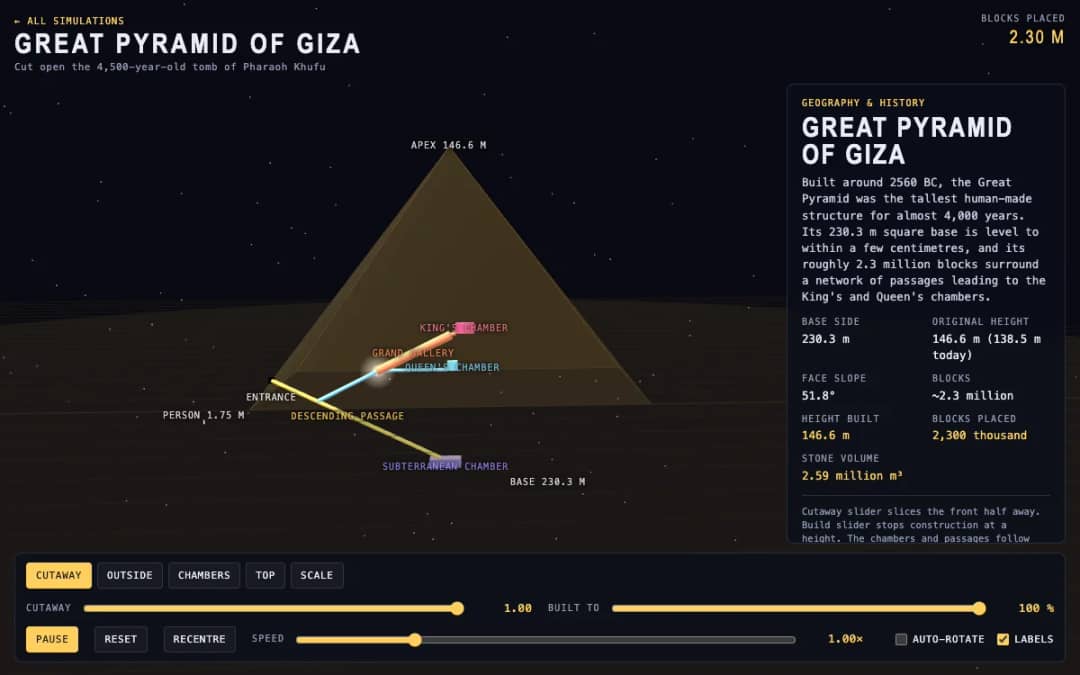
The Great Pyramid of Giza is shown in 3D with a cutaway slider that slices the front away and a build slider that stops construction at any height. Readouts show the height built, blocks placed and stone volume.
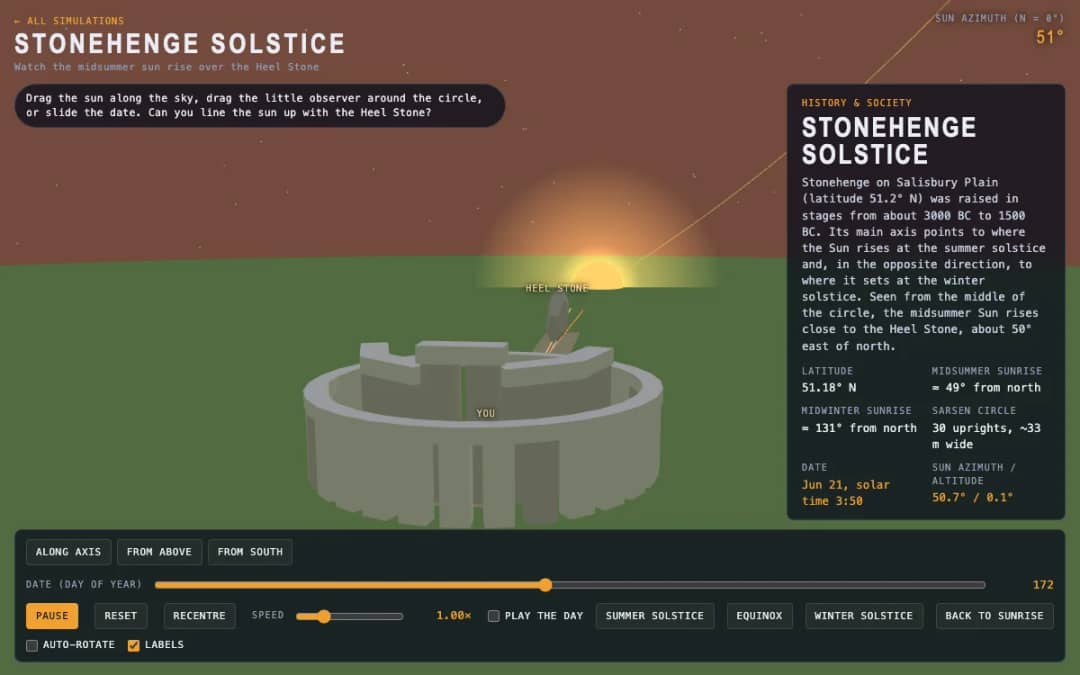
A 3D stone circle under a moving sun. Students drag the sun, move an observer around the circle or slide the date to test whether sunrise lines up with the Heel Stone.
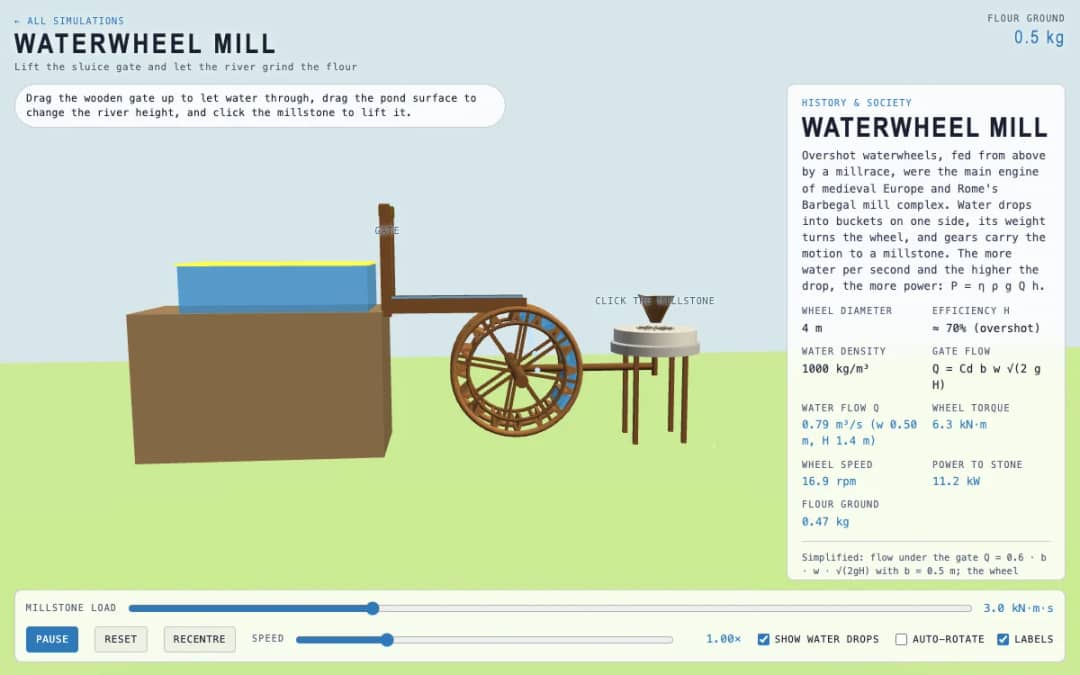
An overshot waterwheel driving a millstone. Students lift the wooden gate, change the pond level and click the millstone, then watch flow, torque, wheel speed and flour output.
Ruang kerja guru gratis dari KiwiBee menyatukan perencanaan pembelajaran, lembar kerja, perangkat kelas, dan buku nilai dalam satu tempat.
Mulai gratis dan buat kelas pertama Anda Beranda
 Semua solusi
 Harga
Harga Tentang kami
 KiwiBee untuk Organisasi Nirlaba
 Acara & webinar
 Untuk organisasi besar
 Untuk sekolah
 Untuk lembaga kursus
 Untuk ketua tim
 Untuk guru
 AI dan sumber belajar
 Sumber belajar
 Lembar kerja siap cetak
 Paket Pelajaran
 Simulasi interaktif
 Alat untuk guru
 Studio AI
 Ide dan riset