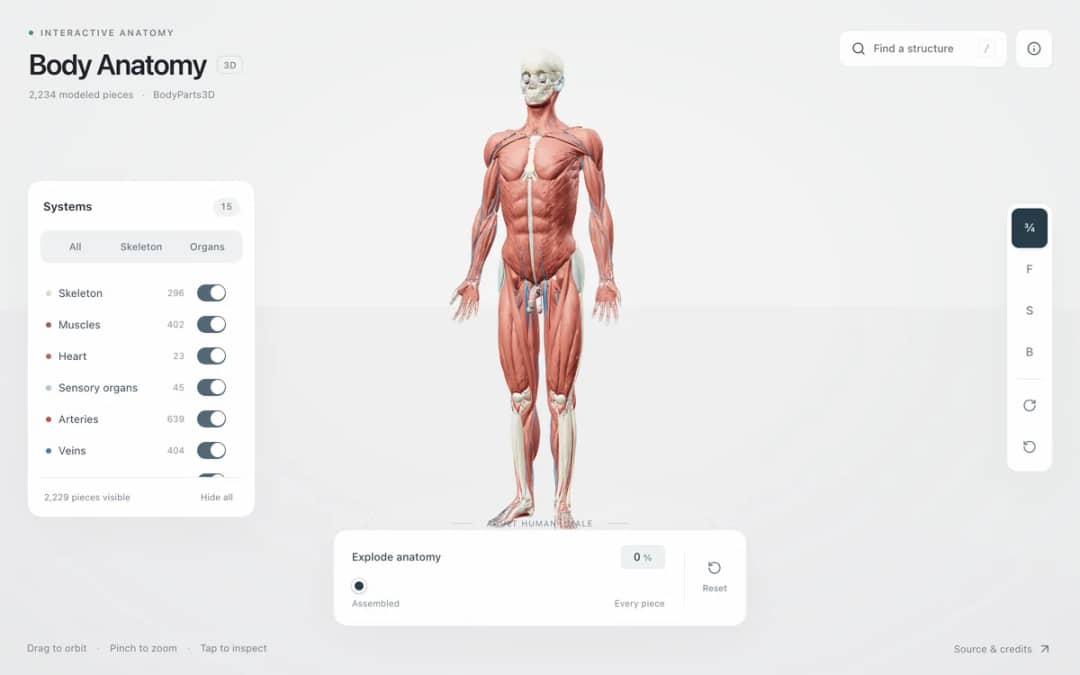
Explore an adult male reference body in 3D. Reveal 14 anatomical systems, search thousands of named structures, isolate organs, and pull 2,209 modeled pieces apart to see how the body is organized.
—
KiwiBee menggunakan cookie opsional dari Google Analytics, Google Ads, dan Meta Pixel untuk memahami pengunjung dewasa, mengukur pendaftaran yang selesai, dan meningkatkan kampanye. Cookie penting selalu aktif. Pixel iklan ChatGPT OpenAI juga mengukur tampilan halaman dan pertanyaan yang telah dikirim setelah persetujuan iklan, serta dapat menggunakan detail kontak yang di-hash untuk pencocokan. Kebijakan privasi
Students choose a mass from moon to star, click to place a body and drag before releasing to give it a velocity. Gravity acts between all bodies, so they can build a star with a planet in circular orbit, a small system with one button, or a chaotic three-body dance. Trails show paths, and readouts show body count, total and kinetic energy, next mass and the number of merges. Bodies that touch combine. The sim shows that orbits are falling paths shaped by F = G m1 m2 / r squared. Teachers can ask for stable orbits.
Yes. It is completely free, needs no sign-up, and runs in any modern browser, including classroom whiteboards, tablets and phones. Just open the page and start.
With two bodies the orbits are tidy ellipses, but with three or more there is no general formula for the motion. Small changes grow quickly, so the orbits can become chaotic.
Select a mass, click where you want the body, and drag before releasing. The drag sets the launch velocity. Keep Click places bodies switched on, and press Clear all to remove everything.
Gravity pulls the planet toward the star while its sideways motion carries it onward. It keeps falling toward the star but keeps missing it, so it circles around.
Pasang di LMS, blog, atau situs kelas Anda — gratis.
<iframe src="https://kiwibee.io/id/simulations/nbody-gravity-sandbox-3d-simulation/embed" title="N-Body Gravity Sandbox | KiwiBee" loading="lazy" allowfullscreen style="width:100%;height:min(70vh,620px);min-height:420px;border:0;border-radius:16px"></iframe>Lanjut menjelajah
Explore an adult male reference body in 3D. Reveal 14 anatomical systems, search thousands of named structures, isolate organs, and pull 2,209 modeled pieces apart to see how the body is organized.
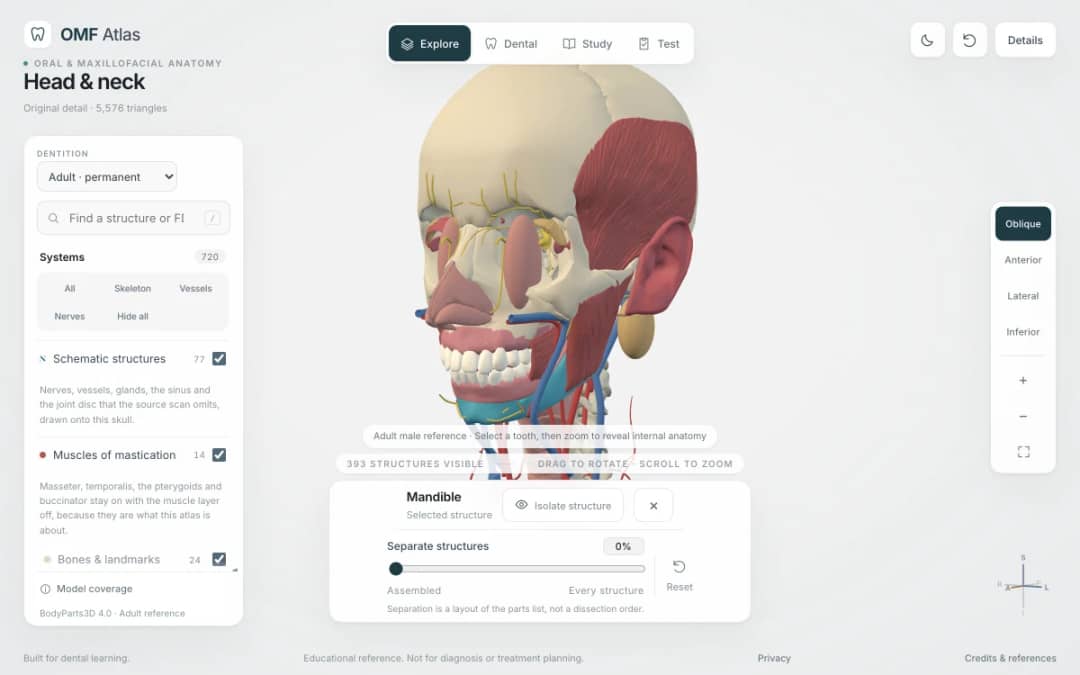
Explore the head and neck in 3D: 643 source meshes across 14 layers, 47 facial and masticatory muscles, and 77 drawn nerves, vessels and glands the source scan omits. Open any tooth onto its own pulp canal, and follow the seven stages of tooth development.

Free interactive photosynthesis simulation. Explore photosynthesis hands-on online — great for whole-class or independent practice.

Free interactive states of matter simulation. Explore states of matter hands-on online — great for whole-class or independent practice.

Free interactive shadows simulation. Explore shadows hands-on online — great for whole-class or independent practice.
Dari model ke bukti
Gunakan lembar kerja untuk mencatat prediksi, pengamatan, dan penjelasan setelah siswa menjelajah.
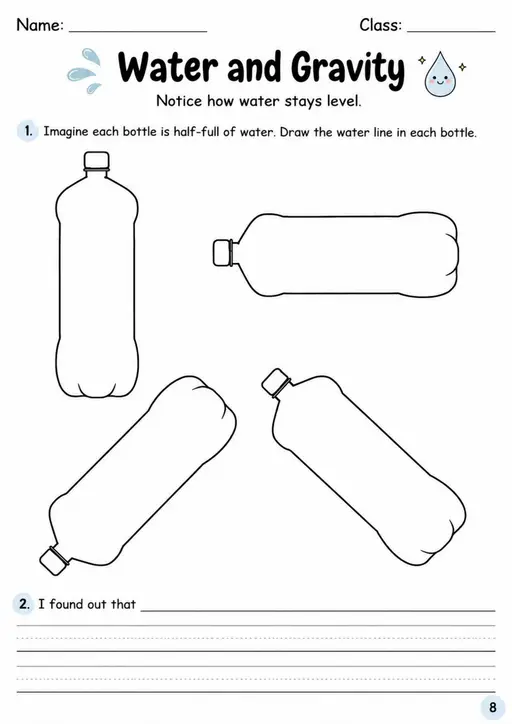

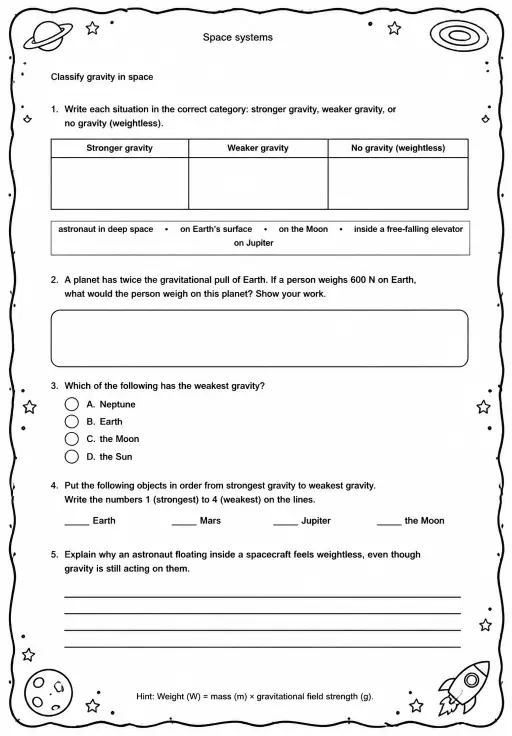
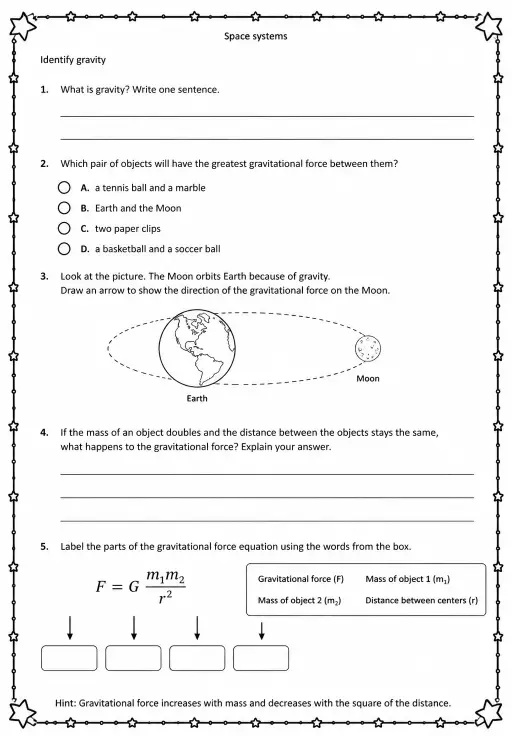
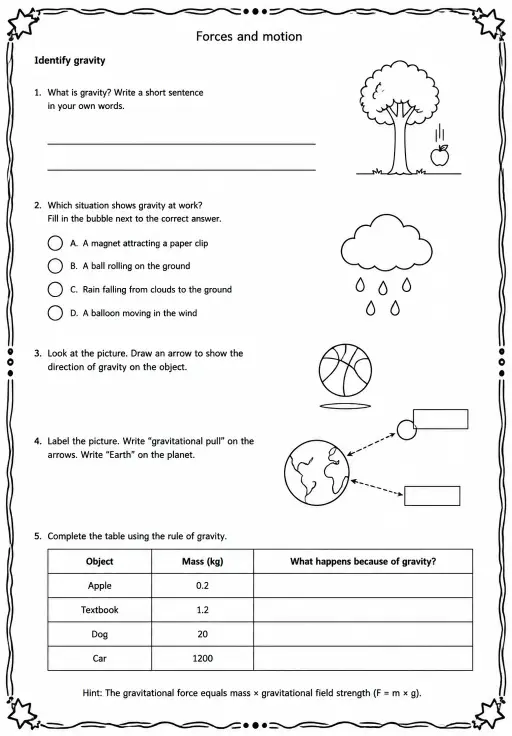
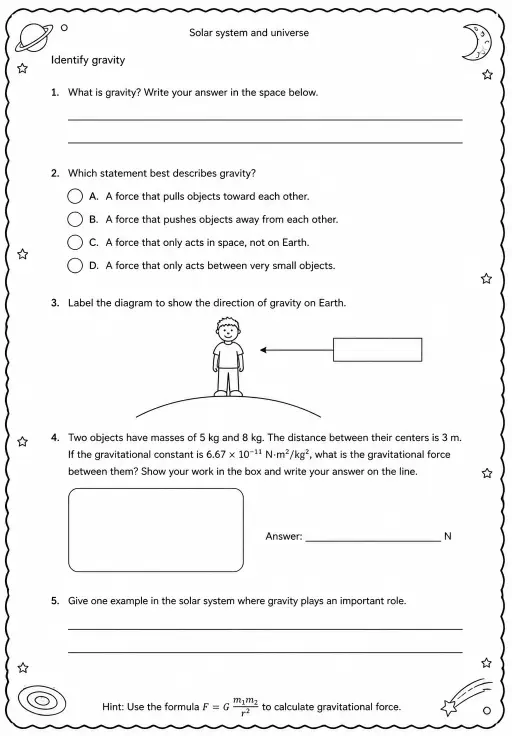
Ruang kerja guru gratis dari KiwiBee menyatukan perencanaan pembelajaran, lembar kerja, perangkat kelas, dan buku nilai dalam satu tempat.
Mulai gratis dan buat kelas pertama Anda Beranda
 Semua solusi
 Harga
Harga Tentang kami
 KiwiBee untuk Organisasi Nirlaba
 Acara & webinar
 Untuk organisasi besar
 Untuk sekolah
 Untuk lembaga kursus
 Untuk ketua tim
 Untuk guru
 AI dan sumber belajar
 Sumber belajar
 Lembar kerja siap cetak
 Paket Pelajaran
 Simulasi interaktif
 Alat untuk guru
 Studio AI
 Ide dan riset